> ## Documentation Index
> Fetch the complete documentation index at: https://www.bolna.ai/docs/llms.txt
> Use this file to discover all available pages before exploring further.
# Buy Phone Numbers for Your Bolna Voice AI Agents
> Purchase dedicated US and Indian phone numbers from the Bolna dashboard. US numbers use Twilio, Indian numbers use Plivo or Vobiz with regional selection. $5/month per number.
Buy dedicated phone numbers directly from the Bolna dashboard. Each number costs **\$5/month**, billed as a recurring subscription from your Bolna wallet balance.
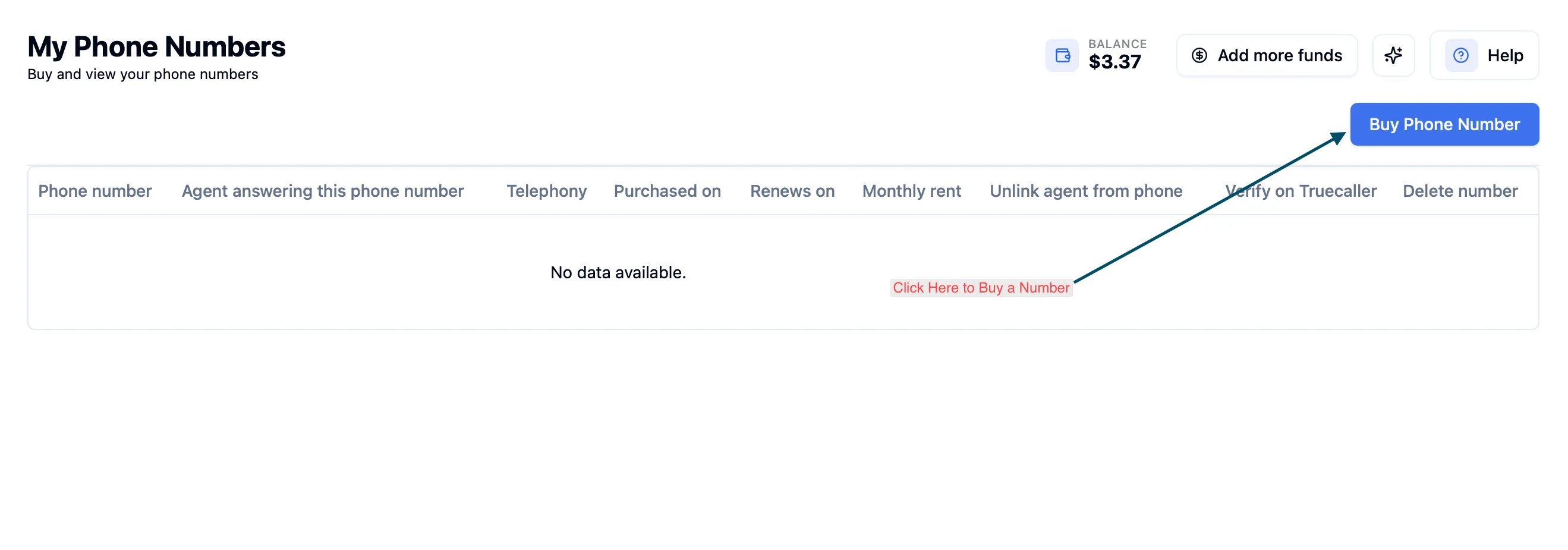 Buy and view your phone numbers at [platform.bolna.ai/phone-numbers](https://platform.bolna.ai/phone-numbers).
***
## How to Buy a Phone Number
Navigate to **My Numbers** in the sidebar and click the **Buy Phone Number** button in the top right.
Buy and view your phone numbers at [platform.bolna.ai/phone-numbers](https://platform.bolna.ai/phone-numbers).
***
## How to Buy a Phone Number
Navigate to **My Numbers** in the sidebar and click the **Buy Phone Number** button in the top right.
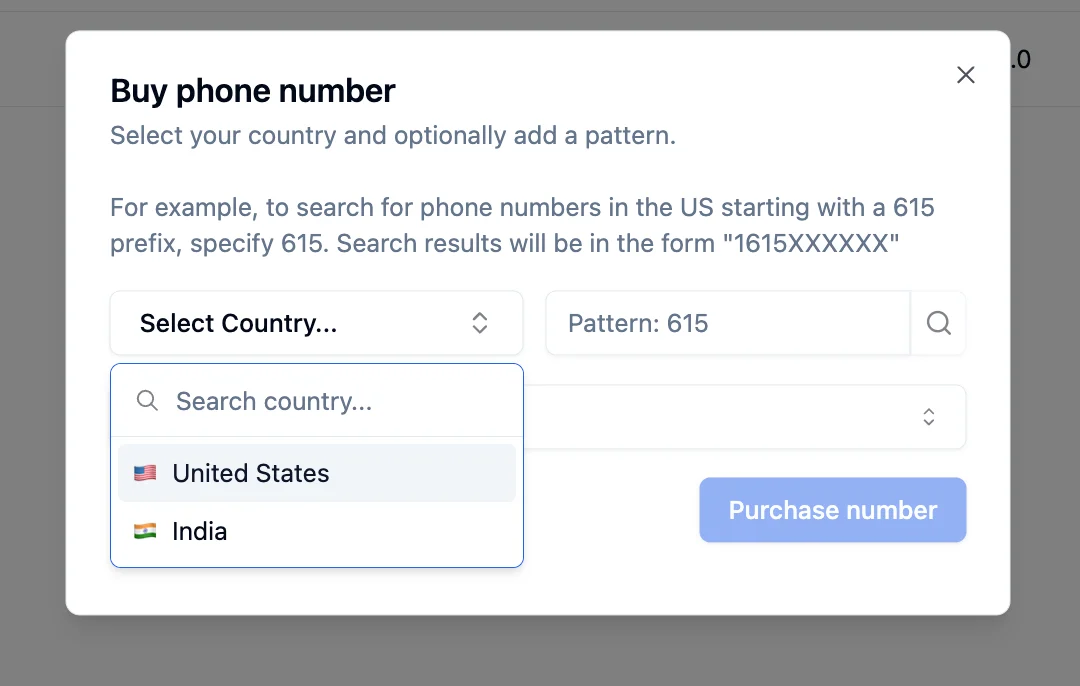
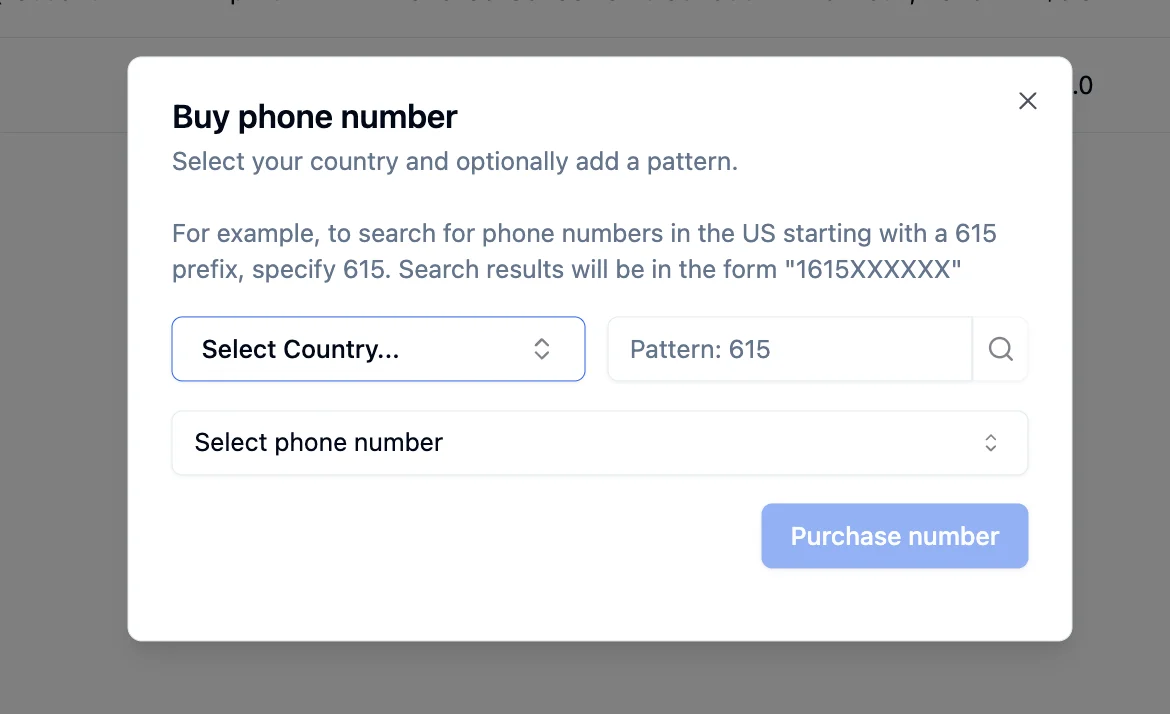 Open the **Select Country** dropdown. The available countries are **United States** and **India**. The purchase flow changes based on your selection.
 ***
## United States Numbers
US numbers are provided through **Twilio**. You can search for numbers by area code pattern.
Type an area code in the **Pattern** field to filter results. For example, enter `718` to find numbers starting with that prefix. Results appear in the format `1718XXXXXXX`.
***
## United States Numbers
US numbers are provided through **Twilio**. You can search for numbers by area code pattern.
Type an area code in the **Pattern** field to filter results. For example, enter `718` to find numbers starting with that prefix. Results appear in the format `1718XXXXXXX`.
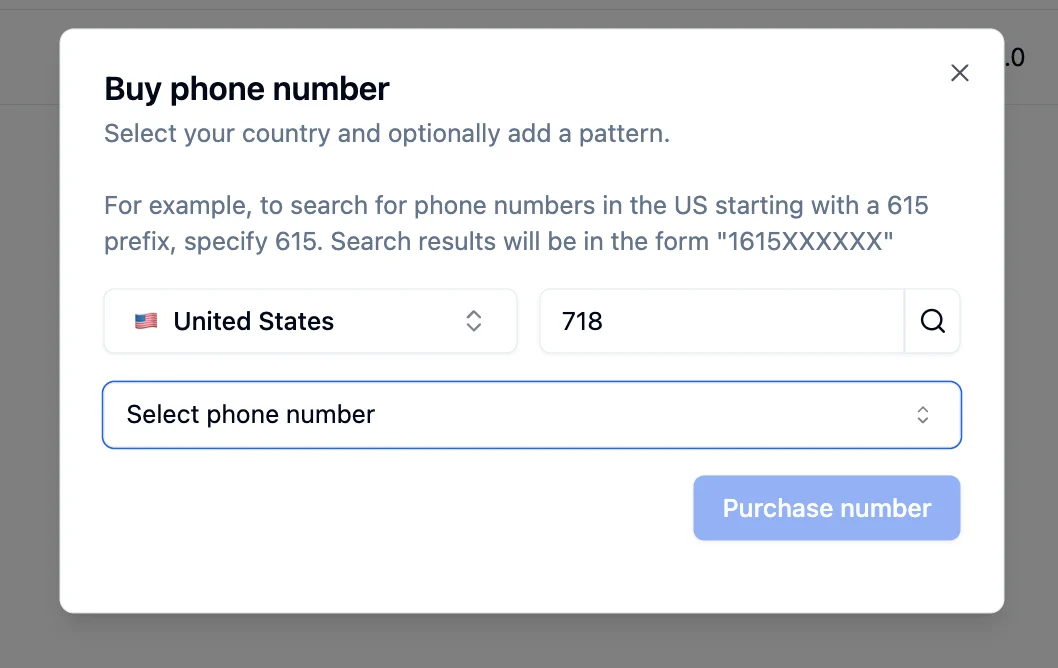 Click **Select phone number** to browse available numbers. Pick one from the list.
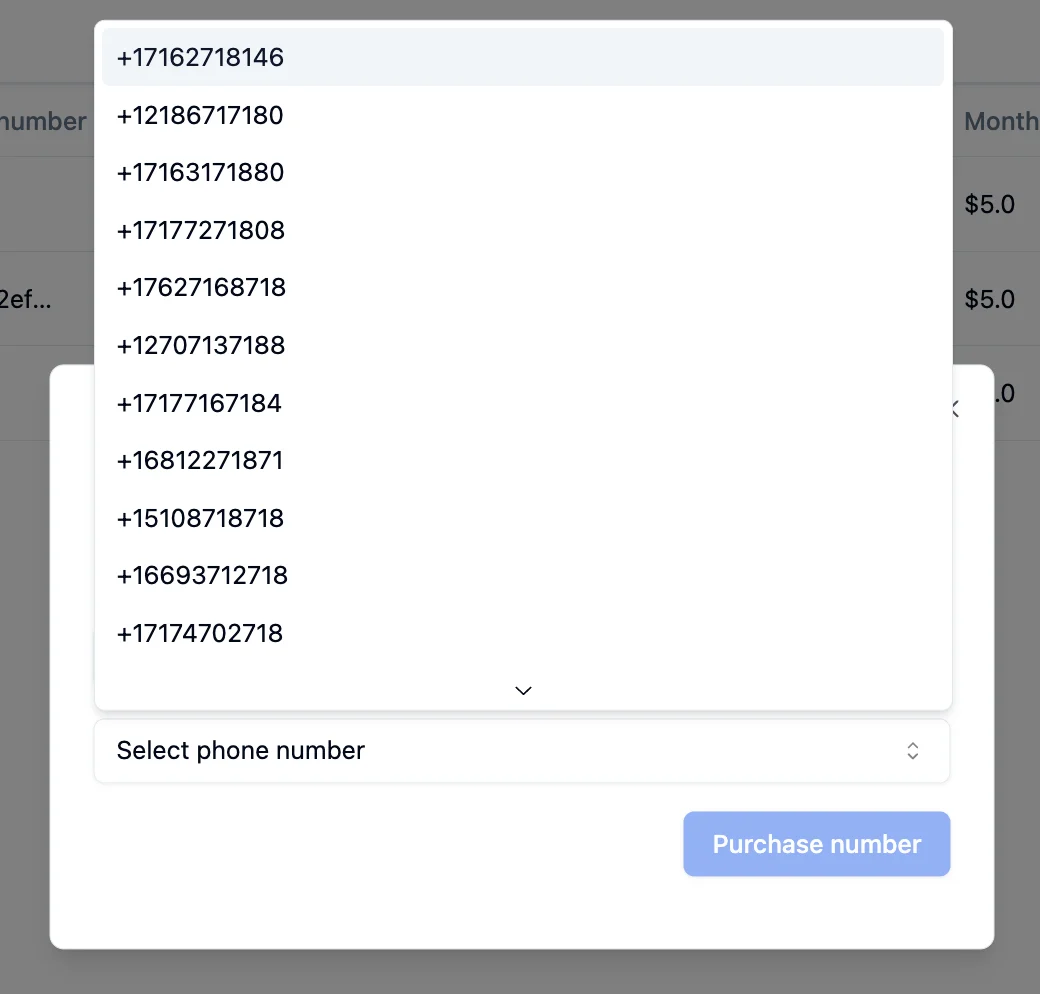 Click **Purchase number** to complete the purchase. The \$5/month cost is deducted from your wallet balance.
***
## India Numbers
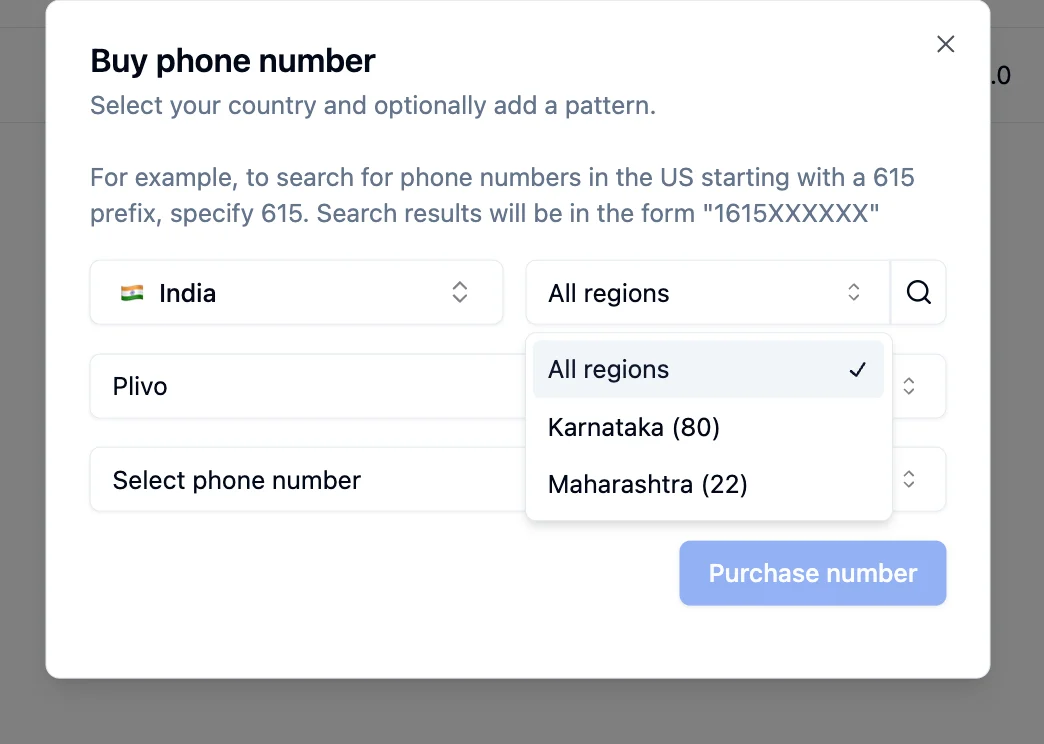
Indian numbers require compliance verification. When you select **India**, the purchase flow changes: the **Pattern** field is replaced by a **Region** selector, and you must choose a telephony provider.
Regions: Karnataka (80), Maharashtra (22)
Regions: Karnataka (80), Gujarat (79), NCR (11)
The region code appears after `+91` in the phone number. For example, a Karnataka number looks like `+9180XXXXXXXX`.
### Plivo
Click **Purchase number** to complete the purchase. The \$5/month cost is deducted from your wallet balance.
***
## India Numbers
Indian numbers require compliance verification. When you select **India**, the purchase flow changes: the **Pattern** field is replaced by a **Region** selector, and you must choose a telephony provider.
Regions: Karnataka (80), Maharashtra (22)
Regions: Karnataka (80), Gujarat (79), NCR (11)
The region code appears after `+91` in the phone number. For example, a Karnataka number looks like `+9180XXXXXXXX`.
### Plivo
 ### Vobiz
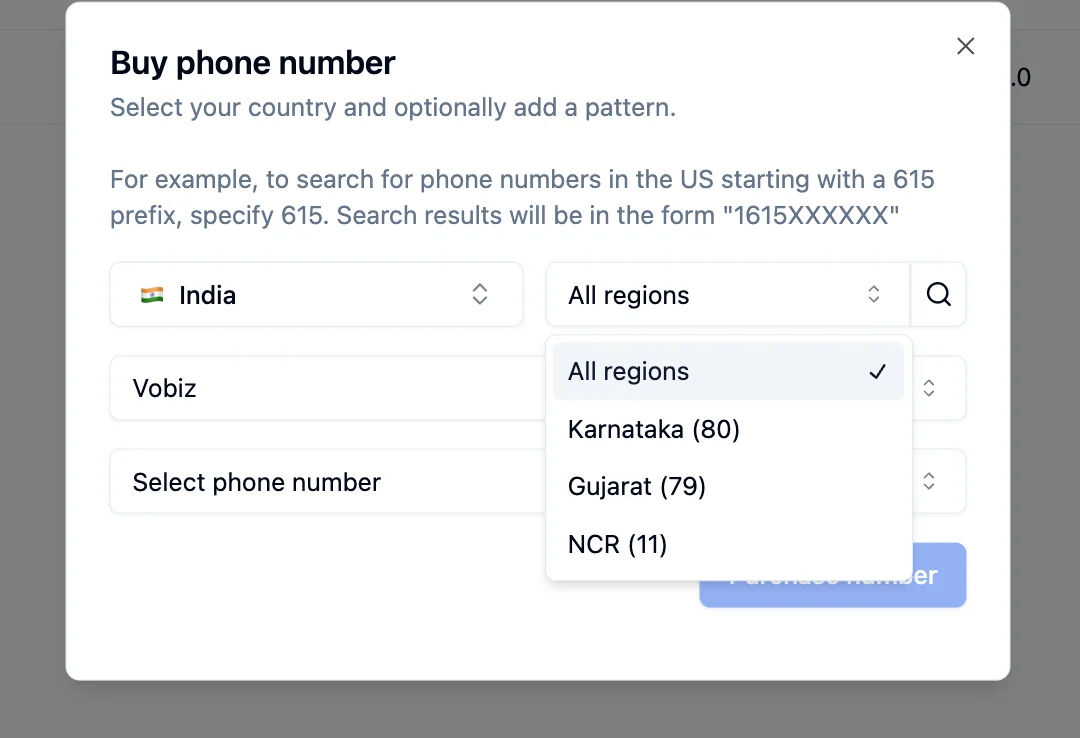 Choose **Plivo** or **Vobiz** from the provider dropdown.
Select a region from the dropdown, or leave it on **All regions** to see all available numbers.
Pick a number from the list and click **Purchase number**.
Indian numbers require compliance approval. You may need to submit identity documents before your number is activated.
***
## Pricing
All phone numbers cost **\$5/month** as a recurring subscription. The amount is deducted automatically from your Bolna wallet balance each month on the renewal date.
Phone number charges are **separate** from call charges. The \$5/month covers only the number itself. Per-minute telephony and provider costs are billed separately when you make or receive calls.
View [call pricing](/pricing/call-pricing) for details on per-minute call costs and telephony charges.
***
## What Can You Do with Purchased Numbers?
Call customers from your dedicated numbers
Route incoming calls to your Voice AI agents
Run calling campaigns at scale with CSV uploads
Learn more about Twilio, Plivo, and Vobiz
Choose **Plivo** or **Vobiz** from the provider dropdown.
Select a region from the dropdown, or leave it on **All regions** to see all available numbers.
Pick a number from the list and click **Purchase number**.
Indian numbers require compliance approval. You may need to submit identity documents before your number is activated.
***
## Pricing
All phone numbers cost **\$5/month** as a recurring subscription. The amount is deducted automatically from your Bolna wallet balance each month on the renewal date.
Phone number charges are **separate** from call charges. The \$5/month covers only the number itself. Per-minute telephony and provider costs are billed separately when you make or receive calls.
View [call pricing](/pricing/call-pricing) for details on per-minute call costs and telephony charges.
***
## What Can You Do with Purchased Numbers?
Call customers from your dedicated numbers
Route incoming calls to your Voice AI agents
Run calling campaigns at scale with CSV uploads
Learn more about Twilio, Plivo, and Vobiz