> ## Documentation Index
> Fetch the complete documentation index at: https://www.bolna.ai/docs/llms.txt
> Use this file to discover all available pages before exploring further.
# Auto-Detect and Switch Languages in Bolna Voice AI
> Learn how Bolna Voice AI automatically detects the caller's language and switches system messages like hangup, user online check, and tool call messages to match.
Bolna Voice AI automatically detects the language your callers speak and switches system messages to match. No manual intervention needed. The agent analyzes the conversation and delivers the right message in the right language.
"Are you still there?" plays in the caller's detected language
Farewell message delivered in the detected language
"Please wait" messages during API calls adapt to the language
***
## How Detection Works
The agent starts in the primary language configured in the [Audio Tab](/docs/agent-setup/audio-tab).
After **3 conversation turns**, Bolna analyzes the caller's transcripts to identify the dominant language being spoken.
Once detected, all configured system messages switch to that language for the rest of the call.
Detection waits for 3 turns to gather enough context for accurate identification. This keeps it fast while avoiding false matches early in the call.
***
## Supported Message Types
### User Online Check Message
When the agent checks if a caller is still on the line after a period of silence, it sends a configurable message. Add variants in multiple languages and Bolna picks the right one automatically.
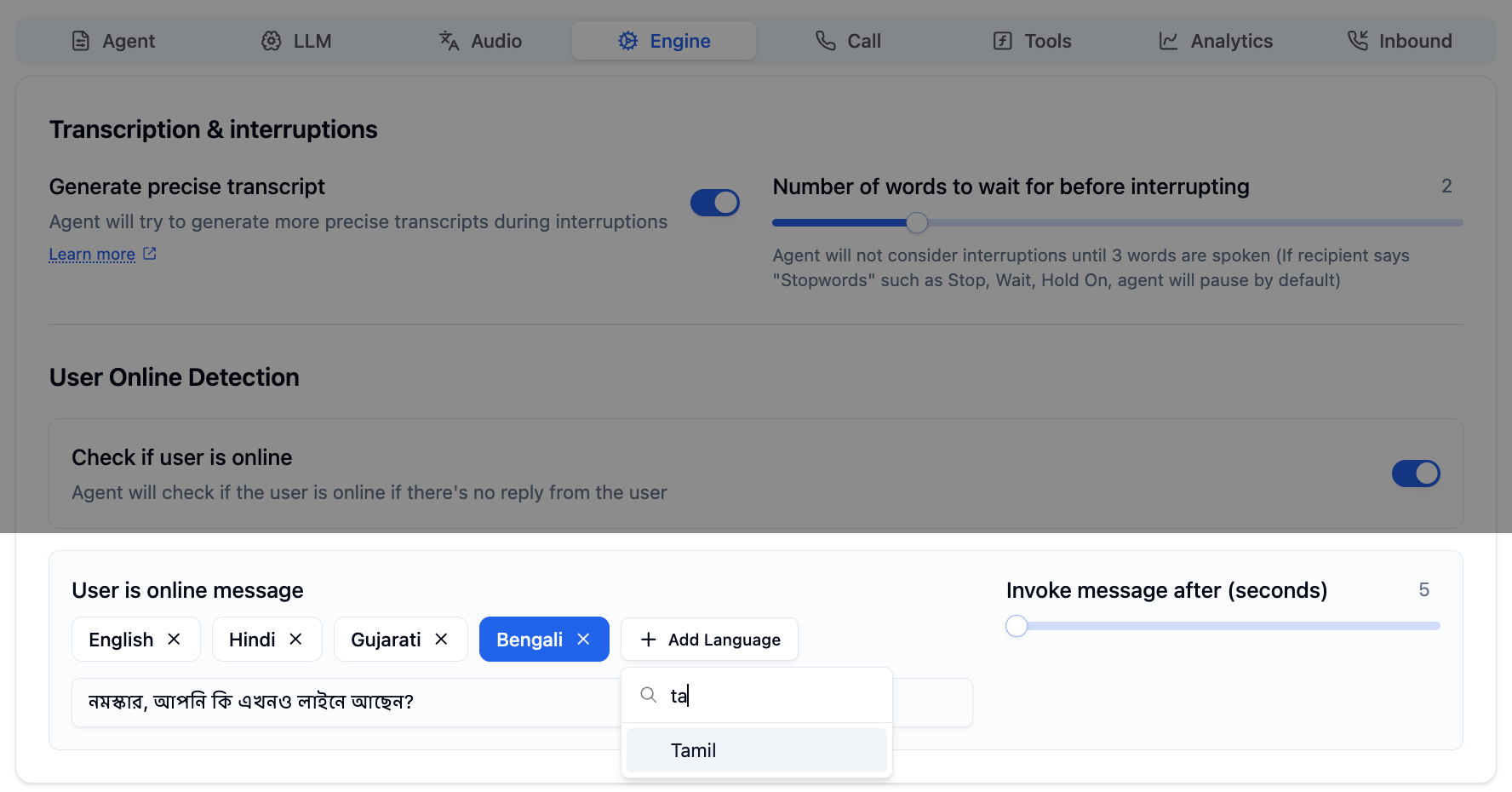 ```json theme={"system"}
{
"check_user_online_message": {
"en": "Hey, are you still there?",
"hi": "क्या आप अभी भी वहाँ हैं?",
"ta": "வணக்கம், நீங்கள் இன்னும் இணைப்பில் இருக்கிறீர்களா?",
"bn": "নমস্কার, আপনি কি এখনও লাইনে আছেন?"
}
}
```
***
### Call Hangup Message
When the agent ends a call, it delivers a closing message. Configure multilingual variants so callers hear a natural farewell in their language.
```json theme={"system"}
{
"check_user_online_message": {
"en": "Hey, are you still there?",
"hi": "क्या आप अभी भी वहाँ हैं?",
"ta": "வணக்கம், நீங்கள் இன்னும் இணைப்பில் இருக்கிறீர்களா?",
"bn": "নমস্কার, আপনি কি এখনও লাইনে আছেন?"
}
}
```
***
### Call Hangup Message
When the agent ends a call, it delivers a closing message. Configure multilingual variants so callers hear a natural farewell in their language.
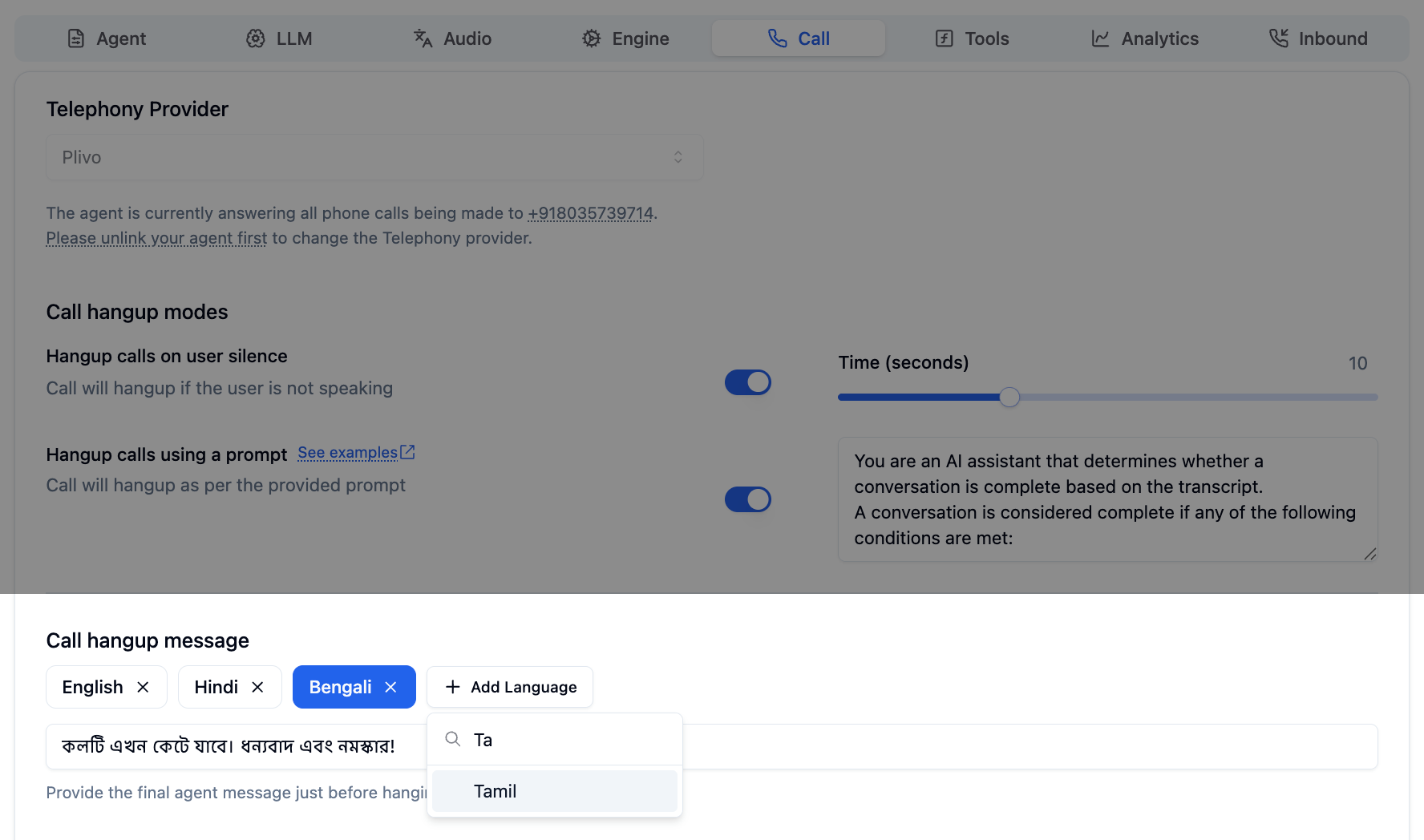 ```json theme={"system"}
{
"call_hangup_message": {
"en": "Thank you for calling. Goodbye!",
"hi": "कॉल करने के लिए धन्यवाद। अलविदा!",
"bn": "কলটি এখন কেটে যাবে। ধন্যবাদ এবং নমস্কার!"
}
}
```
***
### Function Tool Call Messages
When the agent executes a tool or API call, it plays a brief "please wait" message. This message can also be configured per language.
```json theme={"system"}
{
"call_hangup_message": {
"en": "Thank you for calling. Goodbye!",
"hi": "कॉल करने के लिए धन्यवाद। अलविदा!",
"bn": "কলটি এখন কেটে যাবে। ধন্যবাদ এবং নমস্কার!"
}
}
```
***
### Function Tool Call Messages
When the agent executes a tool or API call, it plays a brief "please wait" message. This message can also be configured per language.
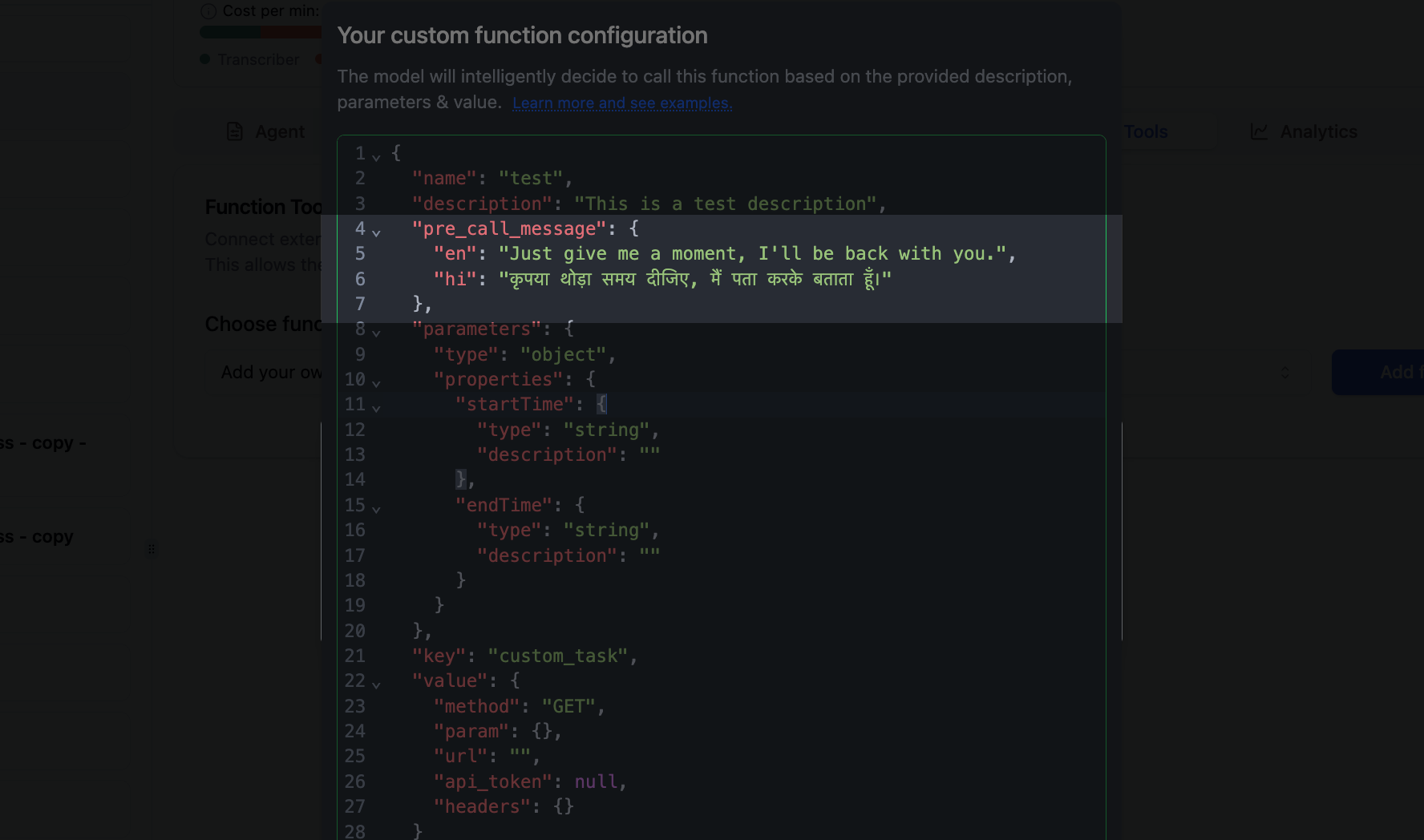 ```json theme={"system"}
{
"pre_call_message": {
"en": "Just give me a moment, I'll be back with you.",
"hi": "कृपया थोड़ा समय दीजिए, मैं पता करके बताता हूँ।"
}
}
```
***
## Fallback Behavior
When selecting a message, Bolna follows a three-step fallback:
| Priority | What happens |
| ------------------------ | ------------------------------------------------------------------------- |
| **1. Detected language** | Uses the message in the caller's detected language |
| **2. English** | Falls back to the `en` variant if the detected language is not configured |
| **3. First available** | Uses the first language in the configuration if neither is found |
Always configure an `en` (English) variant as a safe fallback for every message type.
***
## Supported Languages
Auto-detection supports all languages available in Bolna, identified by their ISO 639-1 codes.
| Code | Language | Code | Language | Code | Language |
| ---- | -------- | ---- | -------- | ---- | --------- |
| `en` | English | `hi` | Hindi | `bn` | Bengali |
| `ta` | Tamil | `te` | Telugu | `mr` | Marathi |
| `gu` | Gujarati | `kn` | Kannada | `ml` | Malayalam |
| `pa` | Punjabi | `ur` | Urdu | `as` | Assamese |
For the full list of supported languages, see the [Multilingual Support](/docs/customizations/multilingual-languages-support) guide.
***
## Best Practices
Add message variants for every language your agent supports. Gaps lead to unexpected fallbacks.
Write messages that feel natural in each language. Avoid direct translations.
Always use the language's native script. "धन्यवाद" not "Dhanyavaad".
Verify messages sound natural by testing with native speakers of each language.
***
## Next Steps
Full guide to setting up multilingual agents
Best practices for writing prompts in native scripts
Configure pre-call messages for API tools
Configure user online detection and timeouts
```json theme={"system"}
{
"pre_call_message": {
"en": "Just give me a moment, I'll be back with you.",
"hi": "कृपया थोड़ा समय दीजिए, मैं पता करके बताता हूँ।"
}
}
```
***
## Fallback Behavior
When selecting a message, Bolna follows a three-step fallback:
| Priority | What happens |
| ------------------------ | ------------------------------------------------------------------------- |
| **1. Detected language** | Uses the message in the caller's detected language |
| **2. English** | Falls back to the `en` variant if the detected language is not configured |
| **3. First available** | Uses the first language in the configuration if neither is found |
Always configure an `en` (English) variant as a safe fallback for every message type.
***
## Supported Languages
Auto-detection supports all languages available in Bolna, identified by their ISO 639-1 codes.
| Code | Language | Code | Language | Code | Language |
| ---- | -------- | ---- | -------- | ---- | --------- |
| `en` | English | `hi` | Hindi | `bn` | Bengali |
| `ta` | Tamil | `te` | Telugu | `mr` | Marathi |
| `gu` | Gujarati | `kn` | Kannada | `ml` | Malayalam |
| `pa` | Punjabi | `ur` | Urdu | `as` | Assamese |
For the full list of supported languages, see the [Multilingual Support](/docs/customizations/multilingual-languages-support) guide.
***
## Best Practices
Add message variants for every language your agent supports. Gaps lead to unexpected fallbacks.
Write messages that feel natural in each language. Avoid direct translations.
Always use the language's native script. "धन्यवाद" not "Dhanyavaad".
Verify messages sound natural by testing with native speakers of each language.
***
## Next Steps
Full guide to setting up multilingual agents
Best practices for writing prompts in native scripts
Configure pre-call messages for API tools
Configure user online detection and timeouts