> ## Documentation Index
> Fetch the complete documentation index at: https://www.bolna.ai/docs/llms.txt
> Use this file to discover all available pages before exploring further.
# Make Outbound Calls with Exotel and Bolna
> Set up & run outbound calling campaigns in India with Bolna Voice AI on Exotel. Follow this step-by-step guide for dashboard setup and seamless API integration.
## Launching Outbound Calls Through the Bolna Dashboard
### Step 1: Access Your Bolna Platform Account
Navigate to [https://platform.bolna.ai](https://platform.bolna.ai) and authenticate using your registered account credentials.
### Step 2: Configure Exotel as Your Telephony Provider
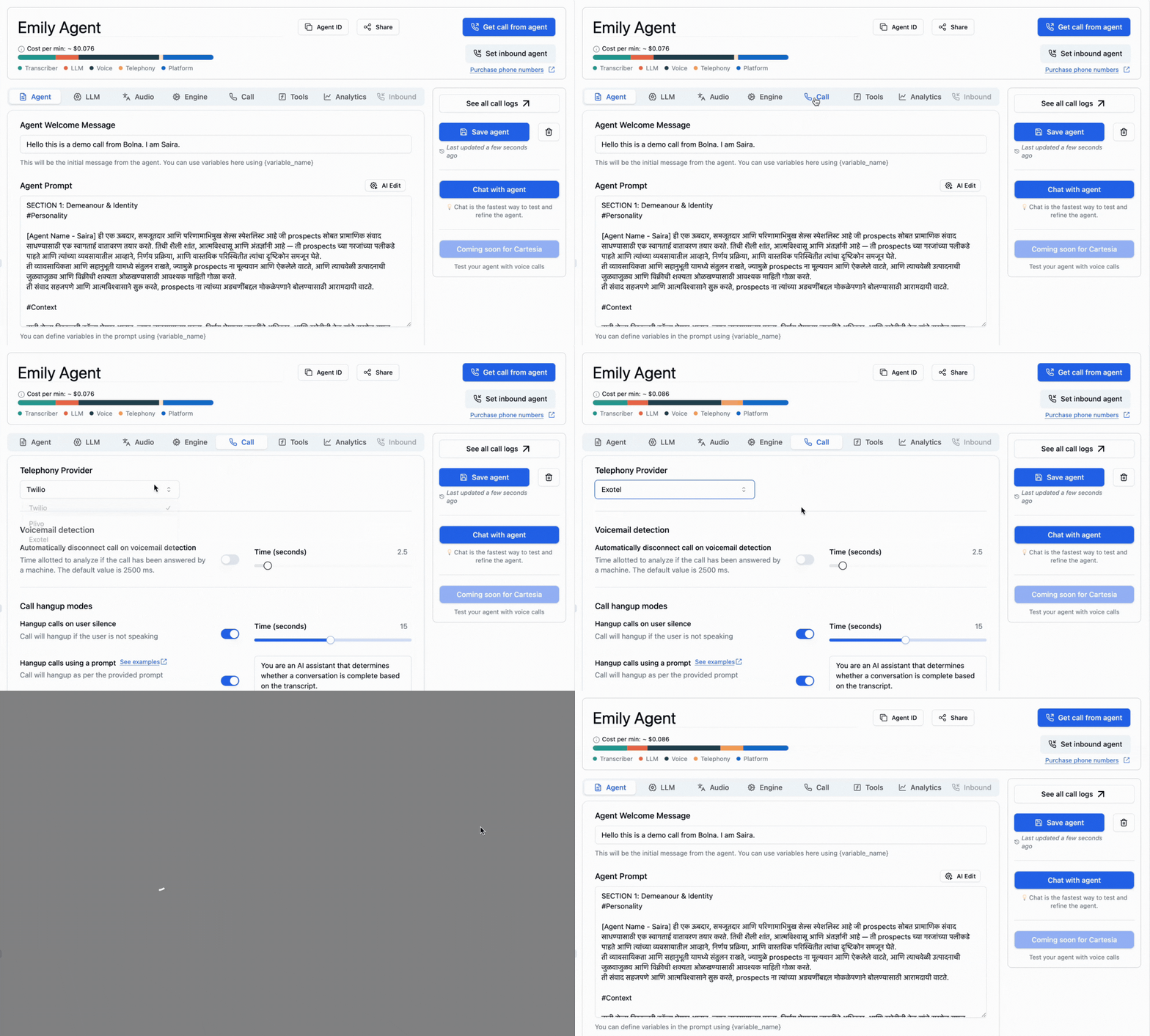
Within your agent configuration settings, select `Exotel` from the available call provider options. This designation tells Bolna to route all outbound calls through Exotel's telephony infrastructure.
### Step 3: Initiate Calls to Your Target Recipients
Enter the phone numbers of your intended call recipients in the designated input field. Bolna will automatically initiate calls through your Exotel connection, engaging with each recipient using the voice agents you've configured.
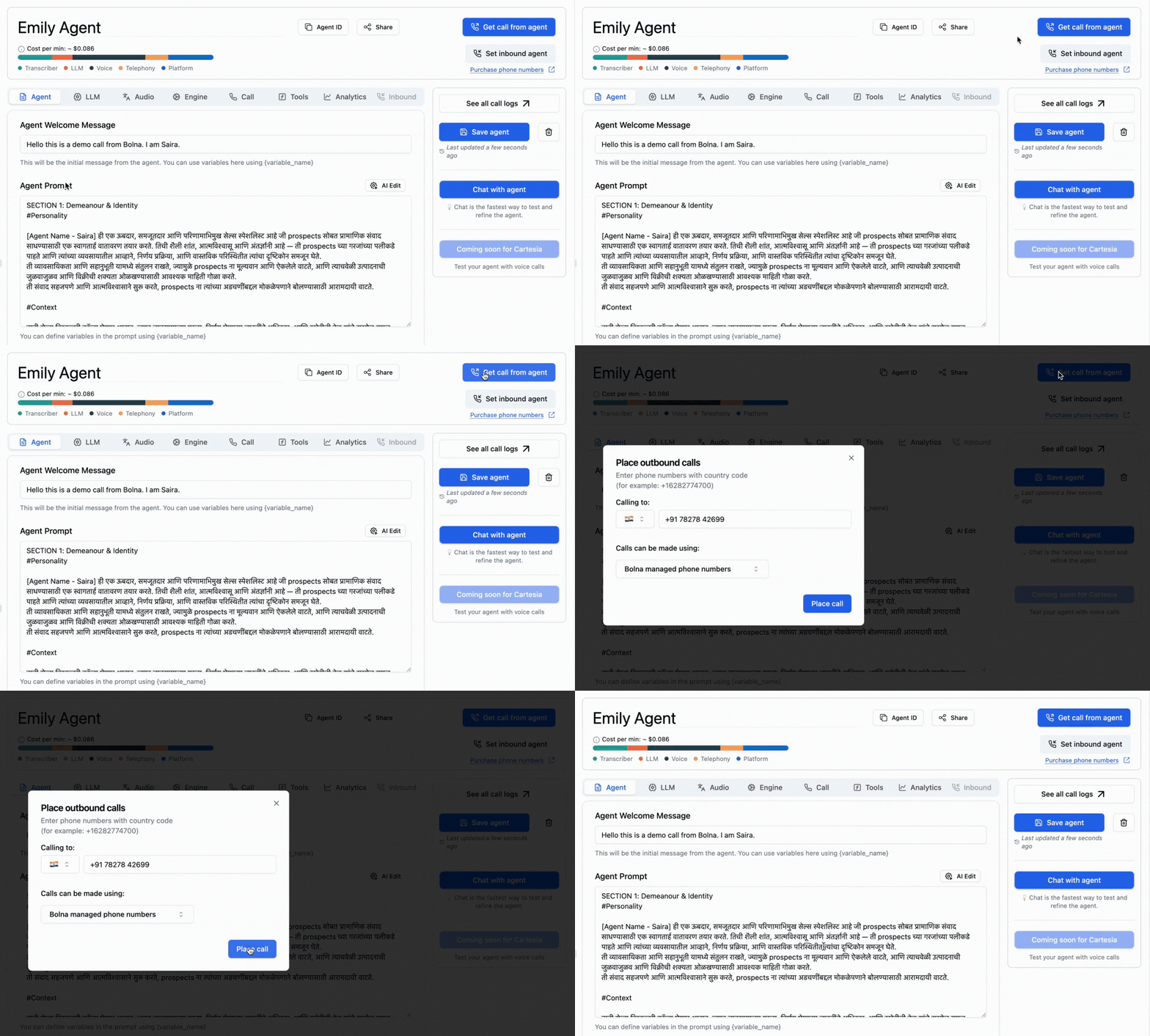
To utilize your own dedicated Exotel phone numbers for outbound calling, you must first establish a connection between your Exotel account and Bolna. Detailed instructions for linking your Exotel account are available in the [providers configuration guide](/exotel-connect-provider).
## Programmatic Outbound Calling Using Bolna APIs
For developers building custom applications or integrating voice AI into existing systems, Bolna provides comprehensive REST APIs for programmatic call management.
### Step 1: Obtain Your API Authentication Key
1. Generate and save your [Bolna API Key](/api-reference/introduction#steps-to-generate-your-api-key)
### Step 2: Configure Agent with Exotel Provider
When creating or updating your Bolna agent through the [`/create` Agent API](/api-reference/agent/create), specify `exotel` as both the input and output provider within your tools configuration.
```create-agent.json theme={"system"}
...
...
"tools_config": {
"output": {
"format": "wav",
"provider": "exotel"
},
"input": {
"format": "wav",
"provider": "exotel"
},
"synthesizer": {...},
"llm_agent": {...},
"transcriber": {...},
"api_tools": {...}
}
...
...
```
### Step 3: Trigger Outbound Calls Programmatically
Execute the [`/call` API endpoint](api-reference/calls/make) to initiate outbound calls to your target recipients. Include your agent ID and the recipient's phone number in E.164 international format. The API will return a call ID that you can use to track call status and retrieve conversation analytics.
```call.json theme={"system"}
curl --request POST \
--url https://api.bolna.ai/call \
--header 'Authorization: ' \
--header 'Content-Type: application/json' \
--data '{
"agent_id": "fd3d9b56-0742-4a39-aaac-50dec1f37d00",
"recipient_phone_number": "+919876543210"
}'
```