> ## Documentation Index
> Fetch the complete documentation index at: https://www.bolna.ai/docs/llms.txt
> Use this file to discover all available pages before exploring further.
# Account based concurrency tiers
> Learn how Bolna Voice AI account tiers affect outbound call concurrency. Explore limits, scaling tiers, and enterprise options for high-volume operations.
## What are concurrency limits in Bolna?
Concurrency limits determine how many **simultaneous outbound calls** your account can make at once. Higher call volumes automatically increase your concurrency tier, ensuring smooth operations for growing businesses.
Up to **2 concurrent calls**, restricted to verified phone numbers only.
Starts at **10 concurrent calls**, scaling automatically with monthly usage.
**Elevated concurrency levels** for high-volume operations. Calls over your limit are automatically queued.
**No concurrency limits** - inbound calls are never restricted or queued.
You can read more about our enterprise offering here [Bolna enterprise](/enterprise/plan).
## How to check my account's concurrency limits?
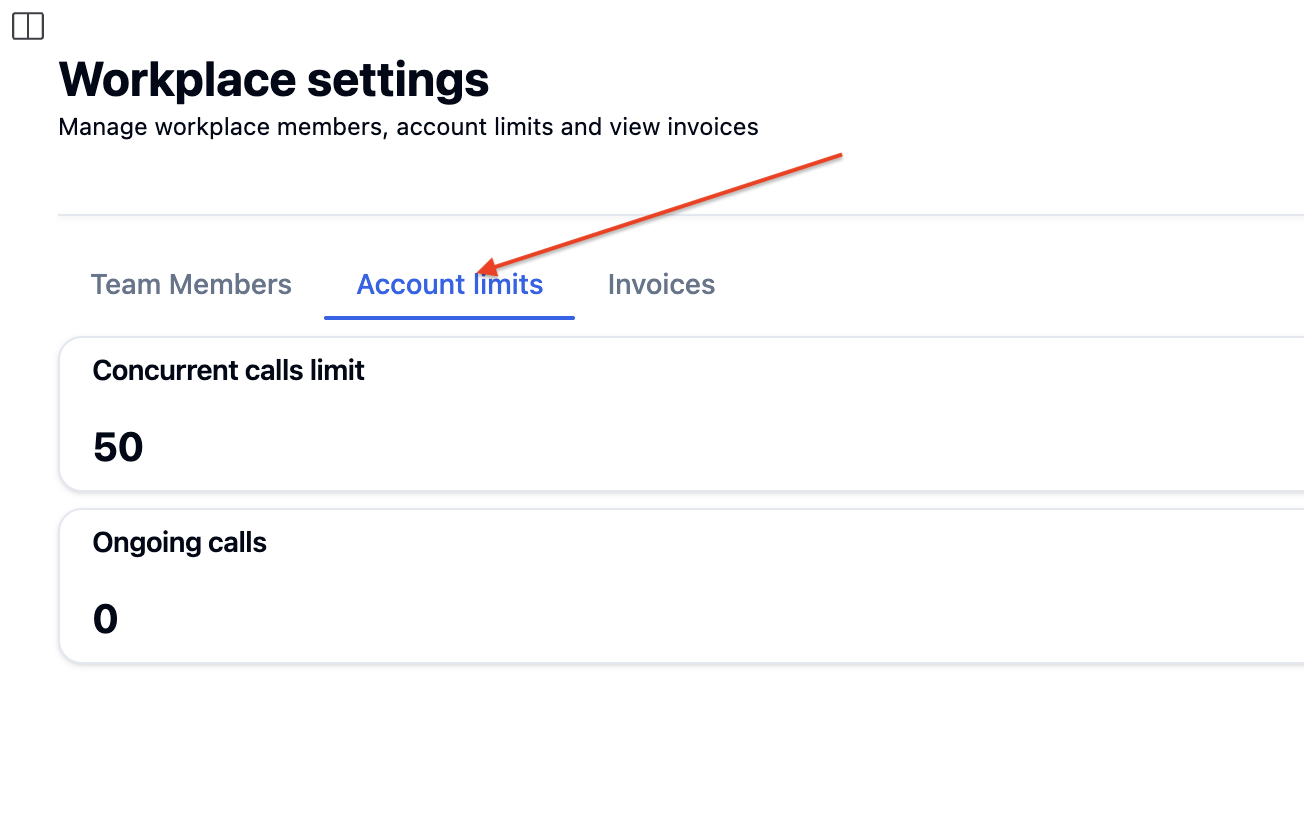
Go to your **Workplace settings** in the Bolna dashboard.
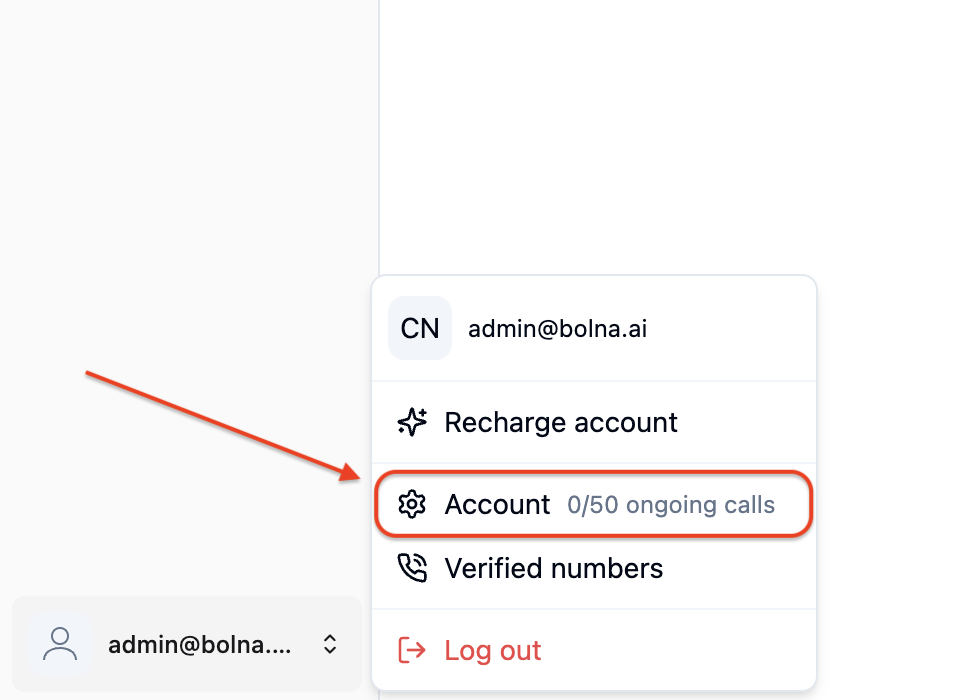 See your **Account limits** to check your current concurrency tier and available slots.
 ## Next steps
Ready to scale your calling operations? Explore related features:
Set up batch calling for high-volume campaigns
Learn about making outbound calls efficiently
Explore elevated concurrency levels with our Enterprise plan
Monitor call details and execution results
For custom concurrency needs, [contact our team](mailto:support@bolna.ai) to discuss your requirements.
## Next steps
Ready to scale your calling operations? Explore related features:
Set up batch calling for high-volume campaigns
Learn about making outbound calls efficiently
Explore elevated concurrency levels with our Enterprise plan
Monitor call details and execution results
For custom concurrency needs, [contact our team](mailto:support@bolna.ai) to discuss your requirements.