> ## Documentation Index
> Fetch the complete documentation index at: https://www.bolna.ai/docs/llms.txt
> Use this file to discover all available pages before exploring further.

# Create Bolna API connection with Make.com

> Learn how to establish an API connection between Bolna Voice AI agents and Make.com, facilitating seamless integration and automation.

## Following are the steps to create a API connection

In this tutorial, we will:

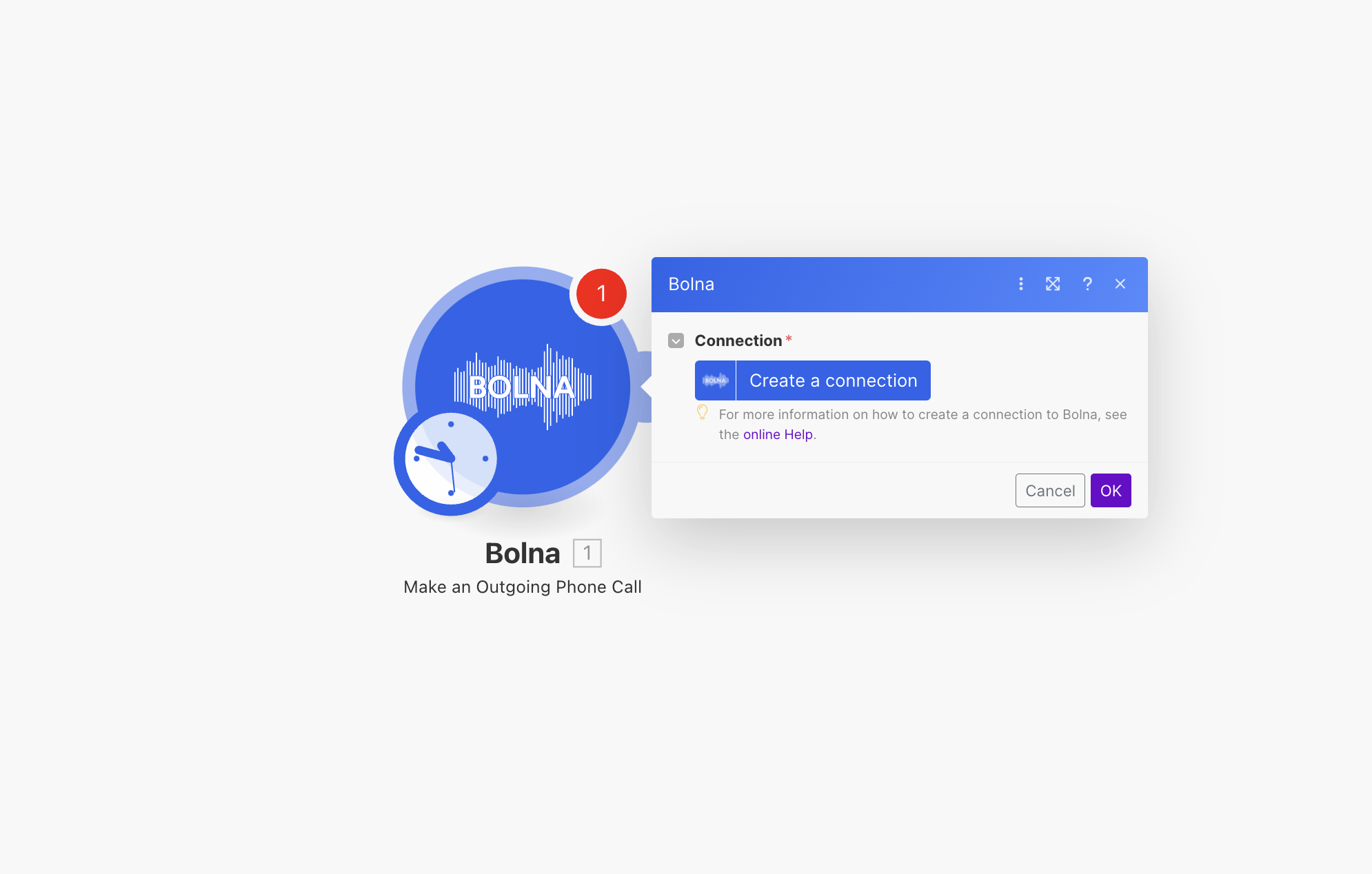
1. Use Bolna's Make.com Module <b>`Make an Outgoing Phone Call`</b> module
2. Create a new API connection

<Steps>
  <Step title="Add &#x22;Bolna Make an Outgoing Phone Call&#x22; Action module to your make.com scenario">
    <Frame caption="Adding &#x22;Bolna Make an Outgoing Phone Call&#x22; module to make.com">
      <img src="https://mintcdn.com/bolna-54a2d4fe/n6ISBDZpjo2_6G0U/images/tutorials/make-com/create_bolna_api_connection_step_1.png?fit=max&auto=format&n=n6ISBDZpjo2_6G0U&q=85&s=d0f9a158a2206aa1dcc77a8e8952669e" alt="Make.com scenario builder showing Bolna Make an Outgoing Phone Call module selection for Voice AI integration" width="1990" height="1268" data-path="images/tutorials/make-com/create_bolna_api_connection_step_1.png" />
    </Frame>
  </Step>

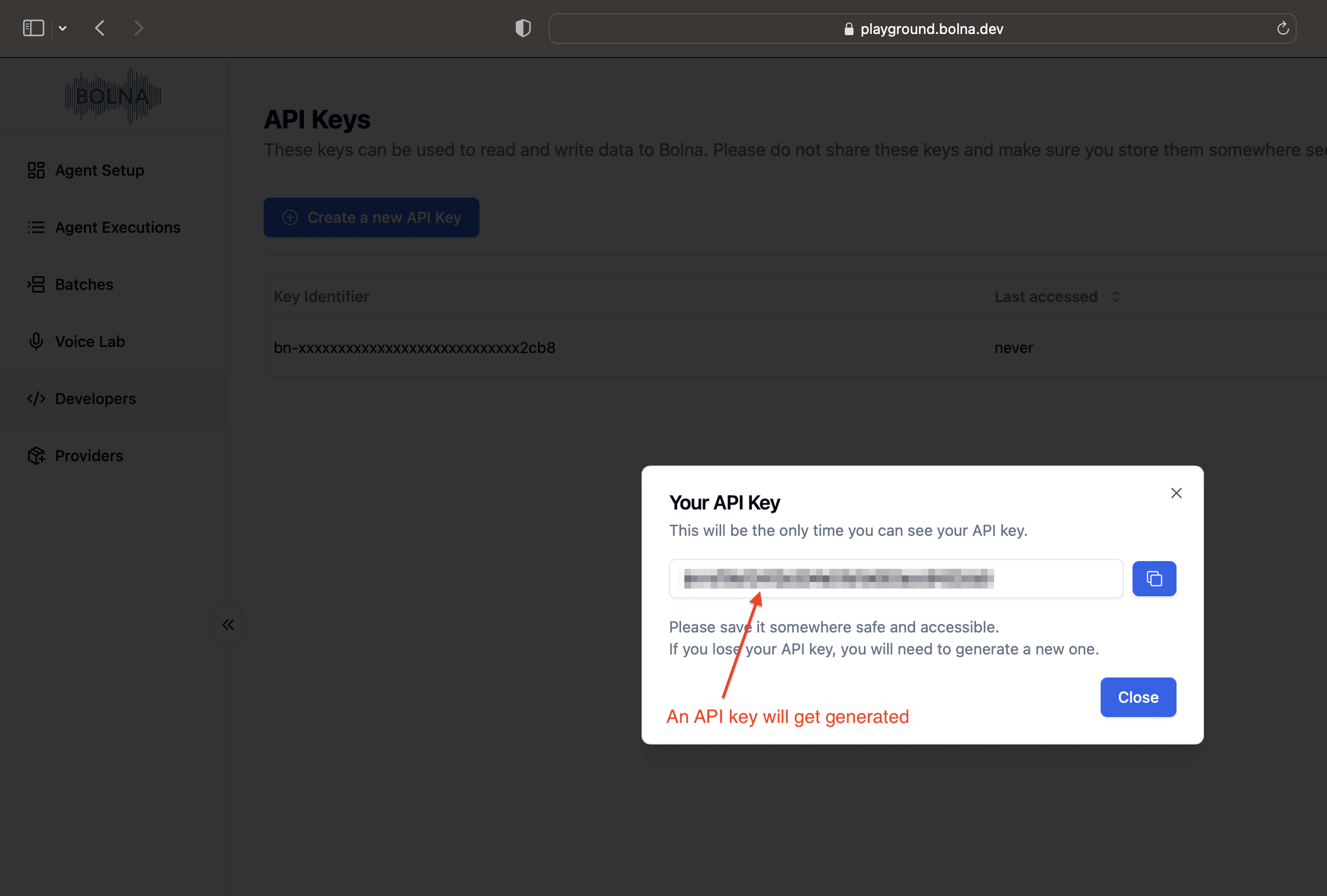
  <Step title="Generate and copy the new API Key from Bolna dashboard">
    Please refer to [this documentation](/api-reference/introduction#authentication) for creating a new API Key.
    <Frame caption="Generating a new API Key on Bolna Dashboard">
      <img src="https://mintcdn.com/bolna-54a2d4fe/n6ISBDZpjo2_6G0U/images/tutorials/make-com/create_bolna_api_connection_step_2.png?fit=max&auto=format&n=n6ISBDZpjo2_6G0U&q=85&s=f3eede47690a015a7e348368db96b925" alt="Bolna dashboard API key generation interface showing developers section for creating Make.com integration authentication" width="2416" height="1632" data-path="images/tutorials/make-com/create_bolna_api_connection_step_2.png" />
    </Frame>
  </Step>

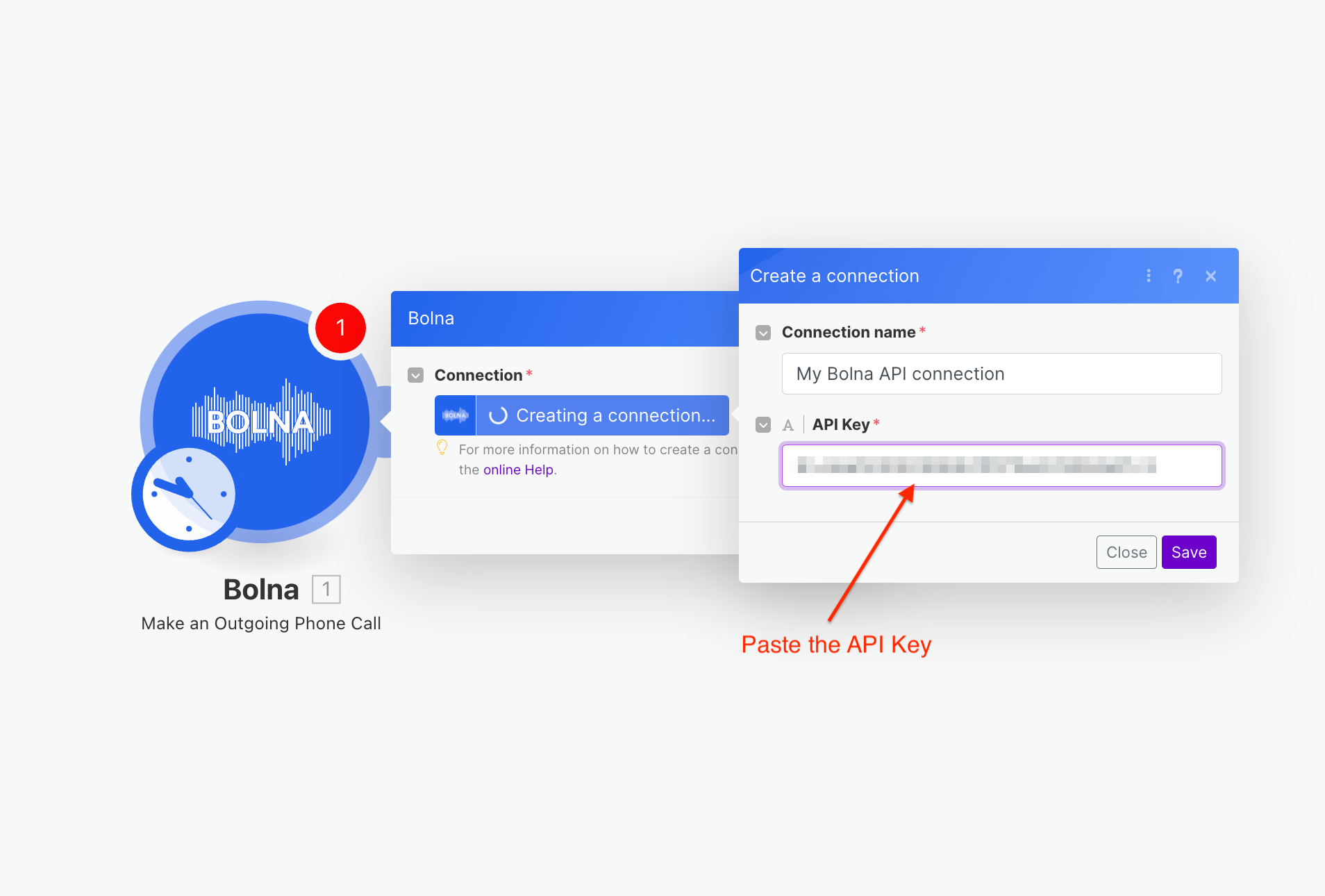
  <Step title="Paste the API Key from above step in Make.com connection dialog">
    <Frame caption="Pasting the Bolna API Key">
      <img src="https://mintcdn.com/bolna-54a2d4fe/n6ISBDZpjo2_6G0U/images/tutorials/make-com/create_bolna_api_connection_step_3.png?fit=max&auto=format&n=n6ISBDZpjo2_6G0U&q=85&s=0bbeb22e1b0ffef02121e5349487c9a6" alt="Make.com connection dialog showing API key input field for establishing Bolna Voice AI integration" width="1908" height="1290" data-path="images/tutorials/make-com/create_bolna_api_connection_step_3.png" />
    </Frame>
  </Step>
</Steps>

<Check>
  After completing the above steps, you can use Action modules to make Bolna APIs call on Make.com.

  Please refer to Bolna APIs from [API reference docs](/api-reference/introduction).
</Check>