> ## Documentation Index
> Fetch the complete documentation index at: https://www.bolna.ai/docs/llms.txt
> Use this file to discover all available pages before exploring further.
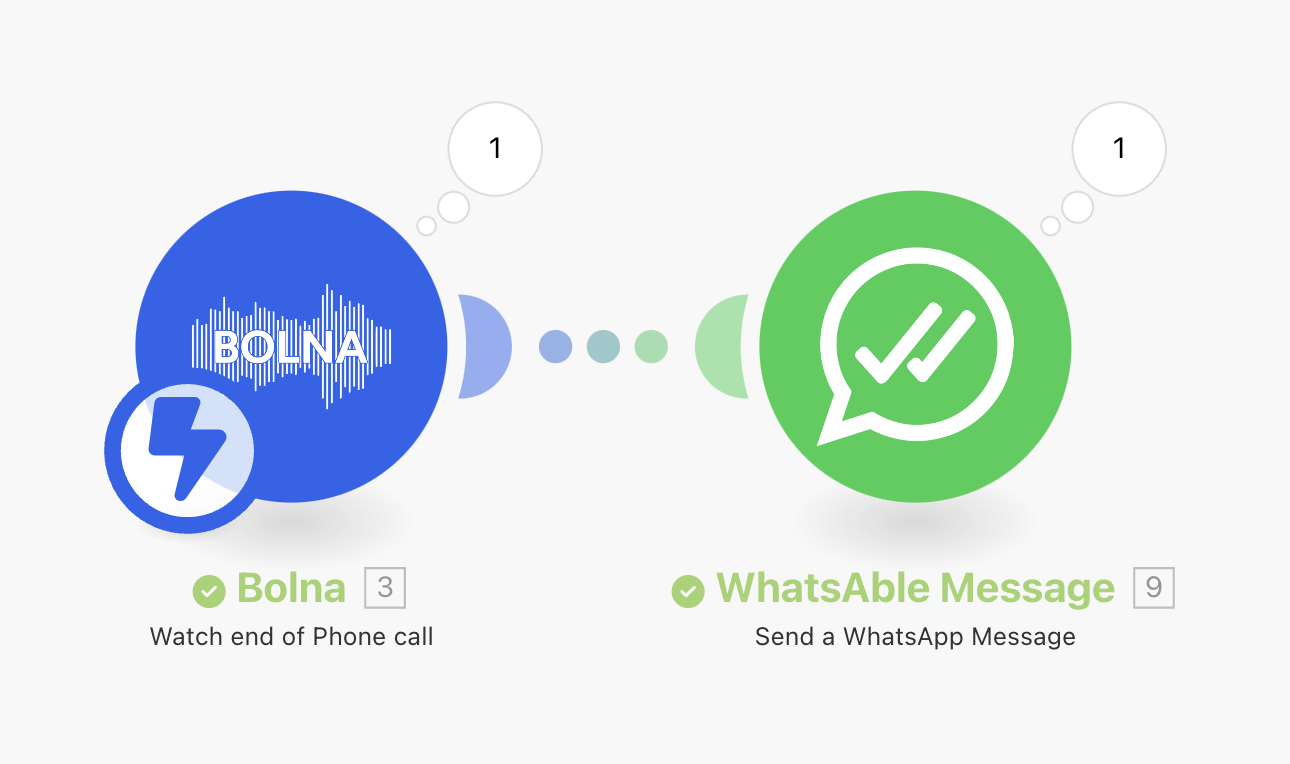
# Integrating make.com with Bolna AI to send WhatsApp
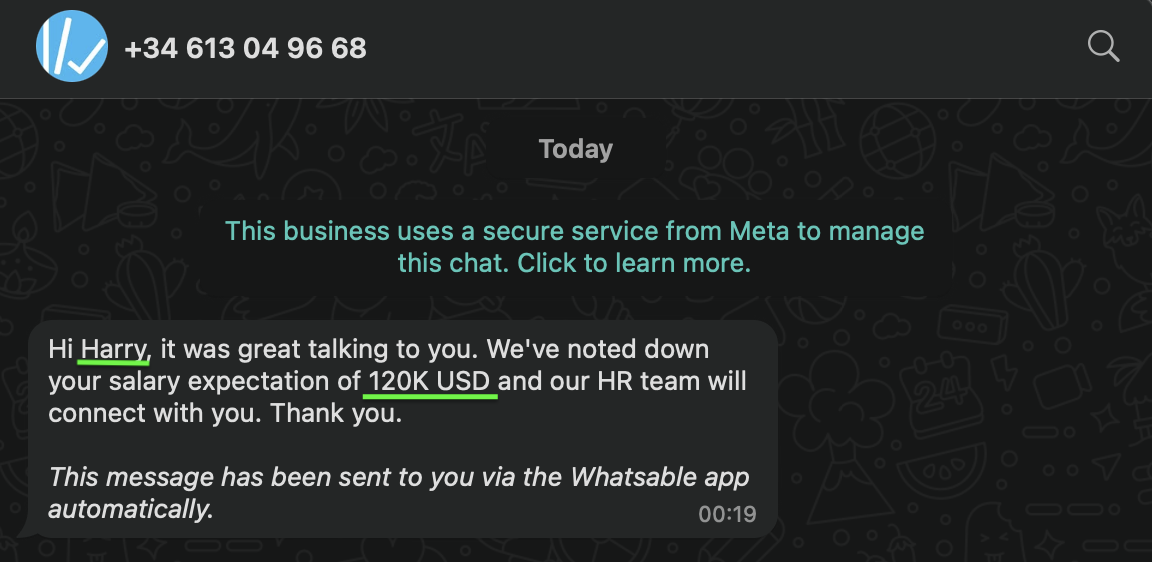
> Learn how to send automated WhatsApp messages following a Bolna Voice AI phone call by integrating with Make.com.
Connect Bolna with any of your favorite apps in just a few clicks using [official bolna's make.com integrations](https://www.make.com/en/integrations/bolna).
## Overview and requirements
1. Bolna account. You may create a free Bolna account by [signing up on Bolna](https://platform.bolna.ai/sign-up)
2. A Bolna AI agent which will be making the calls
3. Official Bolna's Make.com `Bolna Watch end of Phone call` trigger integration
## Steps to send WhatsApp after a Bolna AI phone call is completed
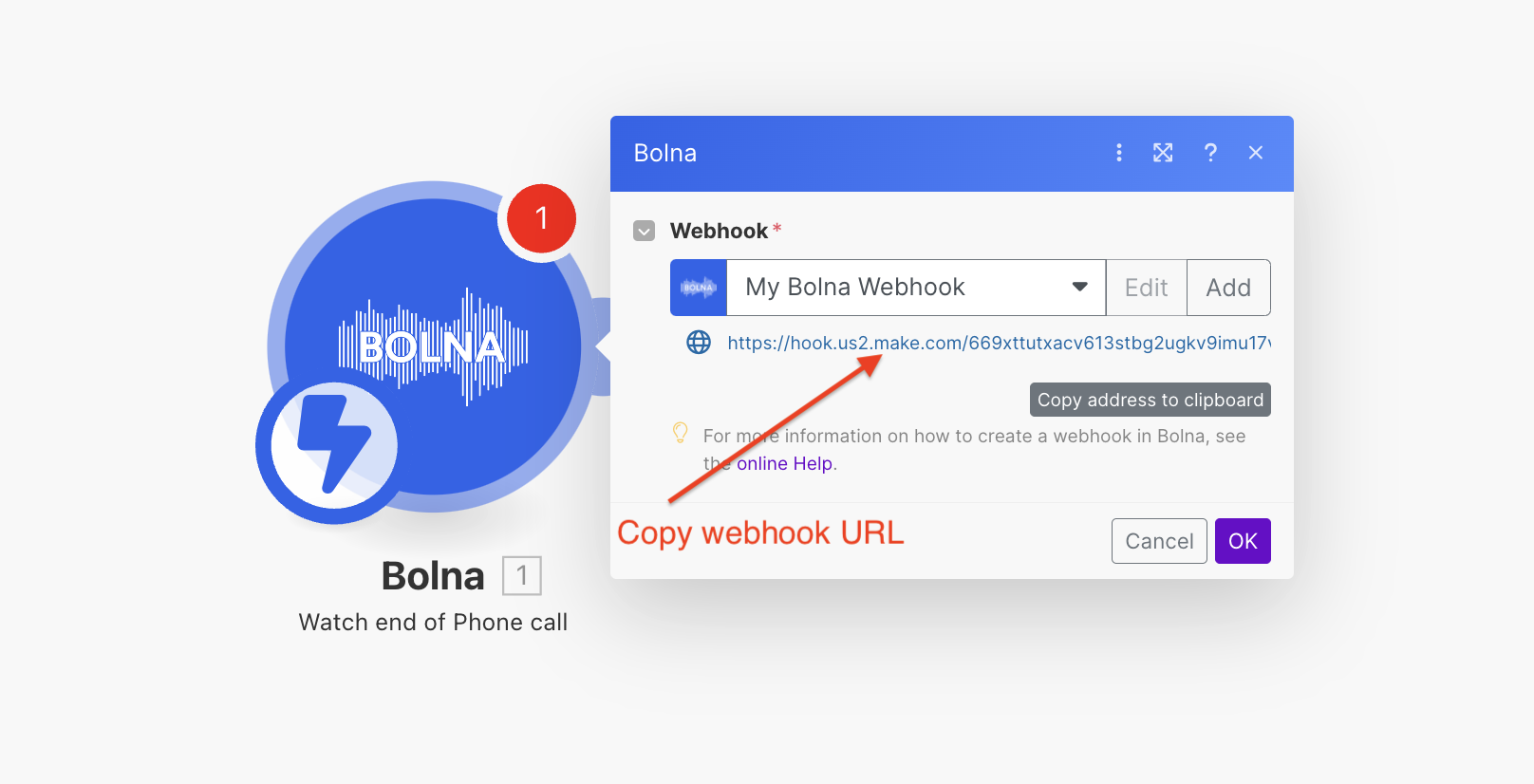
Follow the [webhook connection guide](/tutorials/make-com/create-bolna-webhook-connection) to create a webhook connection and generate a webhook URL.
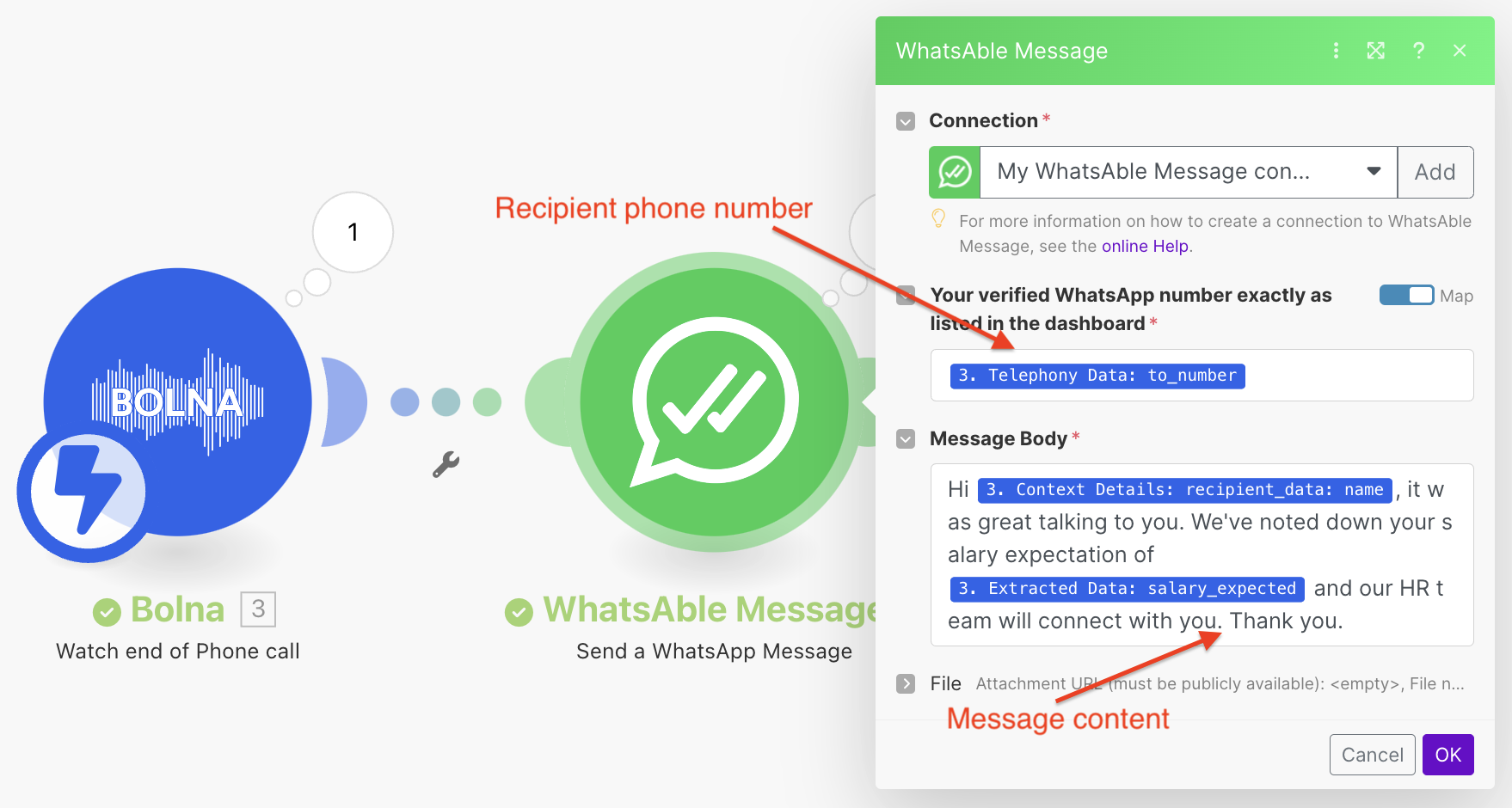 Please note:
1. If you want to use any extraction details, it will be provided as a JSON under `"extracted_data"` as shown below. Please refer to [extracting conversation data](/using-extractions) for more details and using it.
```json using extracted content theme={"system"}
...
...
"extracted_data": {
"salary_expected": "120K USD"
},
...
```
2. Any dynamic variables you pass for making the call, can be retrieved from `"context_details" > "recipient_data"` as shown below:
```json using user details theme={"system"}
...
"context_details": {
"recipient_data": {
"name": "Harry",
"email": "harry@hogwarts.com"
},
"recipient_phone_number": "+19876543210"
},
...
```
Please note:
1. If you want to use any extraction details, it will be provided as a JSON under `"extracted_data"` as shown below. Please refer to [extracting conversation data](/using-extractions) for more details and using it.
```json using extracted content theme={"system"}
...
...
"extracted_data": {
"salary_expected": "120K USD"
},
...
```
2. Any dynamic variables you pass for making the call, can be retrieved from `"context_details" > "recipient_data"` as shown below:
```json using user details theme={"system"}
...
"context_details": {
"recipient_data": {
"name": "Harry",
"email": "harry@hogwarts.com"
},
"recipient_phone_number": "+19876543210"
},
...
```