> ## Documentation Index
> Fetch the complete documentation index at: https://www.bolna.ai/docs/llms.txt
> Use this file to discover all available pages before exploring further.

# Create Bolna API connection with Zapier

> Step-by-step guide to integrating Bolna Voice AI with Zapier by creating an API connection, enabling efficient workflow automation.

## Following are the steps to create a API connection

In this tutorial, we will:

1. Create a new Bolna API connection

<Steps>
  <Step title="Navigate to Zapier Apps section and click &#x22;Add Connection&#x22;">
    Go to [https://zapier.com/app/connections](https://zapier.com/app/connections) to manage apps
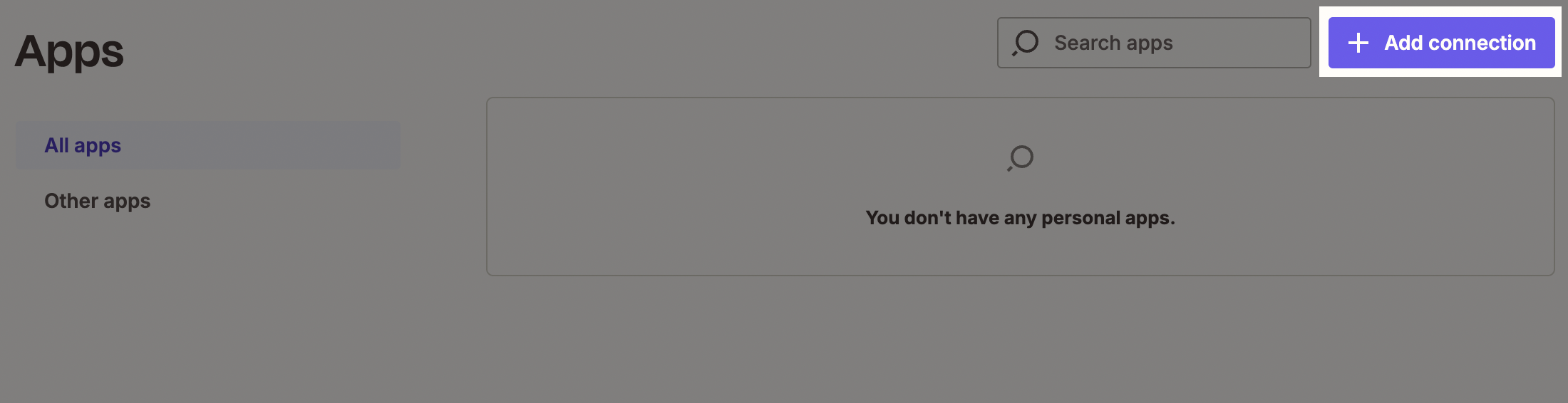
    <Frame caption="Zapier Apps section">
      <img src="https://mintcdn.com/bolna-54a2d4fe/n6ISBDZpjo2_6G0U/images/tutorials/zapier/create_bolna_api_connection_step_1.png?fit=max&auto=format&n=n6ISBDZpjo2_6G0U&q=85&s=495eccf89a783a3b2730086221e510c1" alt="Zapier Apps connections page showing Add Connection button for integrating Bolna Voice AI with automation workflows" width="2200" height="566" data-path="images/tutorials/zapier/create_bolna_api_connection_step_1.png" />
    </Frame>
  </Step>

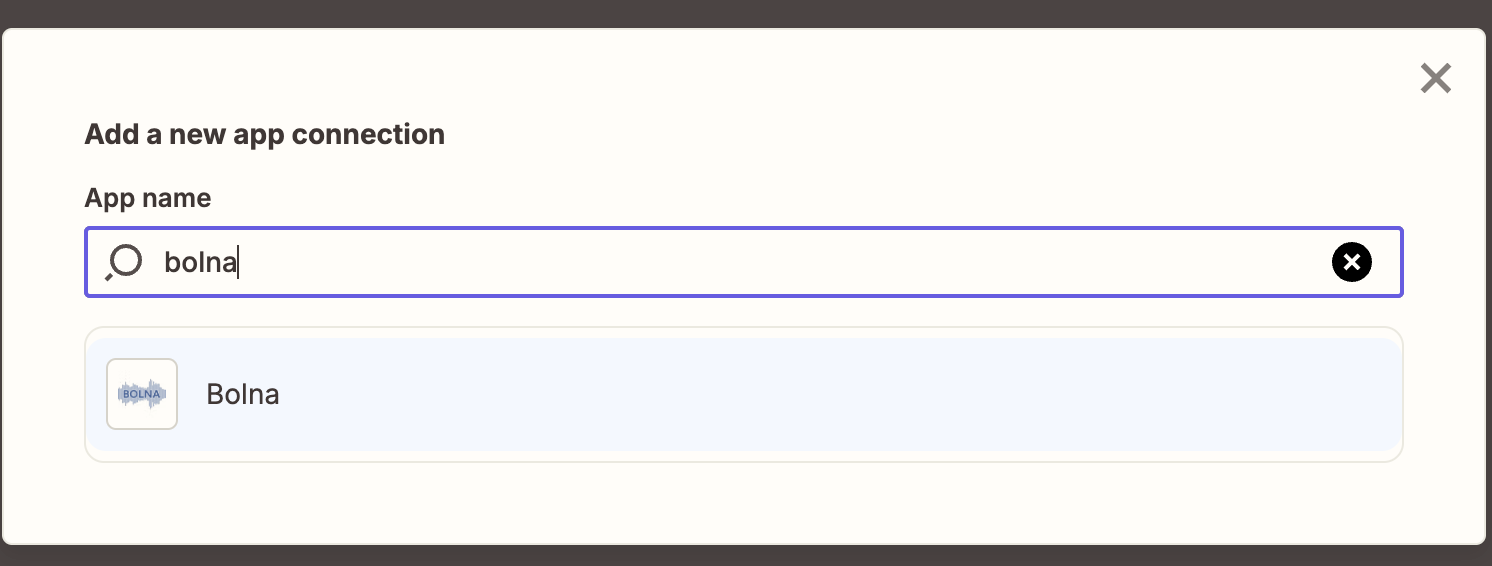
  <Step title="Search and select &#x22;Bolna&#x22; from the list of apps">
    <Frame caption="Selecing Bolna on Zapier Apps">
      <img src="https://mintcdn.com/bolna-54a2d4fe/n6ISBDZpjo2_6G0U/images/tutorials/zapier/create_bolna_api_connection_step_2.png?fit=max&auto=format&n=n6ISBDZpjo2_6G0U&q=85&s=3020cebe4e250215ea74279cb3dbe61d" alt="Zapier app search interface showing Bolna selection from available integrations for Voice AI automation" width="1492" height="566" data-path="images/tutorials/zapier/create_bolna_api_connection_step_2.png" />
    </Frame>
  </Step>

  <Step title="Generate and copy the new API Key from Bolna dashboard">
    Please refer to [this documentation](/api-reference/introduction#authentication) for creating a new API Key.
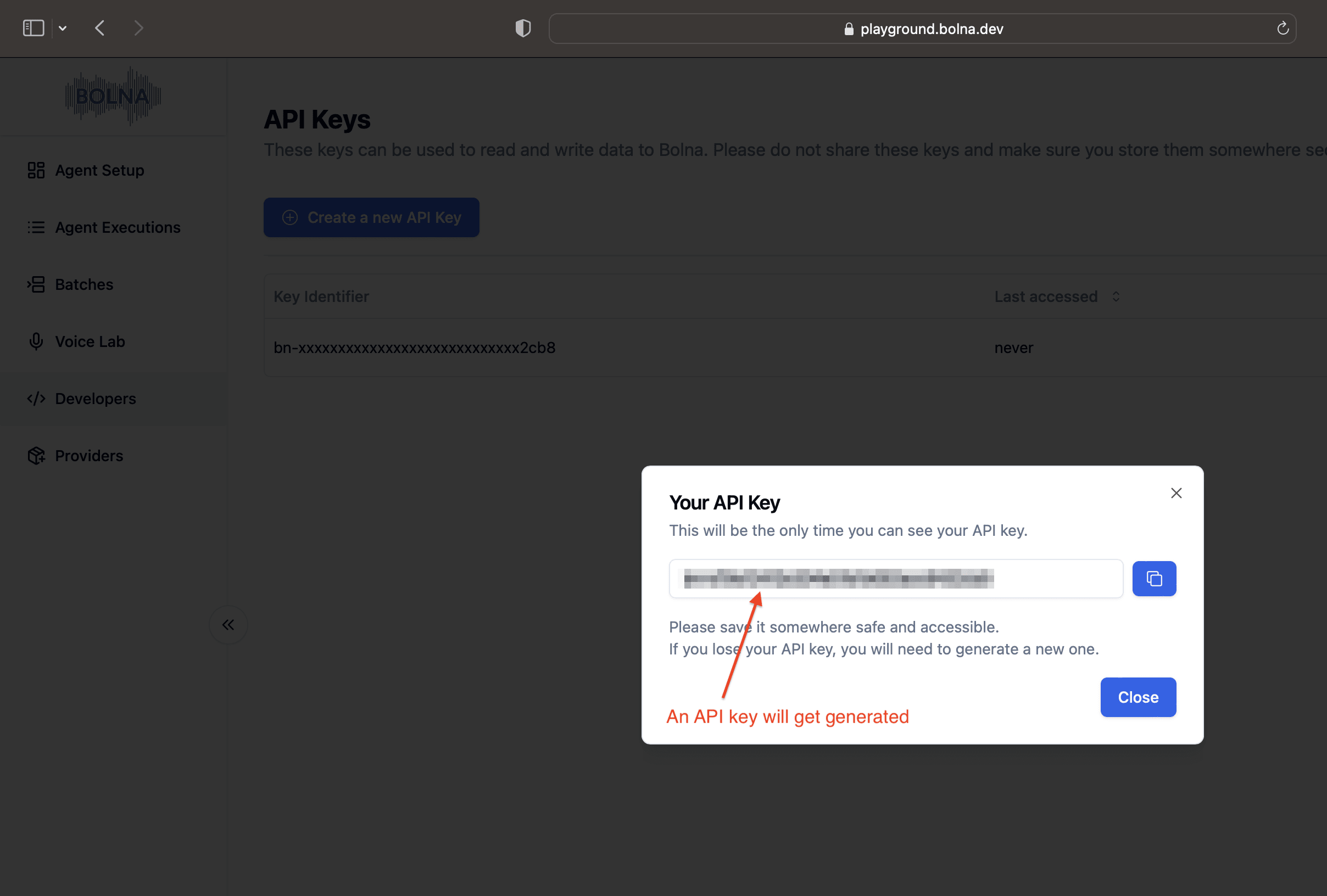
    <Frame caption="Generating a new API Key on Bolna Dashboard">
      <img src="https://mintcdn.com/bolna-54a2d4fe/n6ISBDZpjo2_6G0U/images/tutorials/zapier/create_bolna_api_connection_step_3.png?fit=max&auto=format&n=n6ISBDZpjo2_6G0U&q=85&s=9c65b91838f139bb0845c6bfba7969e2" alt="Bolna dashboard API key generation interface showing developers section for creating Zapier integration authentication" width="2416" height="1632" data-path="images/tutorials/zapier/create_bolna_api_connection_step_3.png" />
    </Frame>
  </Step>

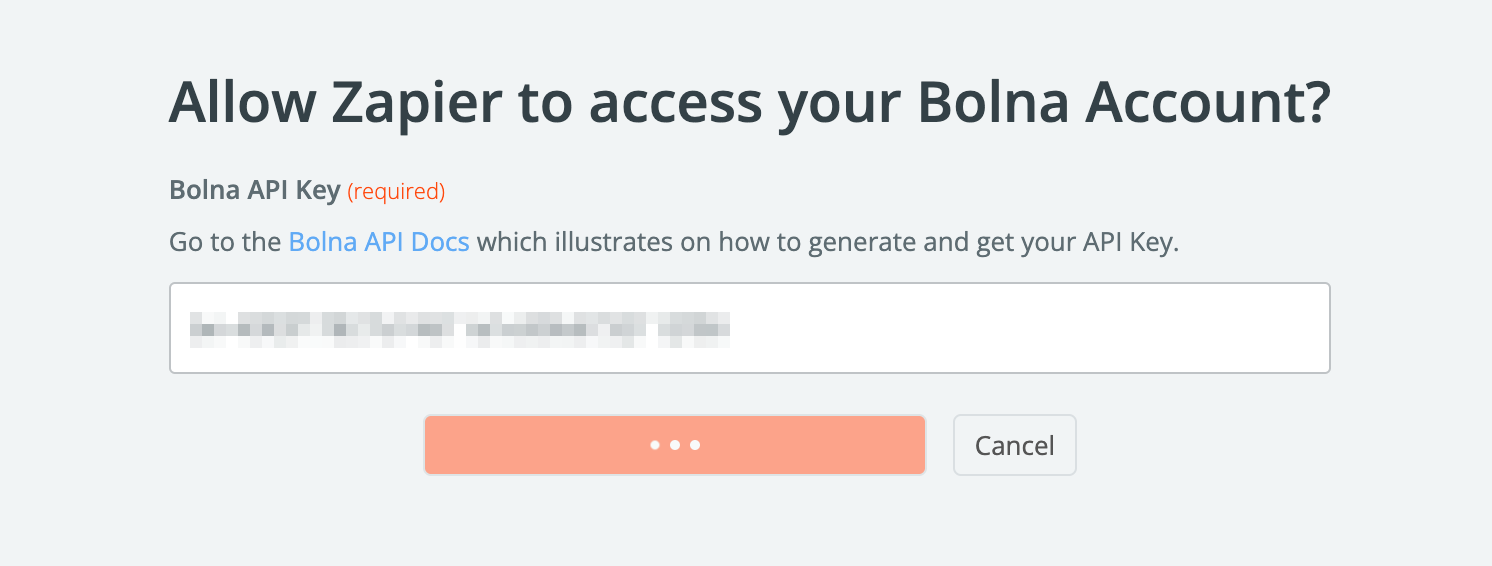
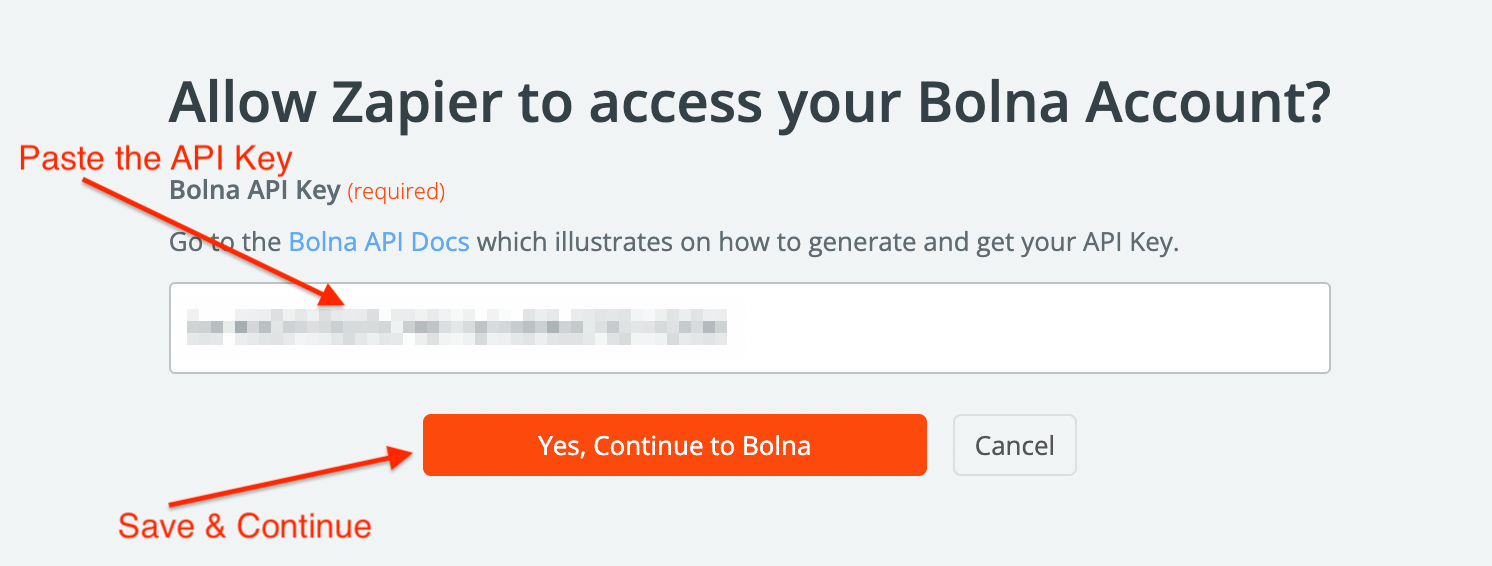
  <Step title="Paste the API Key from above step in Zapier connection dialog">
    <Frame caption="Pasting the Bolna API Key">
      <img src="https://mintcdn.com/bolna-54a2d4fe/n6ISBDZpjo2_6G0U/images/tutorials/zapier/create_bolna_api_connection_step_4.png?fit=max&auto=format&n=n6ISBDZpjo2_6G0U&q=85&s=02473ddd8b4dfc23087d6c13d304e923" alt="Zapier connection dialog showing API key input field for establishing Bolna Voice AI integration" width="1492" height="566" data-path="images/tutorials/zapier/create_bolna_api_connection_step_4.png" />
    </Frame>
  </Step>

  <Step title="Save and Continue">
    <Frame caption="Saving the connection">
      <img src="https://mintcdn.com/bolna-54a2d4fe/n6ISBDZpjo2_6G0U/images/tutorials/zapier/create_bolna_api_connection_step_5.png?fit=max&auto=format&n=n6ISBDZpjo2_6G0U&q=85&s=1a8f8d6d5913bd3abcf1d814cbf3906c" alt="Zapier connection save confirmation showing successful Bolna Voice AI API authentication setup" width="1492" height="566" data-path="images/tutorials/zapier/create_bolna_api_connection_step_5.png" />
    </Frame>
  </Step>

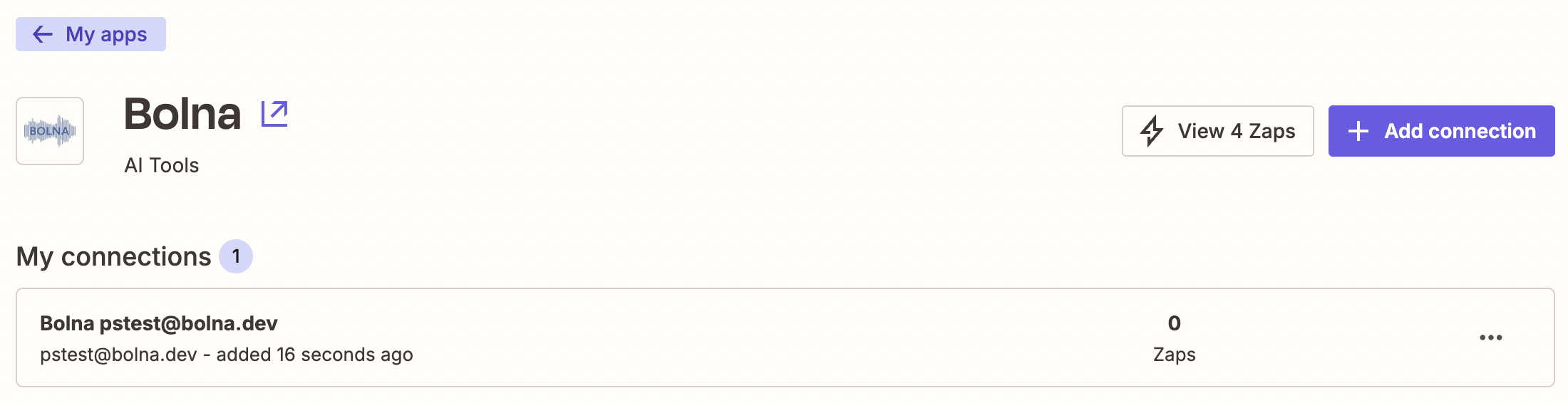
  <Step title="Successfully added Bolna API connection">
    <Frame caption="Successfully authenticating and adding the Bolna app connection">
      <img src="https://mintcdn.com/bolna-54a2d4fe/n6ISBDZpjo2_6G0U/images/tutorials/zapier/create_bolna_api_connection_step_6.png?fit=max&auto=format&n=n6ISBDZpjo2_6G0U&q=85&s=7db88069a2df02eaf3453d5f3d544e5c" alt="Zapier apps dashboard showing successfully added Bolna Voice AI connection ready for automation workflows" width="2200" height="566" data-path="images/tutorials/zapier/create_bolna_api_connection_step_6.png" />
    </Frame>
  </Step>
</Steps>

<Check>
  After completing the above steps, you can use Action modules to make Bolna APIs call on Zapier.

  Please refer to Bolna APIs from [API reference docs](/api-reference/introduction).
</Check>


Built with [Mintlify](https://mintlify.com).