

- you want an open-weight or fine-tuned model that Bolna’s built-in providers don’t offer
- you want the lowest possible reply latency from fast inference hardware such as Groq or Cerebras
- the weights or the traffic have to stay on infrastructure, or in a region, you control
- you already pay an inference provider and want the tokens billed there
Inference providers
The Add custom model dialog has a Provider dropdown with presets for the providers below. Each guide covers that provider’s console, its endpoint URL, its model ID format, and the problems most likely to affect a live call.Which one should I pick?
Quick config
What your endpoint must support
Test your endpoint before you register it
Onecurl with your own URL, key and model shows whether Bolna will be able to call the endpoint. It also shows roughly how long a caller would wait before hearing the first word.
data: {...} chunks ending in data: [DONE]. A 401 means the key is wrong, a 404 usually means the base URL is missing a path segment such as /v1, /openai/v1 or /inference/v1, and a model error means the model name doesn’t match what the endpoint serves. If the first byte takes more than about a second, callers will notice the pause.
Add a custom model in the dashboard
Open Integrations
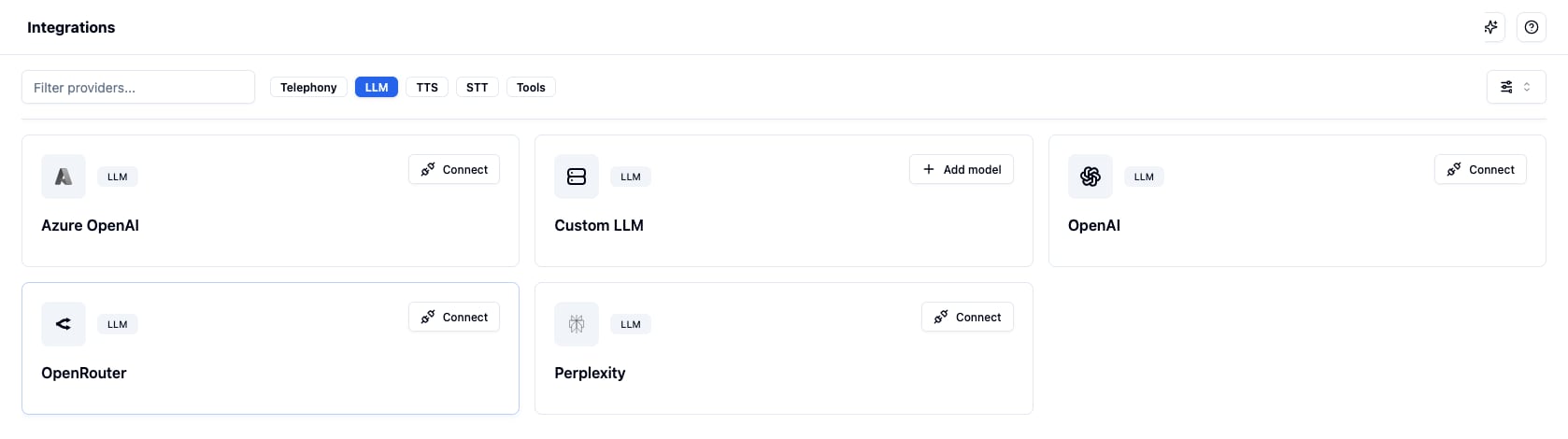
The Custom LLM card on Settings → Integrations, under the LLM filter
Fill in the details
- Provider: one of the inference providers, or Other (OpenAI-compatible) for any other server. Picking a provider only changes the placeholder and the hints under the fields. It never fills in the URL for you, because URLs differ by account, deployment and region, and what Bolna stores is the same either way.
- Model name: the model id your endpoint serves, for example
Qwen/Qwen2.5-3B-Instruct - Endpoint URL: your OpenAI-compatible base URL, usually ending in
/v1 - API key: the bearer token your endpoint expects
- Family: the model family, for example
qwen,llamaormistral
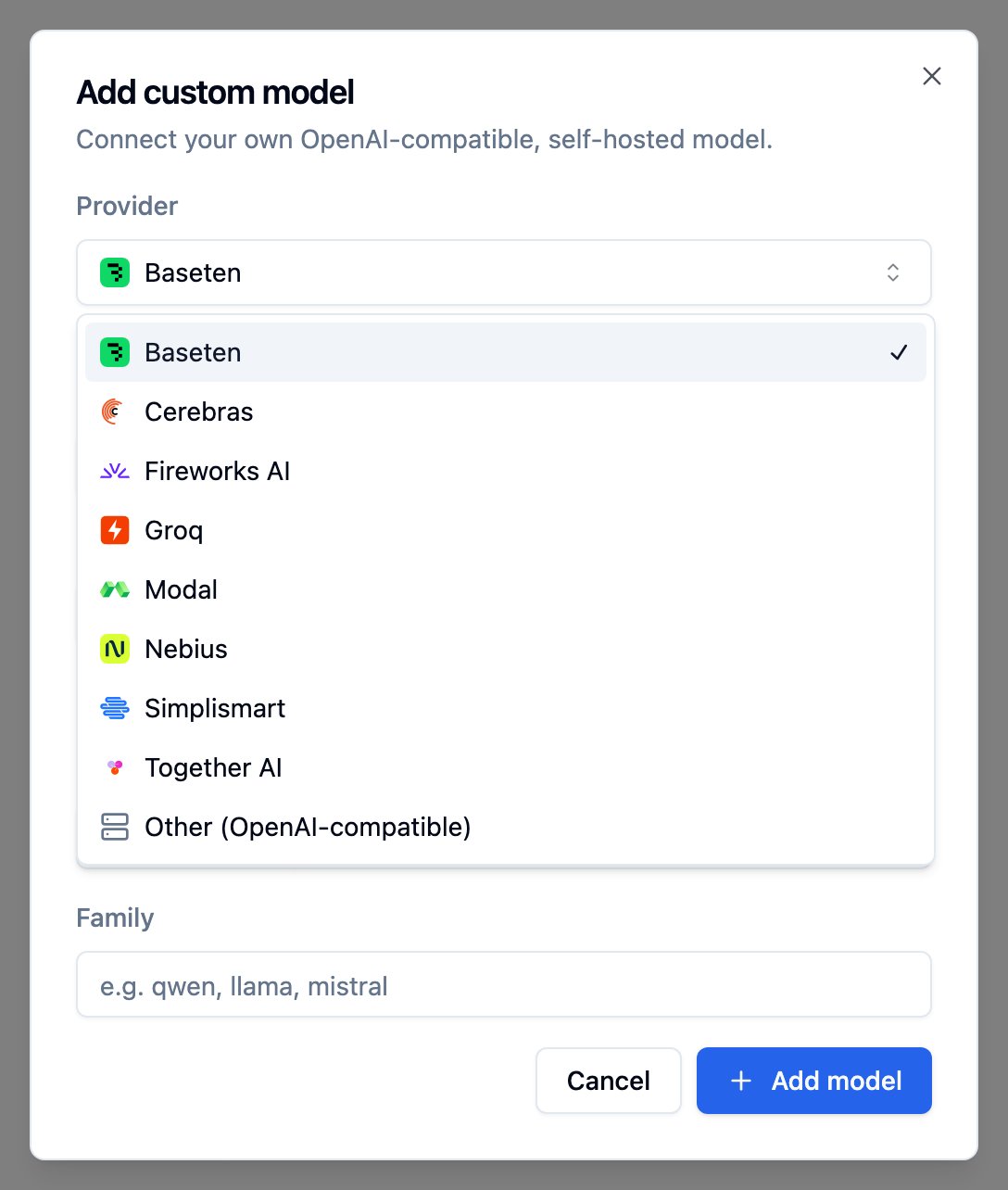
The Add custom model dialog, with its Provider list open
Save
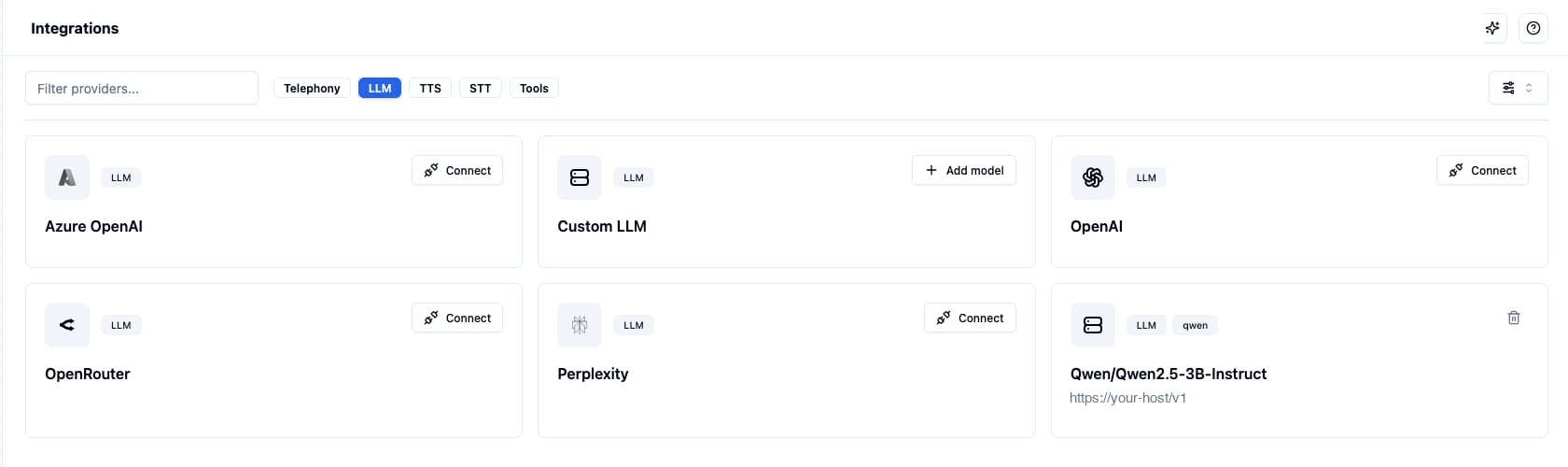
A registered custom model, shown as its own card alongside the built-in providers
What is checked when you save
Registration is refused when Bolna can prove the configuration is wrong:- The endpoint URL must resolve to a public address. Private, loopback and link-local addresses are rejected.
- If the endpoint rejects the API key, you get
The endpoint rejected this API key. - If the endpoint publishes a model list that does not include your model name, the error names what it does serve.
- A model name must be unique within the scope that owns it, because an agent resolves its custom model by name. A duplicate is refused before the endpoint is contacted.
Use it on an agent
Open the agent, go to the Intelligence tab, choose custom as the provider, then pick your model. Save the agent. If you added the model from the agent’s + Add custom LLM entry, it is already selected; you only need to save. If your server needs parameters beyond the OpenAI standard, such as turning a model’s thinking off, switch on Extra request params on the same tab and enter them as JSON. They are sent on every request to your endpoint. See Extra request params for examples and the rules.Before you go live
Calls fail differently on a custom LLM than on a built-in provider: when your endpoint errors, the caller hears silence. Check these before you put an agent on live traffic or start a batch.- Place a web call. Registration can’t catch every mistake, especially on endpoints without a model list. Hold a full conversation, including any tool calls.
- Keep capacity warm. A serverless deployment that has scaled to zero either makes the first caller wait for a cold start or rejects the request outright. Keep at least one replica running for live agents.
- Check rate limits against your concurrency. Shared, per-token endpoints rate-limit by requests and tokens per minute. A batch that runs many calls at once can hit those limits, and every request that gets a
429is a turn with no reply. Raise your limits, pace the batch, or move to dedicated capacity. - Turn thinking off. Reasoning models think before every reply, which callers hear as dead air. Use an instruct model, or turn thinking off with Extra request params.
- Watch for expiring keys and retired models. Some providers issue keys with an expiry date or retire serverless models on a schedule. Either one breaks every call from that point on. Set a reminder or pick keys that don’t expire.
Key settings
Extra request params
Many servers accept parameters that are not part of the OpenAI API, such as turning a model’s thinking off. Set them inextra_body and Bolna adds them to every request it sends to your endpoint.
extra_body does, so the request above reaches your server as {"model": "Qwen/Qwen3-8B", "messages": [...], "chat_template_kwargs": {"enable_thinking": false}, ...}.
Common examples:
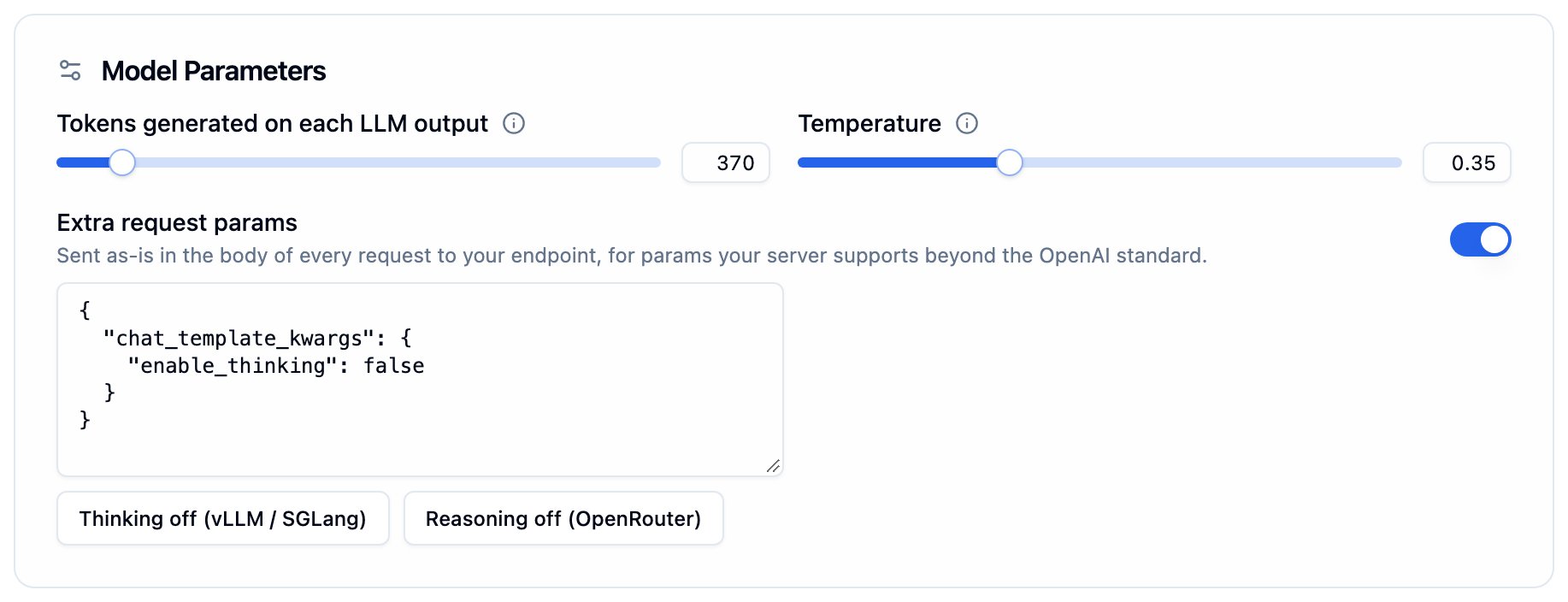
Extra request params under Model Parameters, shown when a custom model is selected
extra_bodyis not a JSON object- the agent’s provider is not
custom, since hosted providers never receive extra params - it sets a field Bolna controls:
model,messages,stream,stream_options,tools,tool_choice,parallel_tool_callsorresponse_format
Manage your models
Delete a model from its card on the Integrations page. A model that is still selected on an agent cannot be deleted: the error names the agents using it, so you can point them at another model first. This applies to every agent config, including graph agent nodes. Deleting a model also removes the stored API key.Sub-accounts
A custom model belongs to the scope it was created in:- A model added on your main account is available to the account and to all of its sub-accounts.
- A model added inside a sub-account is available only in that sub-account. It is not visible to the main account or to other sub-accounts, and neither can delete it.
Add a custom model over the API
When to use a custom LLM vs a hosted provider
Use a custom LLM when:- You run a fine-tuned or open-weight model that no hosted provider offers
- The weights or the traffic have to stay on your own infrastructure
- You already have a contract with a provider and want the tokens billed to it directly
- You want a frontier model without operating an inference server
- You need Bolna’s per-provider features, such as Azure data residency or provisioned throughput
- You would rather not own capacity planning, cold starts and upgrades
FAQ
Does Bolna use the OpenAI Responses API for custom models?
Does Bolna use the OpenAI Responses API for custom models?
How do I turn thinking off on my reasoning model?
How do I turn thinking off on my reasoning model?
extra_body with the parameter your server uses. On vLLM or SGLang with Qwen3 that is {"chat_template_kwargs": {"enable_thinking": false}}. Thinking adds silence before every reply, so voice agents usually want it off.Does Bolna send service_tier to my endpoint?
Does Bolna send service_tier to my endpoint?
service_tier is an OpenAI-only field that strict OpenAI-compatible servers reject, so it is never sent to a custom endpoint.What happens if my endpoint has scaled to zero?
What happens if my endpoint has scaled to zero?
Who bills me for the tokens?
Who bills me for the tokens?
Can a sub-account have its own custom model?
Can a sub-account have its own custom model?
My agent is silent on calls but the model saved fine. Why?
My agent is silent on calls but the model saved fine. Why?
429 rate limit, a misspelled model name on an endpoint without a model list, an expired key, or an extra_body field the server rejects. Run the curl test with the same values to see the error.Can I switch an agent to a different provider later?
Can I switch an agent to a different provider later?
Does the Provider I pick in the dialog change how Bolna calls my endpoint?
Does the Provider I pick in the dialog change how Bolna calls my endpoint?
Can I point an agent at a model on a private network?
Can I point an agent at a model on a private network?
Related
- Groq, Cerebras, Together AI, Fireworks AI, Baseten, Nebius, Simplismart, Modal: provider setup guides
- Intelligence Tab: configure LLM in the dashboard
- OpenAI: direct OpenAI integration
- OpenRouter: one key for many hosted providers
- Bring your own TTS: use your own OpenAI-compatible text-to-speech server
- Prompting Guide: write effective prompts for voice