

We don’t charge for any usage for providers that you have connected to Bolna.
We connect all your
We connect all your
Provider accounts securely via using infisical.Steps to add your own Provider credentials:
1
Log in to the dashboard
Log in at platform.bolna.ai
2
Open Settings → Integrations
Navigate to Settings from the left menu bar and open the Integrations page
3
Find your provider
Filter by Telephony, LLM, TTS, STT or Tools, or type the provider’s name into Filter providers…
4
Connect it
Click Connect on the provider’s card and fill in the credentials it asks for
5
Save your Provider
Save the provider. Its card now shows as connected, and the provider becomes selectable on your agents
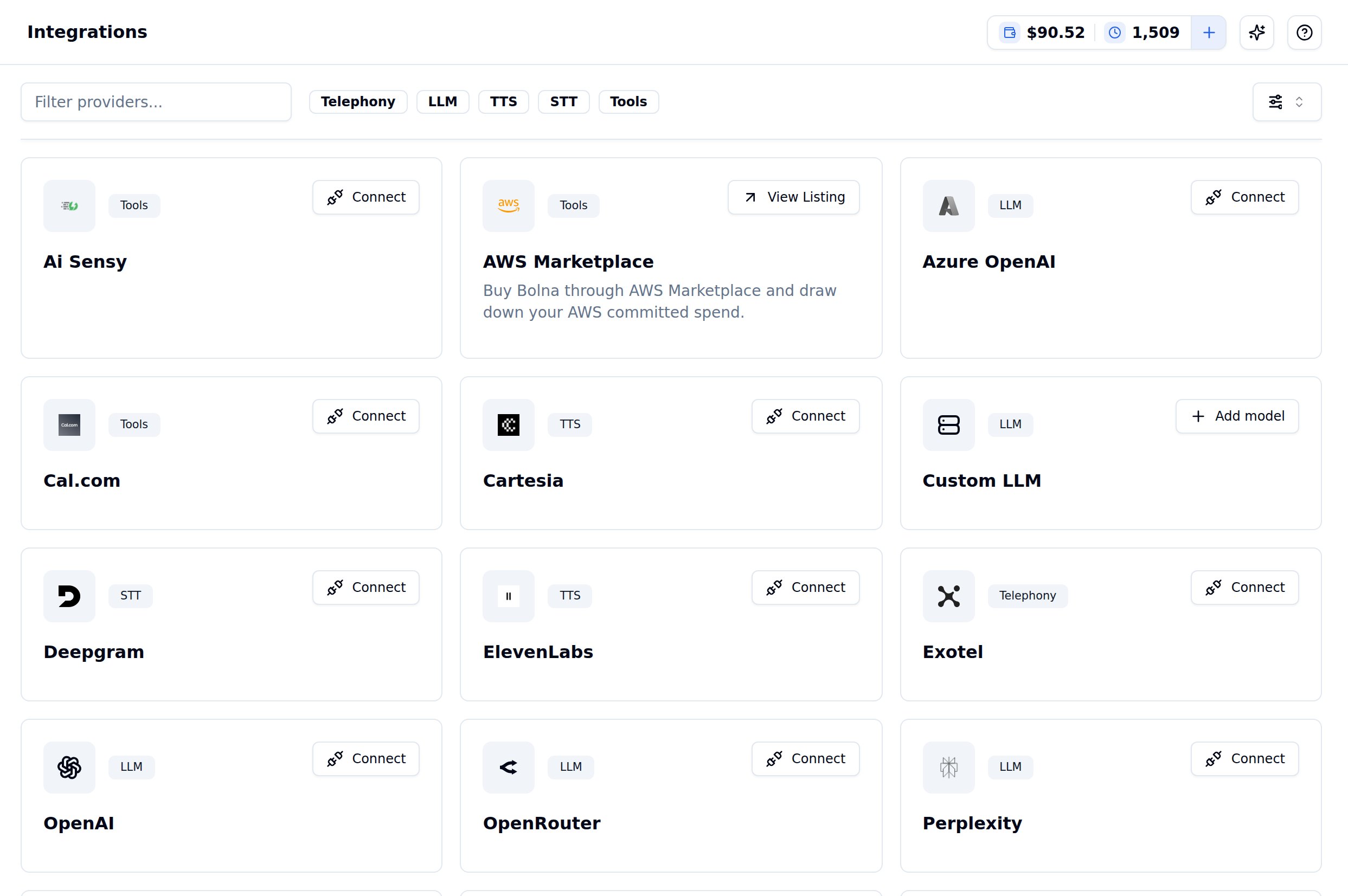
Settings → Integrations, with the Telephony, LLM, TTS, STT and Tools filters
- Telephony
- LLM
- TTS
- STT
- Tools
Twilio
Twilio
For creating a free Twilio Account you can checkout their blog How to Work with your Free Twilio Trial Account
Plivo
Plivo
Vobiz
Vobiz
Exotel
Exotel
Other ways to connect
All integrations
Browse every Bolna integration, including Zapier, Make.com and viaSocket
Bring your own SIP trunk
Use your existing SIP trunk instead of a supported telephony provider
Providers API
Add, list and remove provider credentials programmatically
Choosing providers
Compare providers before you connect one