Use your own Twilio account to make outbound calls

We store your Twilio credentials securely using Infisical.
You can connect your own Twilio account and start using it on Bolna. All calls initiated from Bolna will be from your own Twilio account and use your own Twilio phone numbers.
  1. Navigate to Settings → Integrations from the left menu bar, filter by Telephony, and click Connect on the Twilio card.
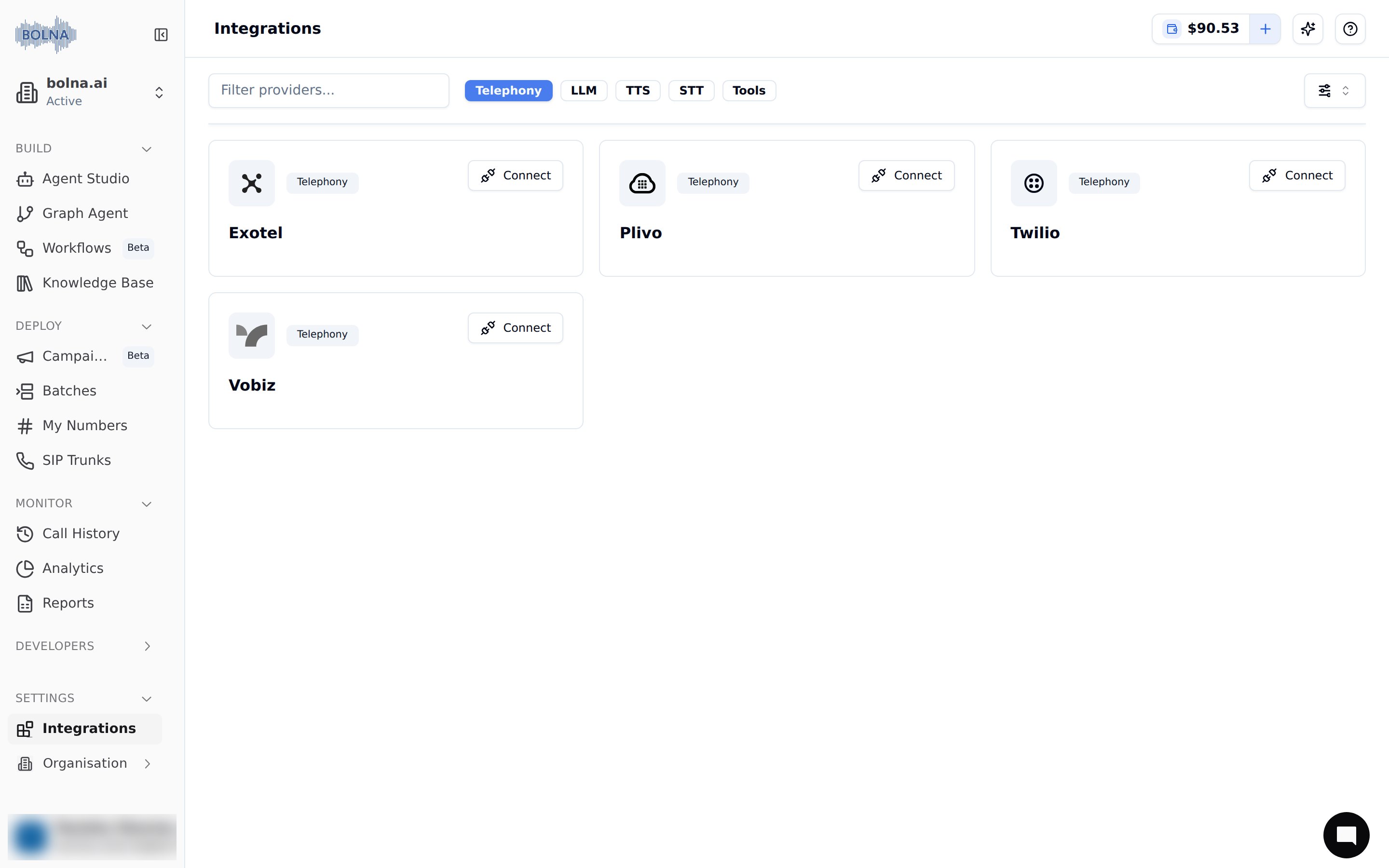
Settings → Integrations page in the Bolna dashboard filtered to Telephony, showing the Connect button on the Twilio card to integrate Twilio telephony with Bolna Voice AI agents

The Twilio card on Settings → Integrations


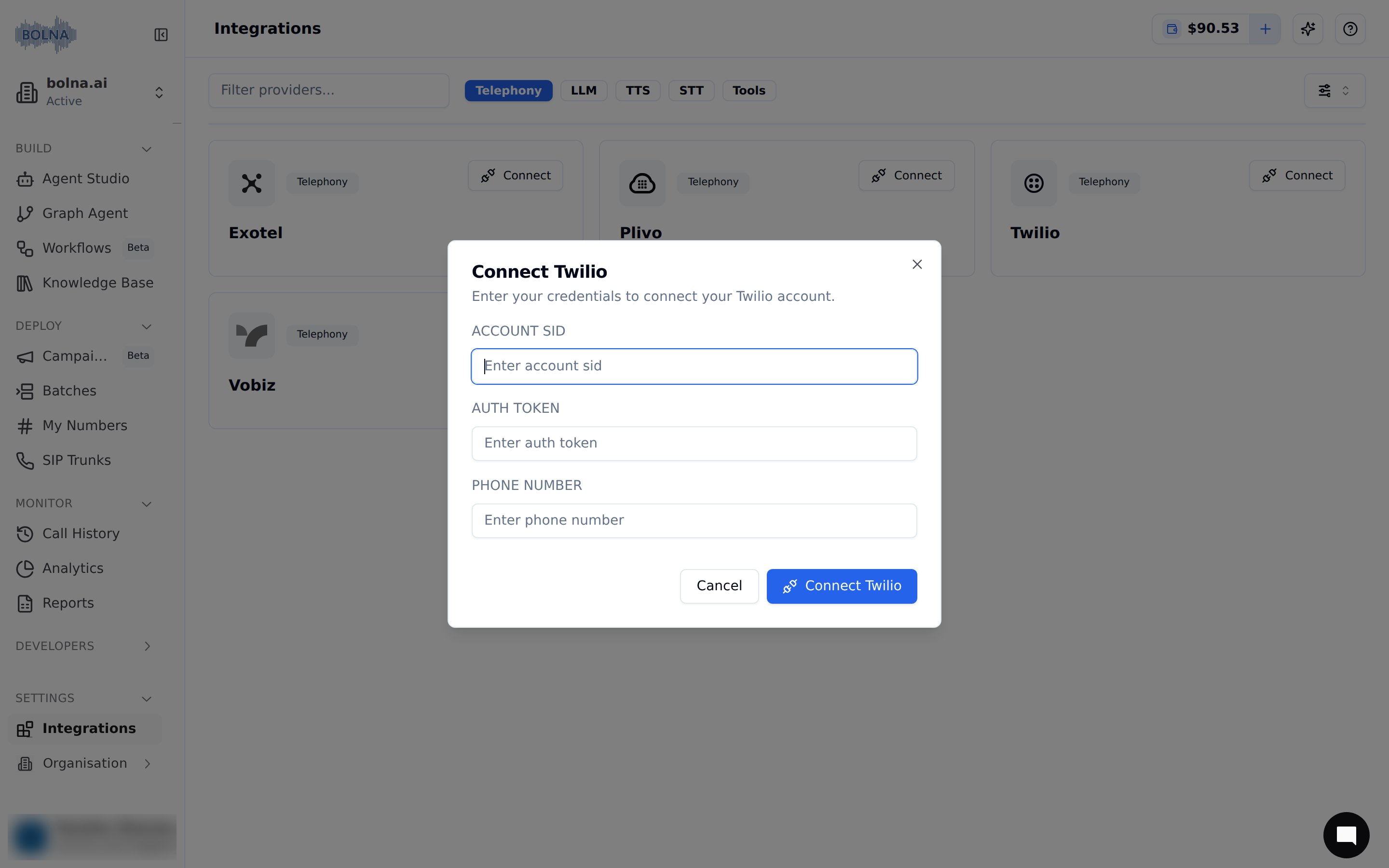
  1. Fill in the required details.
Twilio account connection form in Bolna showing Account SID and Auth Token input fields for secure Twilio connection

Provide Twilio details


  1. Save details by clicking on the connect button.
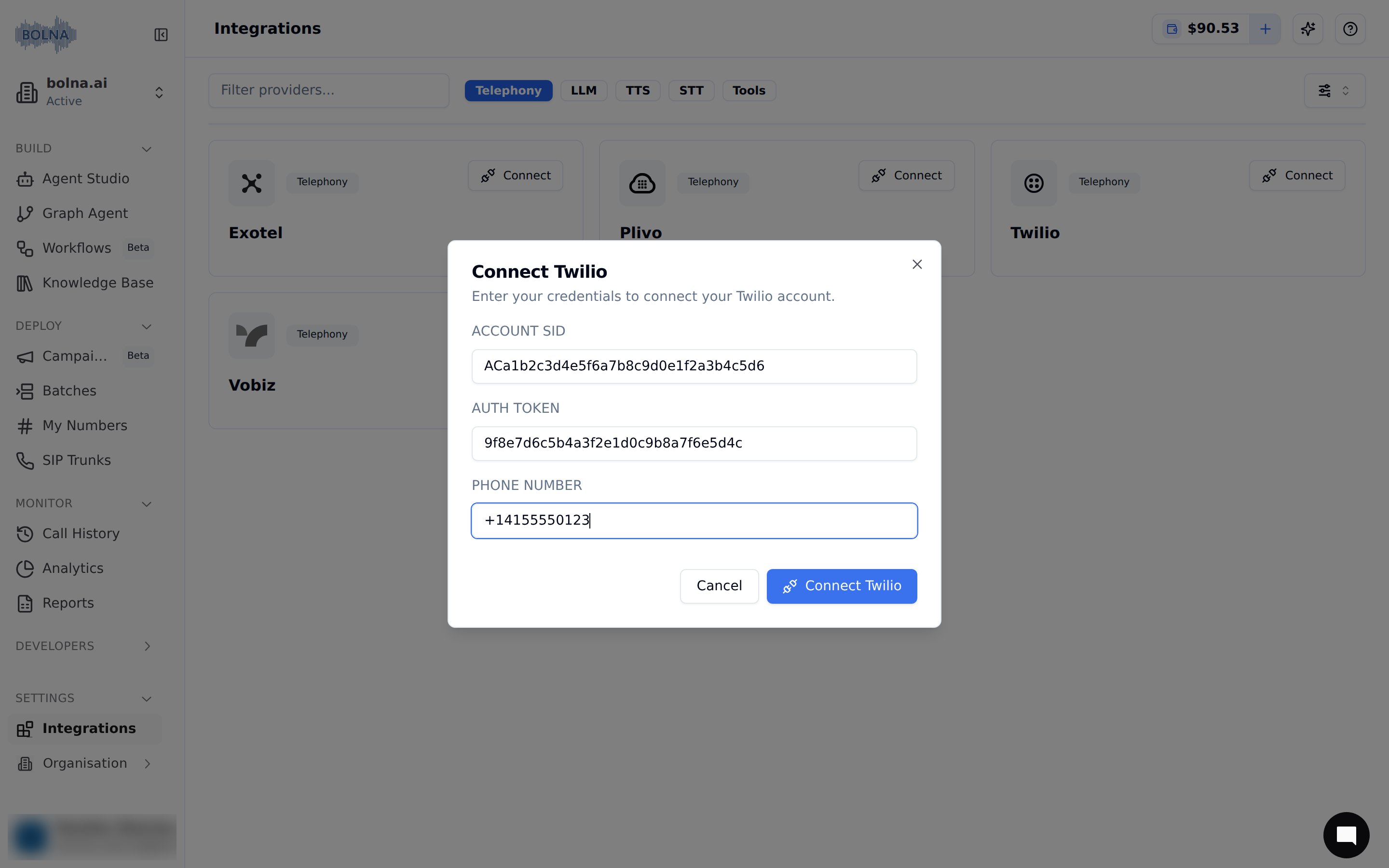
Twilio account connection confirmation screen in Bolna showing connect button to finalize Twilio telephony connection

Connect your account


  1. You’ll see that your Twilio account was successfully connected. All your calls will now go via your own Twilio account and phone numbers.
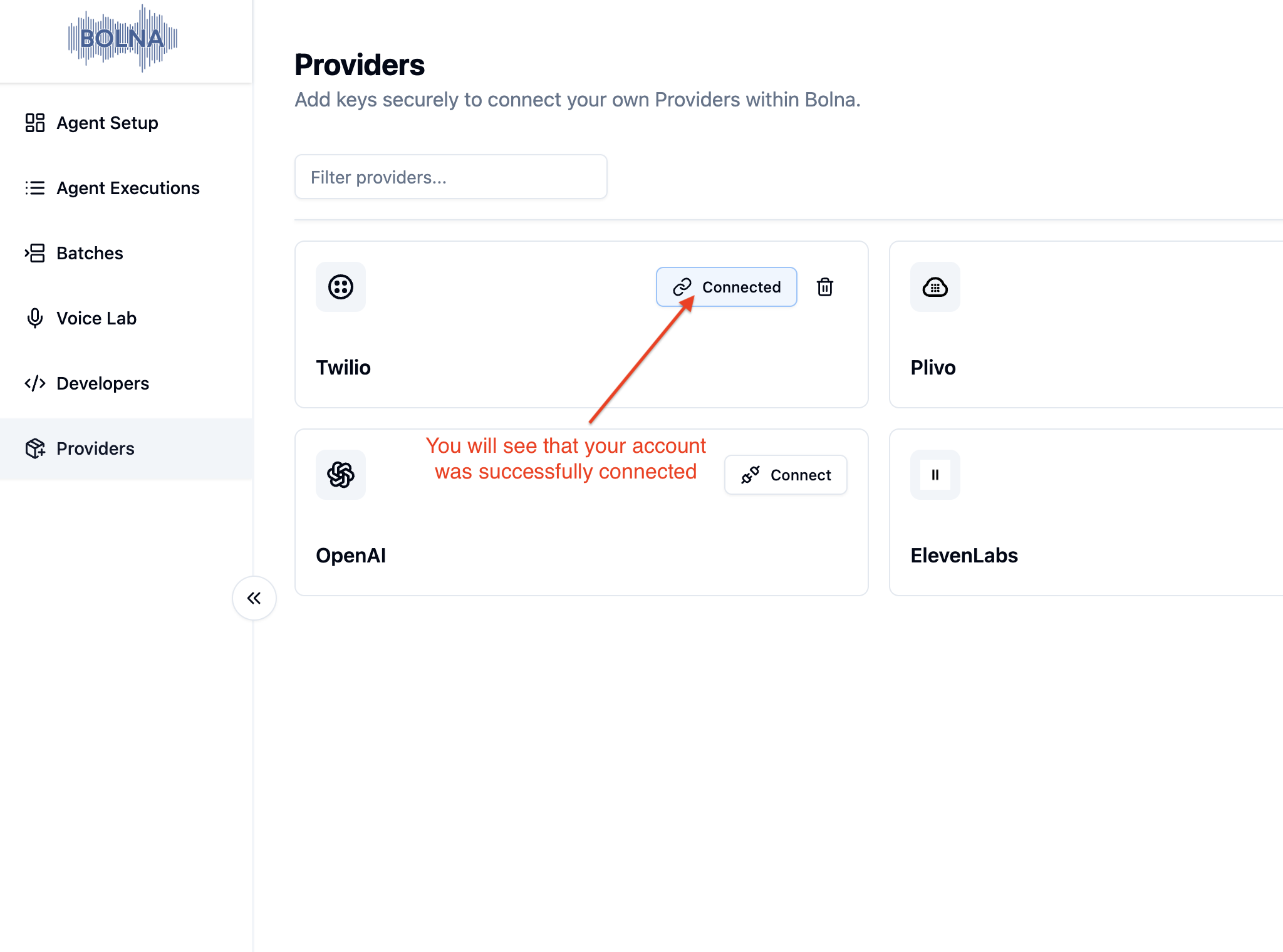
Successful Twilio account connection status in Bolna platform showing secure Twilio connection completion with Bolna Voice AI

Your Twilio account is now securely connected


Next steps

Outbound calls using Twilio

Using Twilio