

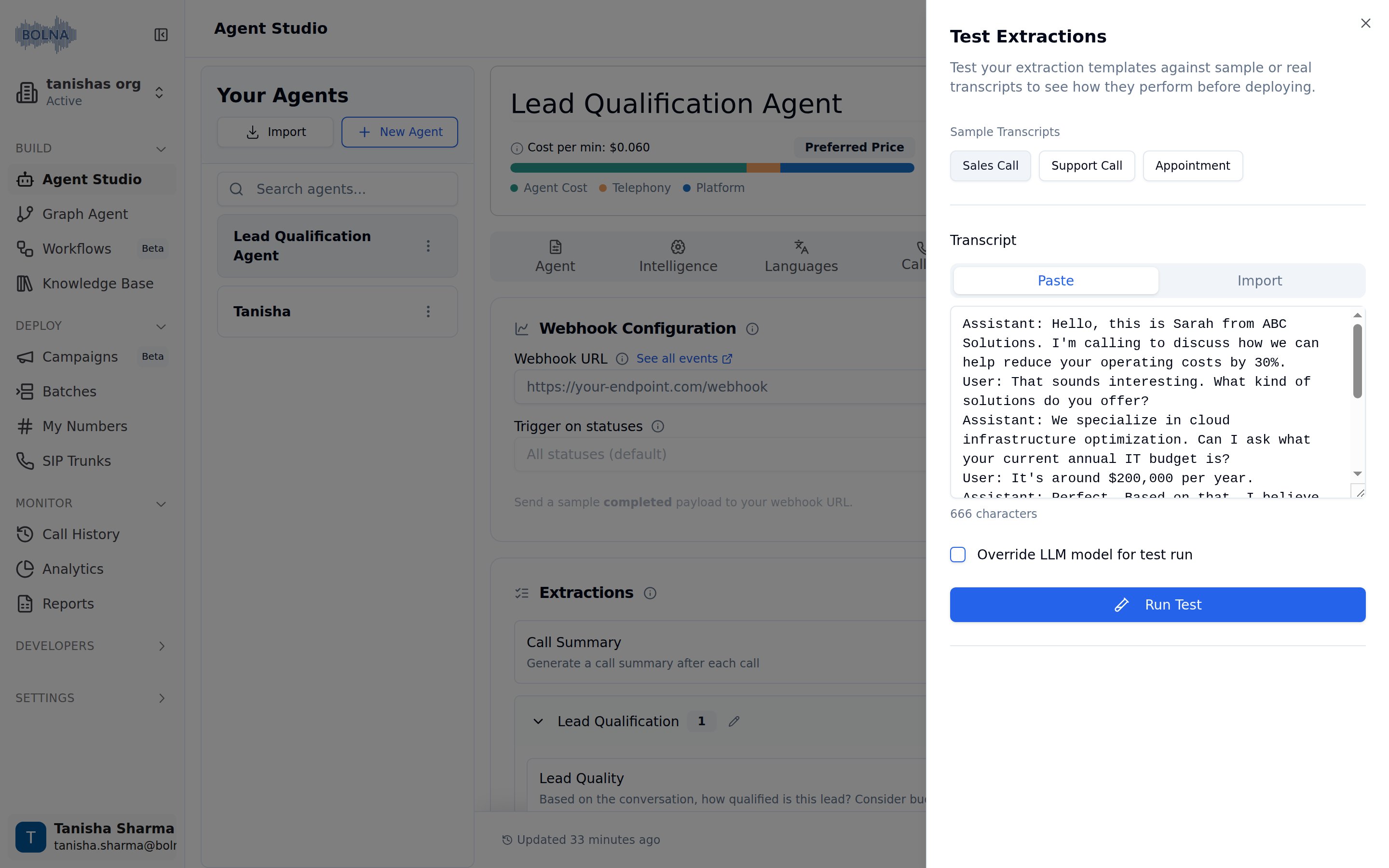
Test Extractions panel with a sample transcript loaded
How to test extractions
1
Click Test Extractions
In the Extractions section, click the Test Extractions button to open the testing modal.
2
Choose a Transcript
Select from sample transcripts (Sales Call, Support Call, Appointment) or provide your own:
- Paste - Paste a transcript directly into the text area
- Import - Upload a transcript file
3
Run Test
Click the Run Test button to process the transcript through all your extraction templates.
4
Review Results
View extraction results organized by category. Each extraction shows:
- SUBJECTIVE - Free text responses generated by the LLM
- OBJECTIVE - Pre-defined values selected by the LLM
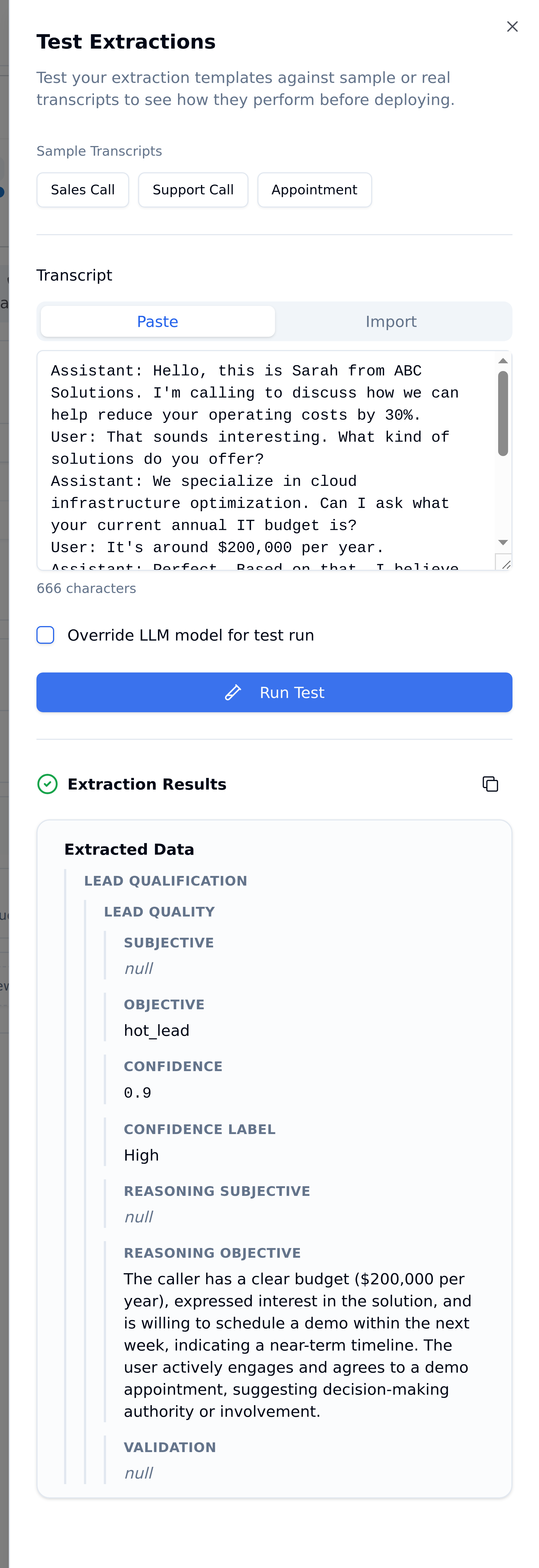
Extraction Results after running a sample transcript
Understanding test results
Extraction results are displayed hierarchically by category. Each extraction shows its full result including confidence and reasoning:null appears when an extraction type isn’t configured or no matching value is found. Low-confidence results (below 0.5) are worth reviewing manually.Testing best practices
Test with Multiple Transcripts
Test with Multiple Transcripts
Test your extractions against various conversation types to ensure they work across different scenarios.
Validate Both Answer Types
Validate Both Answer Types
If using both free text and pre-defined answers, verify both are extracting correctly.
Refine Based on Results
Refine Based on Results
If results aren’t accurate, edit your extraction prompts and conditions, then test again.
Use Real Transcripts
Use Real Transcripts
For production validation, test with actual call transcripts from your agent.
Sample transcripts
The Test Extractions interface provides three sample transcript types:- Sales Call - Conversation about products and services
- Support Call - Customer support interaction
- Appointment - Scheduling and booking conversation