

What is Check Calendar Slots?
The Check Calendar Slots function lets your Voice AI agent query available appointment slots from Cal.com in real-time. When callers ask about availability, your agent instantly fetches open slots and presents options.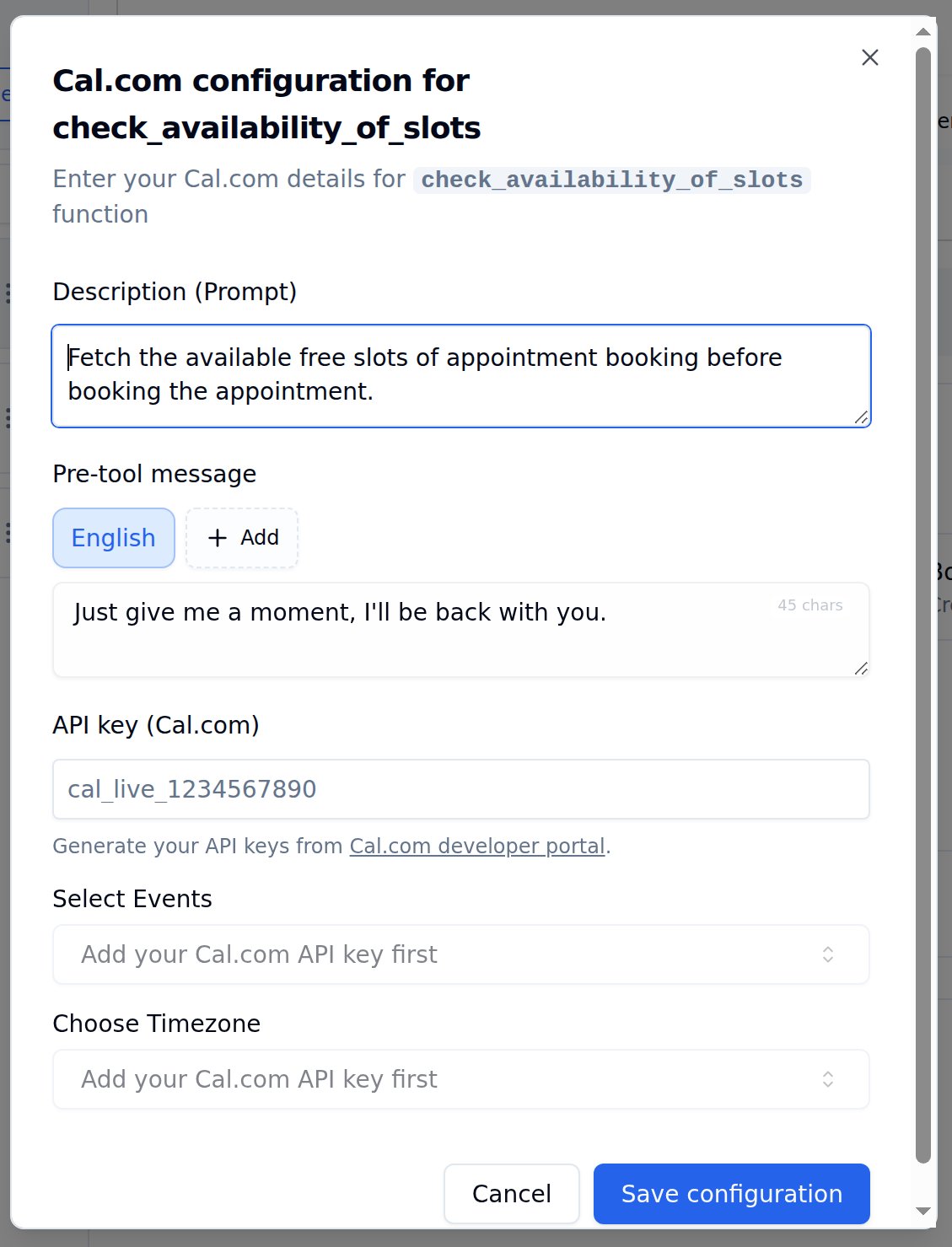
Cal.com configuration for check_availability_of_slots
Configuration Options
Select Events and Choose Timezone dropdowns appear only after entering a valid Cal.com API key.
How to Set Up
1
Open Tools Tab
Navigate to Tools Tab in your agent configuration.
2
Add Calendar Availability
Find Calendar Availability in the tool catalog and click Add.
3
Enter API Key
Paste your Cal.com API key. Event types will load automatically once validated.
4
Select Event Type
Choose which event to check - 15 min meeting, 30 min meeting, or your custom events.
5
Set Timezone
Match your Cal.com event timezone for accurate time communication.
6
Write Description
Add a clear trigger description - e.g., “Check available slots when caller wants to schedule a meeting.”
7
Save configuration
Click Save configuration, then Save agent to persist the tool on the agent.
Example Conversation
Caller asks about availability
Caller asks about availability
Caller: “Hi, I’d like to schedule a meeting with your team.”Agent: “Of course! Let me check our available slots for you.”Agent triggers check_availability_of_slots functionAgent: “I have openings tomorrow at 10 AM, 2 PM, and 4 PM. We also have slots on Friday at 11 AM and 3 PM. Which works best for you?”
Best Practices
Detailed Descriptions
Use “Fetch available slots when caller wants to schedule or asks about times” instead of just “Check availability”
Match Timezones
Ensure Bolna timezone matches Cal.com event timezone to avoid confusion
Add Pre-tool Message
Set a friendly message like “Just a moment…” so callers know to wait
Test Before Deploying
Verify slots are being fetched correctly with test calls
Next Steps
Book Calendar Slots
After checking availability, book the appointment
Custom Functions
Build your own API integrations
Transfer Calls
Route calls to human agents
Tools Tab Guide
Complete guide to configuring functions