

What is the Inbound Tab?
The Inbound Tab is where you configure settings for receiving incoming calls. Match callers to your database, preload user data before the call starts, and set up spam prevention to protect your agents from abuse.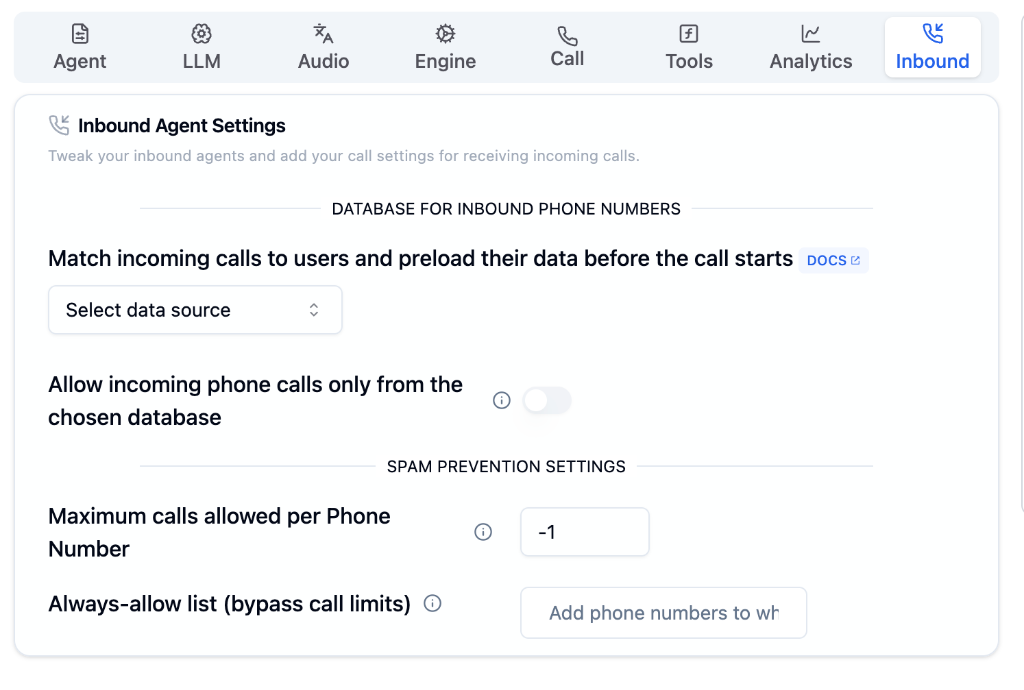
Inbound Tab on Bolna Playground
Database for Inbound Phone Numbers
Match incoming calls to users and preload their data before the call starts. Choose from three data source options:- Internal APIs
- CSV Upload
- Google Sheet
Connect your own API to fetch user data dynamically when a call comes in.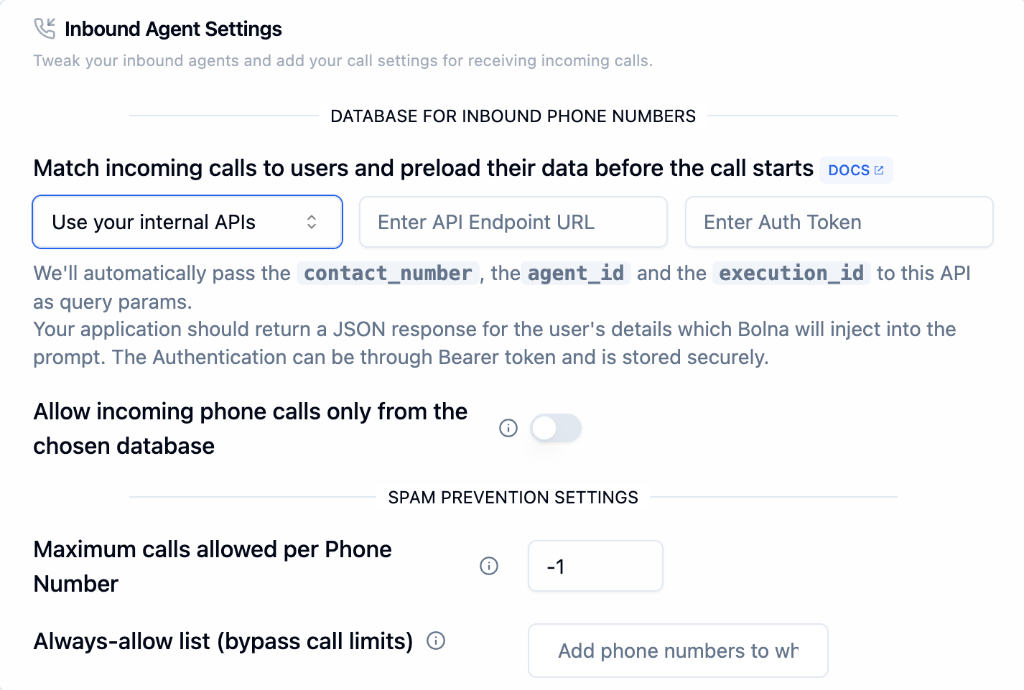
Use Internal APIs
1
Select Data Source
Choose “Use your internal APIs” from the dropdown.
2
Enter API Endpoint URL
Provide your API endpoint that will receive the caller data request.
3
Add Auth Token
Enter your Bearer token for secure authentication.
Query Parameters
Bolna automatically passes these parameters to your API:Example API Request
Example API Response
Authentication uses Bearer token and is stored securely by Bolna.
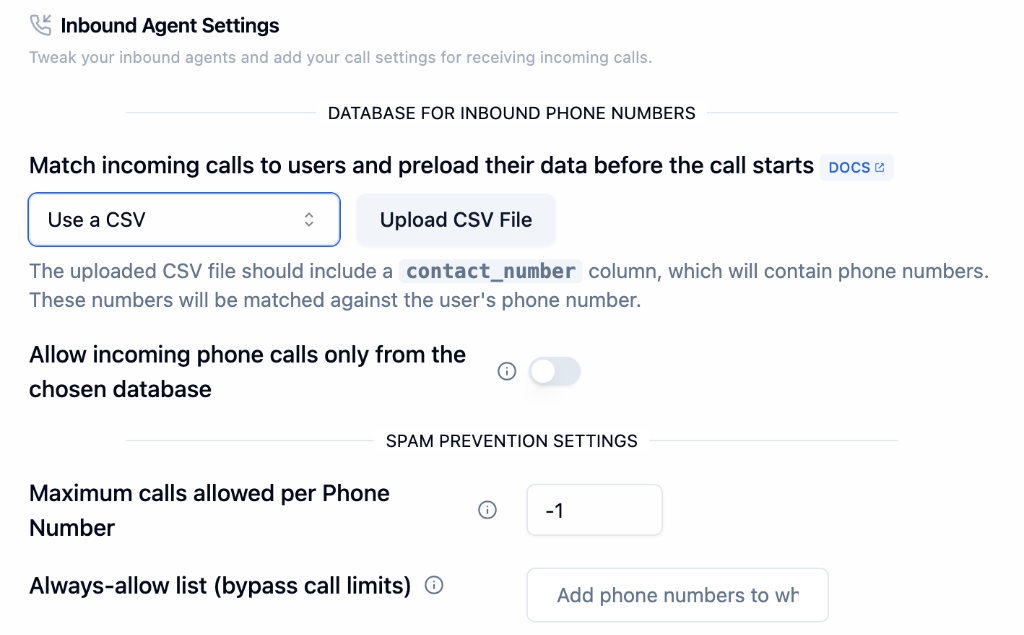
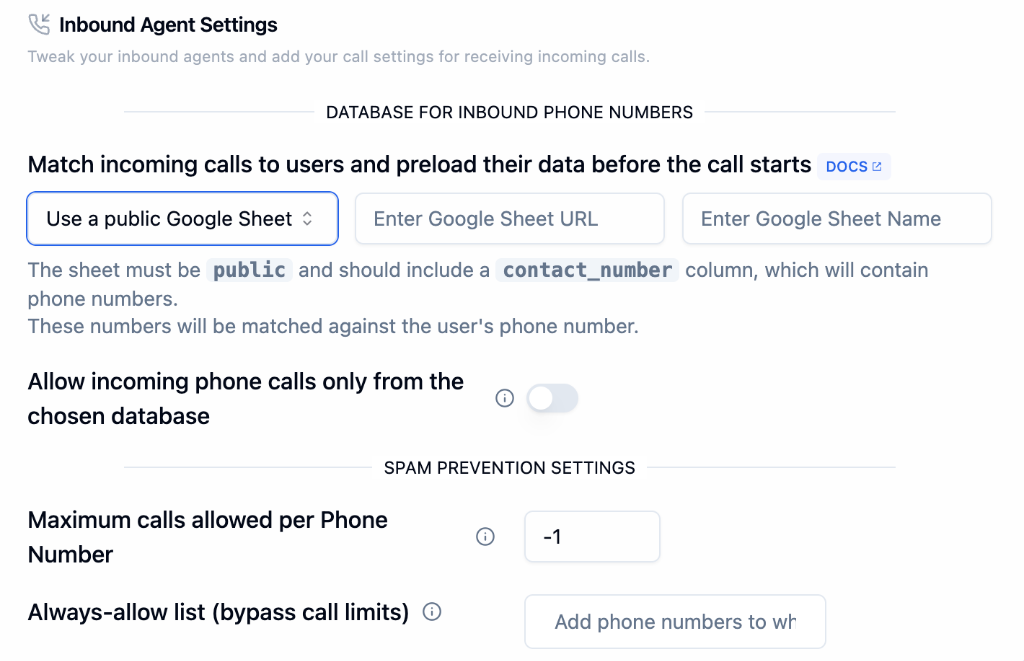
Call Restrictions
Toggle on “Allow Calls Only from Database” to restrict incoming calls to only phone numbers found in your chosen database. Unknown callers will be rejected.
Spam Prevention Settings
Protect your agent from spam and abuse.Use Cases
Customer Verification
Only allow calls from registered customers
VIP Support
Preload customer data for personalized service
Abuse Prevention
Limit repeated calls from the same number
Dynamic Data Loading
Fetch real-time customer data via API
Next Steps
Agent Tab
Configure prompts and welcome message
Call Tab
Set up telephony and call management
Receiving Calls Guide
Complete inbound setup guide
Phone Numbers
Purchase and manage phone numbers