

What is the Call Tab?
The Call Tab is where you configure how your agent handles phone calls. Set up your telephony provider, enable call features like noise cancellation and voicemail detection, and manage call timing and hangup behavior.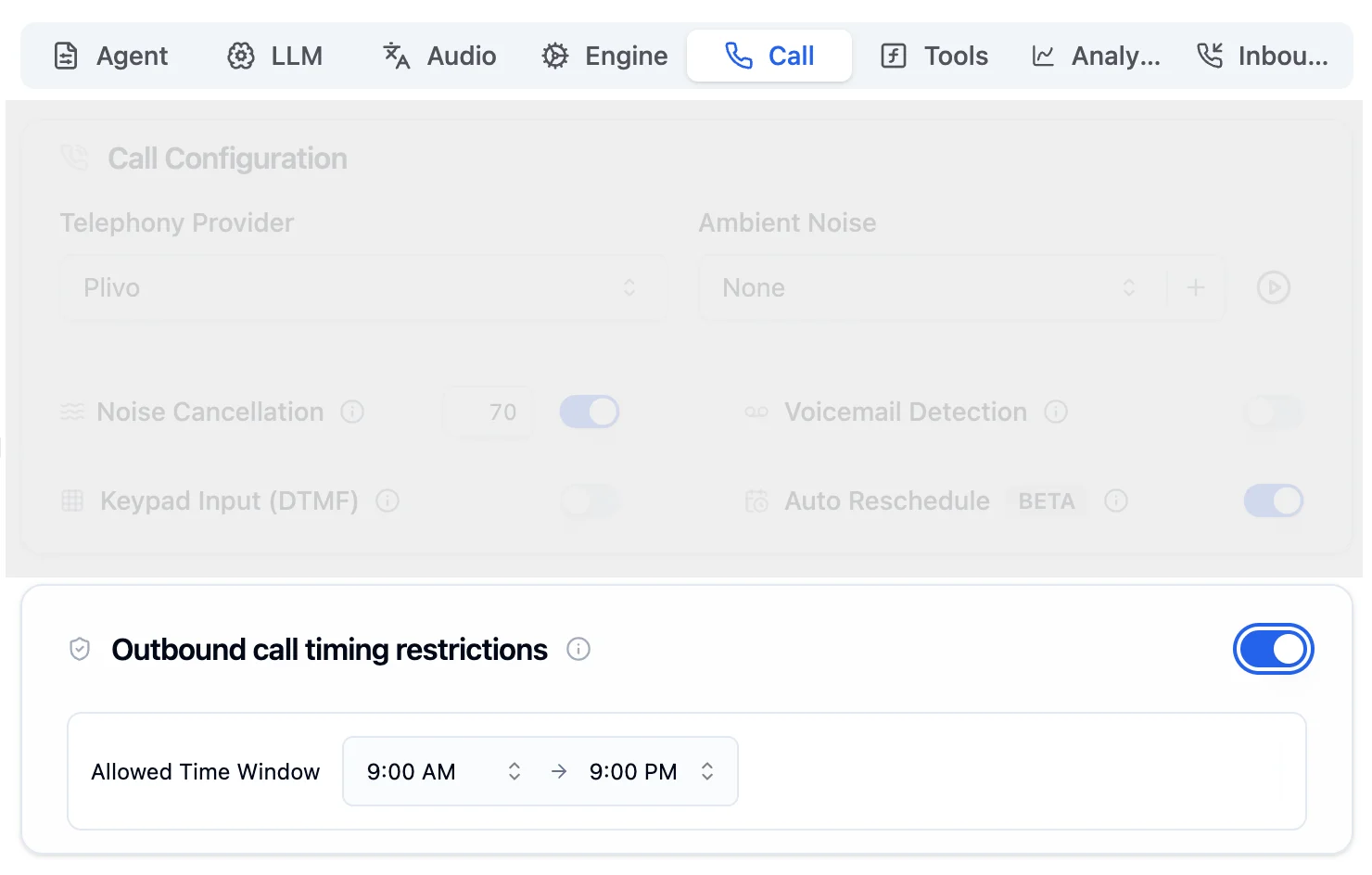
Call Tab showing Call Configuration and Outbound call timing restrictions
Configuration Options
Telephony Provider & Call Features
Configure your telephony provider and toggle powerful call capabilities.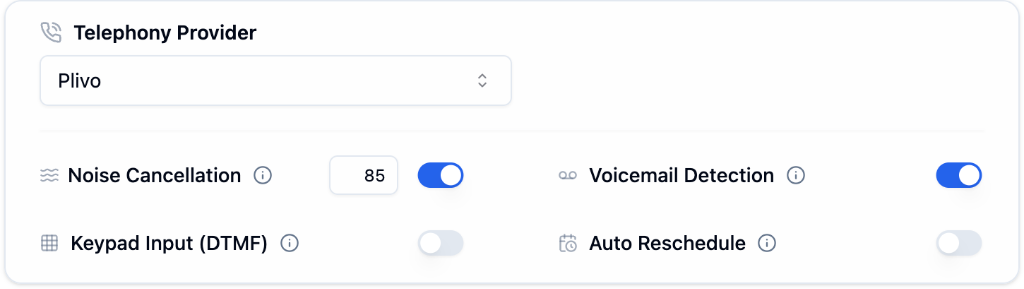
Telephony Provider & Call Features
Noise Cancellation
Filter background noise for clearer calls (adjustable intensity)
Voicemail Detection
Detect voicemail systems to avoid awkward messages
Keypad Input (DTMF)
Accept touch-tone input for IVR-style menus
Auto Reschedule
Automatically retry failed calls later
Ambient Noise
Add background ambient noise to your calls for a more natural, human-like experience. Ambient noise is available for Plivo and Vobiz telephony providers.
Ambient Noise Configuration
Preset Tracks
Three preset tracks are available to all users out of the box:
Set ambient noise to None to disable it (default).
Custom Tracks
You can upload your own custom ambient noise tracks for a personalized experience:- Supported formats:
wav,mp3 - Maximum file size: 10 MB
- You can upload, list, and delete your custom tracks from the dashboard or via the API
- Custom tracks are private to your account, while presets are available to everyone
Ambient noise is only supported with Plivo and Vobiz telephony providers.
Final Call Message
Configure the last message your agent says before disconnecting.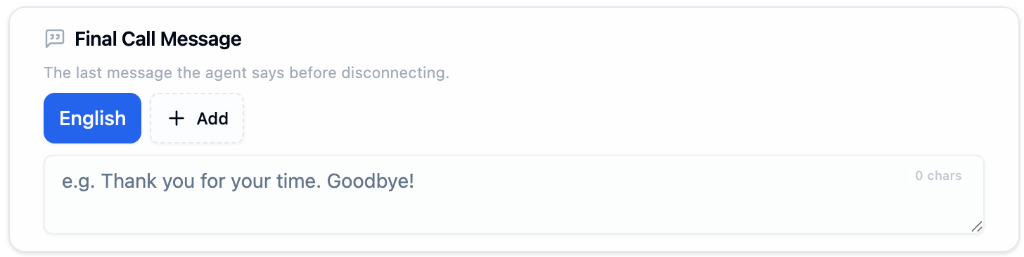
Final Call Message Configuration
1
Select Language
Choose the language for your final message (supports multi-language).
2
Write Your Message
Enter a warm, professional closing (e.g., “Thank you for your time. Goodbye!”)
3
Add Languages (Optional)
Click + Add to include final messages in other languages.
Call Management
Configure how and when calls should end.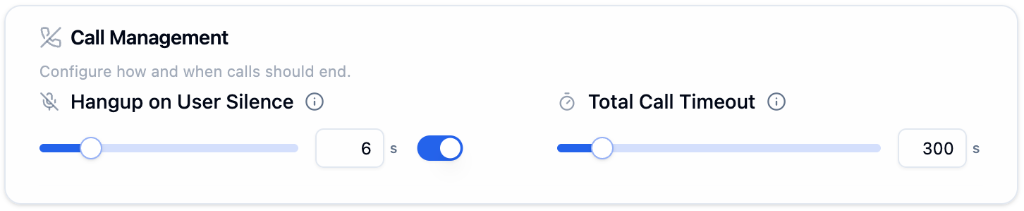
Call Management Settings
Outbound Call Timing Restrictions
Restrict outbound calls to a specific time window. This is off by default. Toggle it on to set an allowed calling window.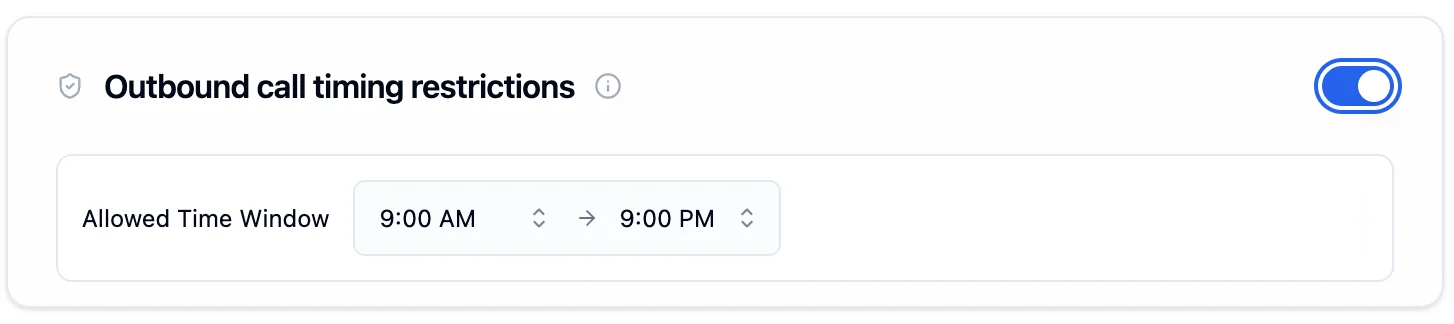
Outbound call timing restrictions toggled on with a 9:00 AM to 9:00 PM allowed window
The time window is validated against the recipient’s local timezone, detected automatically from their phone number. For example, a 9 AM start means 9 AM in the recipient’s timezone, not yours.
You can also configure call timing restrictions via the API and bypass them for urgent calls. See the full Calling Guardrails guide for details.
Next Steps
Calling Guardrails
Set allowed hours, bypass rules, and compliance
Engine Tab
Configure latency and interruptions
Tools Tab
Add function tools and APIs
Telephony Providers
Connect Twilio, Plivo, or Exotel