

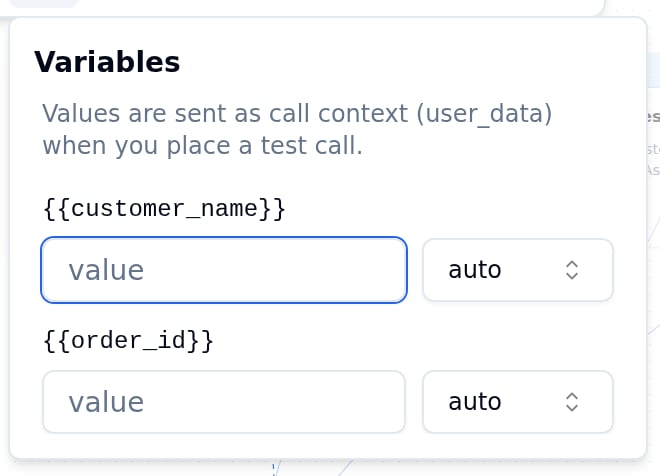
{{name}} tokens you embed in node prompts, the welcome message, or edge conditions. At call time, the platform substitutes real values from context_data (the data passed when the call was created or filled in by inline data extraction). In the editor, the Variables panel lets you set test values so the validation and test features use realistic content.
Using variables in content
Place a{{variable_name}} token anywhere in a node prompt, the welcome message, or an edge condition. The token is replaced at runtime with the corresponding value from context_data.
Welcome message:
Variables in expression conditions (Rule edges) reference context variables by name without braces. The braces syntax
{{name}} is only for text substitution in prompts and messages.The Variables panel
{{variable_name}} token in:
- All node prompts
- Node examples (multilingual)
- Edge condition text
- Edge parameters
- The welcome message
user_data) when you place a test call.
Values set in the variables panel are saved locally per agent (they don’t affect the saved agent payload). They persist across editor sessions in your browser.
Variable types
The selector beside each value declares how the value is coerced before an expression condition is evaluated:auto, string, number, boolean, or null. Leave it on auto to let the platform infer the type.
Built-in variables
These variables are populated automatically by the platform at call time. You don’t need to pass them incontext_data. They are available in expression conditions and can be referenced in prompts.
See Edges & routing for the full reference including numeric types for use in expression conditions.
Variables from inline data extraction
Transitions can capture values from the user’s reply and store them as variables. After a transition fires and capturesorder_id, that value becomes available in downstream node prompts as {{order_id}} and in expression conditions as the variable order_id.
See Inline data extraction for how to set this up on a transition.