Run batches from the Bolna dashboard or the Batch API. Upload a CSV of contacts under Deploy → Batches, schedule or run now, configure auto-retry, and monitor every call.
Batch calling lets you automate outbound calls to hundreds or thousands of contacts by uploading a CSV file with phone numbers and custom data. Ideal for lead qualification, customer outreach, appointment reminders, and other high-volume calling campaigns.There are two ways to run batches, and both do the same thing:
From the dashboard
No code. Upload a CSV under Deploy → Batches, then run now or schedule.
From the API
Create, schedule, and track batches programmatically with the Batch API.
Only the contact_number column is validated for correctness. Other columns (custom variables like first_name, address, etc.) are passed through as-is without any validation. The exception is agent_language on a multilingual agent, described below.
Multilingual agents: add an agent_language column to start each row’s call in a different configured language (for example hi or ta). A blank cell uses the agent’s default language, and a row naming a language the agent doesn’t have is marked error at upload while the rest of the batch runs. See Start a call in a chosen language.
You can upload batches, schedule them, and configure auto-retry directly from the Bolna platform — no code and no API key needed.
1
Open Deploy → Batches
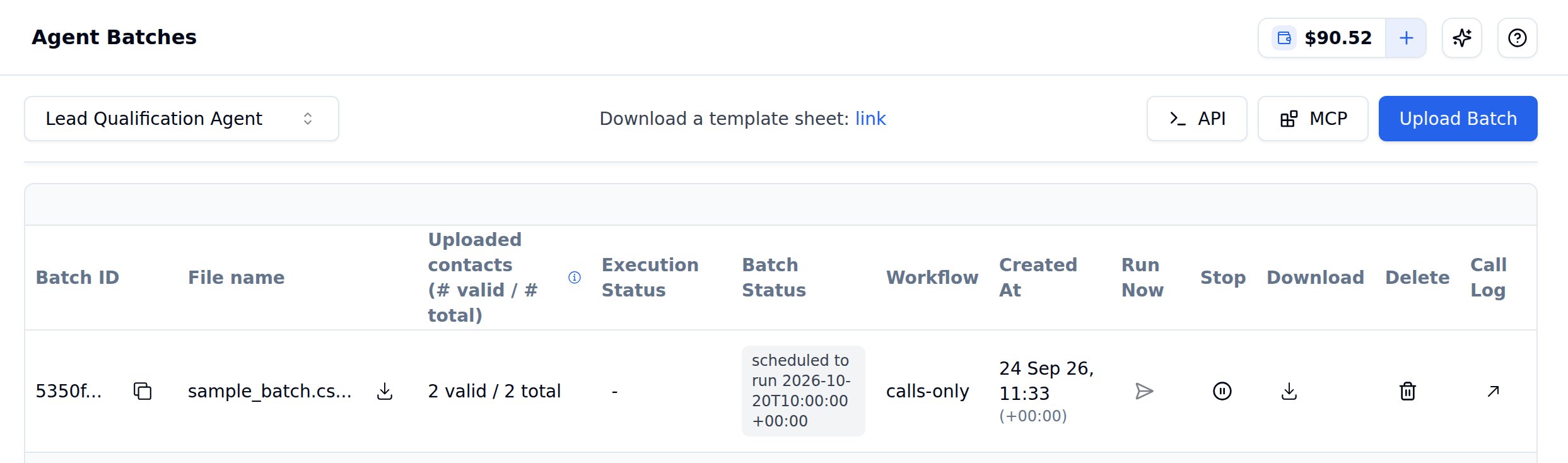
In the left sidebar, expand Deploy and click Batches. Pick an agent from the selector at the top to list its batches, along with Batch ID, File name, Uploaded contacts, Execution Status, Batch Status, Workflow, Created At and the Run Now, Stop, Download, Delete and Call Log actions.Click Upload Batch to get started.
Agent Batches overview showing batch status, execution details, and available actions
2
Upload Your CSV
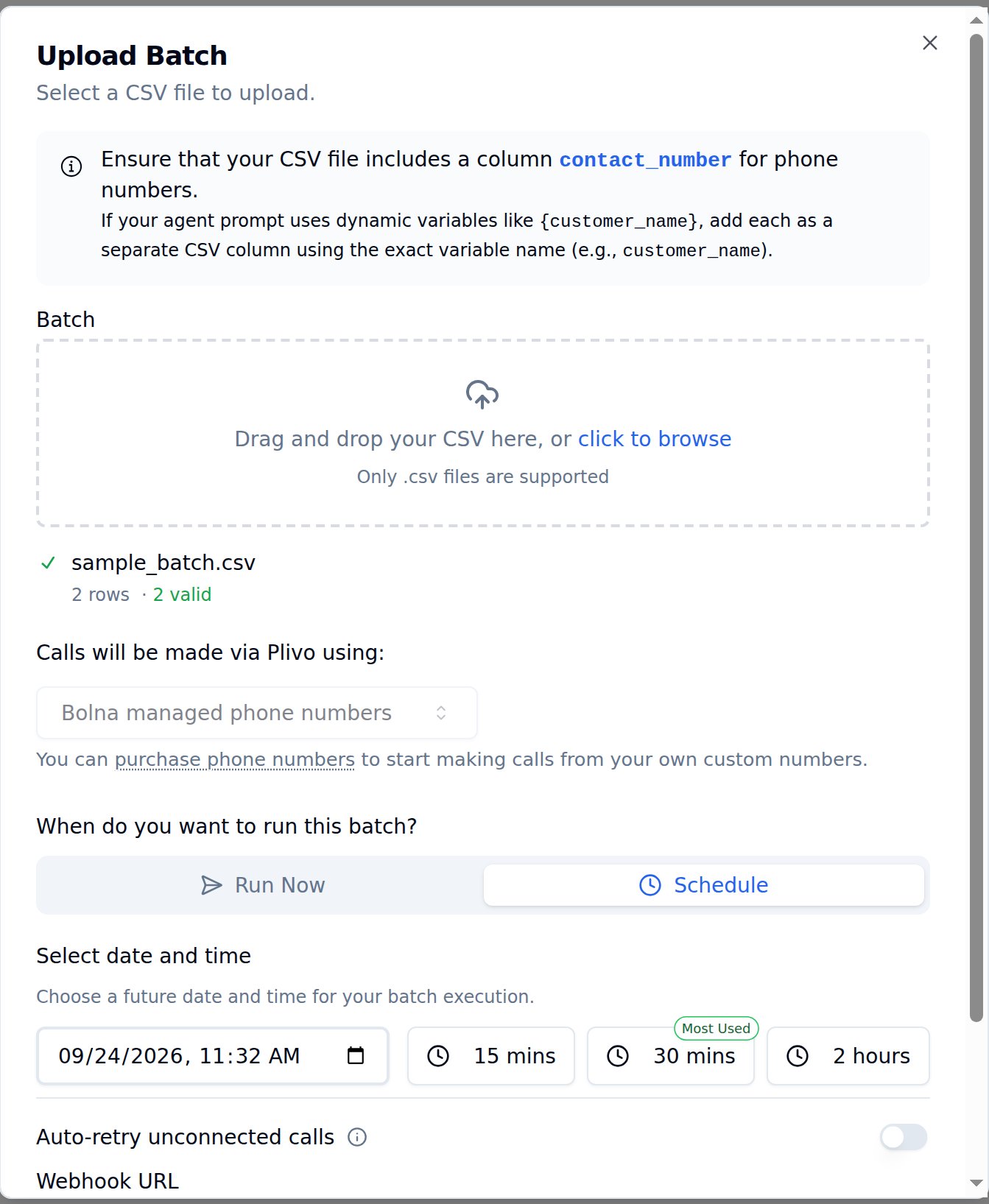
Drag and drop your CSV file or click to browse. After uploading, you’ll see how many rows were parsed and how many contacts have valid phone numbers.
Upload Batch dialog with CSV upload, phone number selection, scheduling, and webhook options
In this dialog you can:
Select a phone number to make calls from (Bolna managed or your own)
Choose to Run Now or Schedule the batch for a future date and time
Enable auto-retry for unconnected calls
Set a webhook URL to receive real-time call status updates
3
Schedule or Run Now
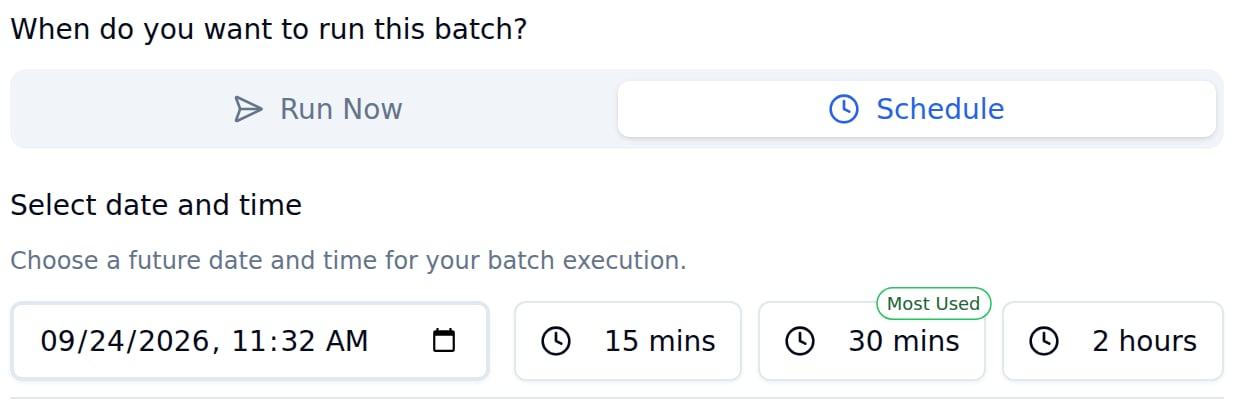
Select Run Now to start calls immediately, or click Schedule to pick a future date and time. Use the quick-select buttons to schedule 15 minutes, 30 minutes, or 2 hours from now. Scheduled times must be less than 30 days ahead of the current time.
Scheduling options with Run Now, Schedule, and quick-select time buttons
4
Configure Auto-Retry (Optional)
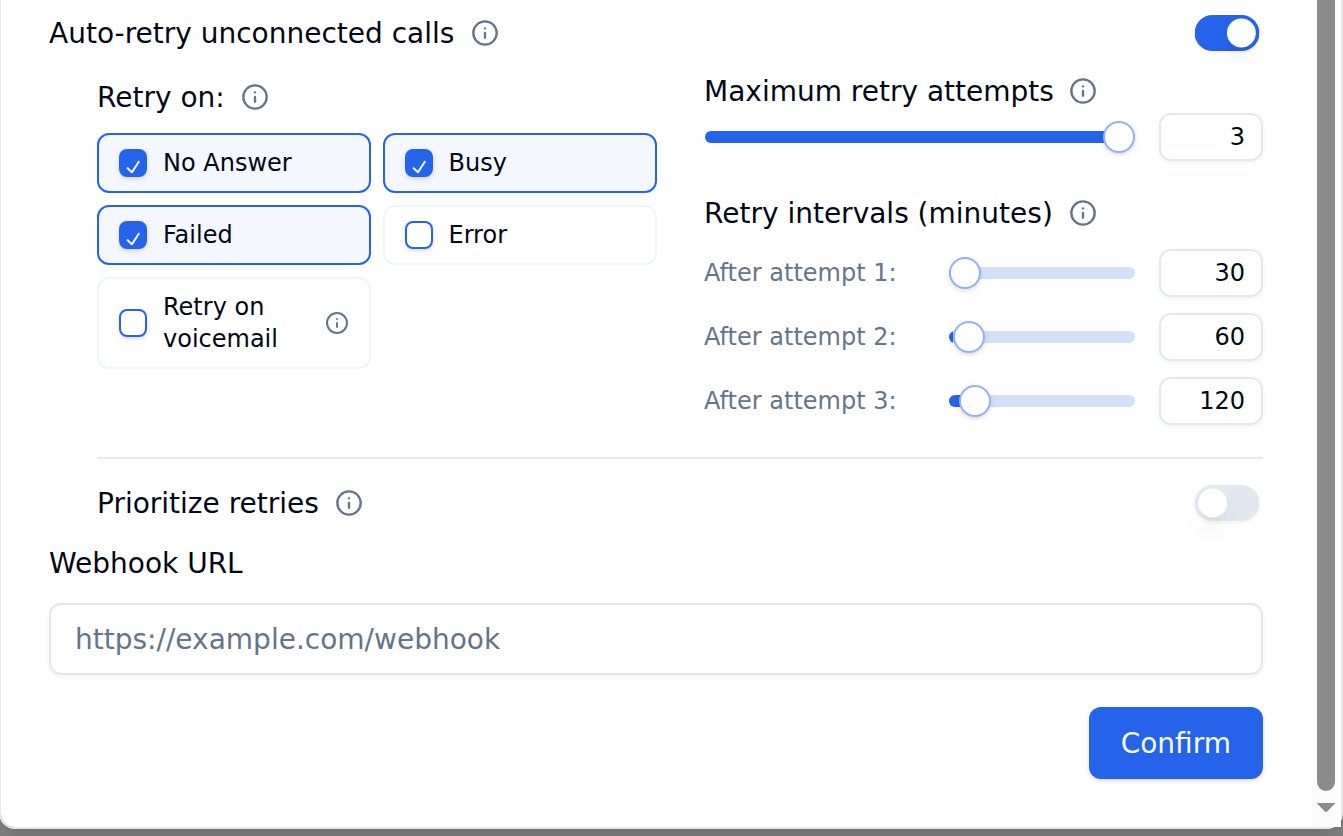
Enable Auto-retry unconnected calls to automatically re-attempt calls that didn’t connect. You can configure:
Retry on: Select which call outcomes trigger a retry (No Answer, Busy, Failed, Error, Retry on voicemail)
Maximum retry attempts: Set up to 3 retry attempts per contact
You can provide a Webhook URL in the upload dialog to receive real-time updates as each call in the batch completes. Bolna sends a POST request to your webhook endpoint with the call’s execution data, including the call status, transcript, extracted data, and cost breakdown.This is useful for syncing call results to your CRM, triggering follow-up workflows, or logging outcomes in real time without polling the API.
If you don’t set a webhook, you can still retrieve all results later using the List Batch Executions API.