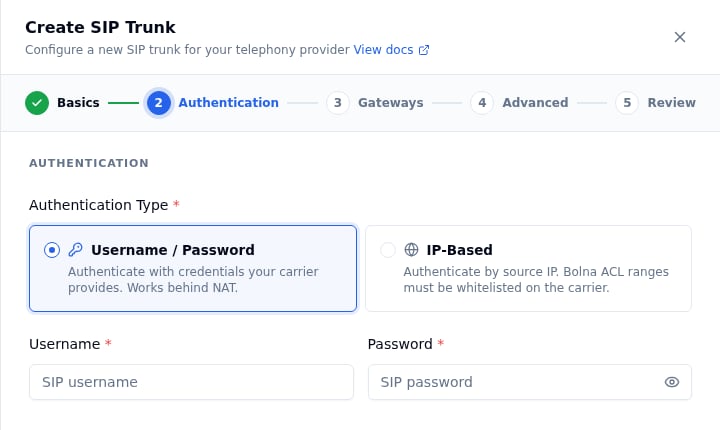
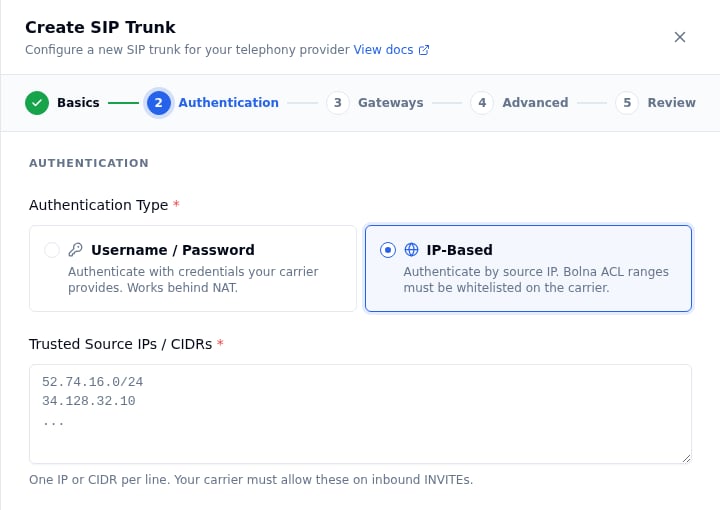
You must whitelist this IP on your SIP trunk so that Bolna’s outbound SIP INVITE and RTP packets are accepted. In most provider portals this is called an IP whitelist, allowed IP, trusted IP, or ACL.If you are using ip-based authentication, this is the IP you will add as your identifier — Bolna will be recognized solely by its source IP.
If you want calls to your DID numbers to ring through to Bolna, point your SIP trunk’s origination URI to one of the following, depending on the transport you’ve chosen for the trunk:
Trunk transport
Origination URI
UDP or TCP
sip:sip.bolna.ai:5060
TLS (encrypted signaling)
sip:sip.bolna.ai:5061;transport=tls
In your provider portal this is usually labeled as:
Origination URI or Origination URL
Inbound SIP URI
SIP Termination Point
Route to / Forward to
Set this for every DID number (or for the trunk as a whole, depending on your provider) that you intend to route to Bolna.
If your provider only accepts an IP, use sip:13.200.45.61:5060 for UDP/TCP. TLS inbound requires a hostname so the carrier can validate Bolna’s TLS certificate.
Bolna’s SIP layer uses G.711 u-law (ulaw) audio by default. Ensure your trunk allows ulaw, or at minimum alaw, in its codec preferences. G.729 and other compressed codecs are not recommended.
Plain RTP (default) — works on every transport. No setup needed on your side.
SDES (encrypted RTP) — supported on the TLS transport only, since the encryption keys travel inside the SIP signaling channel. To use SDES, your carrier must also have SDES/SRTP enabled on its end.
If you’re not sure, leave this on plain RTP — most production trunks run unencrypted at the media layer, and you can switch later by editing the trunk.
Each step below shows the same action in the Dashboard (under SIP Trunks → Create SIP Trunk, a 5-step wizard) and via the API (a single Create SIP Trunk request whose fields map 1:1 to the wizard).
Twilio, Plivo and Vobiz have native Bolna integrations. We recommend connecting these providers through Settings → Integrations rather than configuring them as SIP trunks. See Using Twilio, Using Plivo or Using Vobiz.BYOT still works for these carriers; use it when you want to keep your own trunk, numbers and negotiated rates.
1
Open the trunk form
Dashboard
API
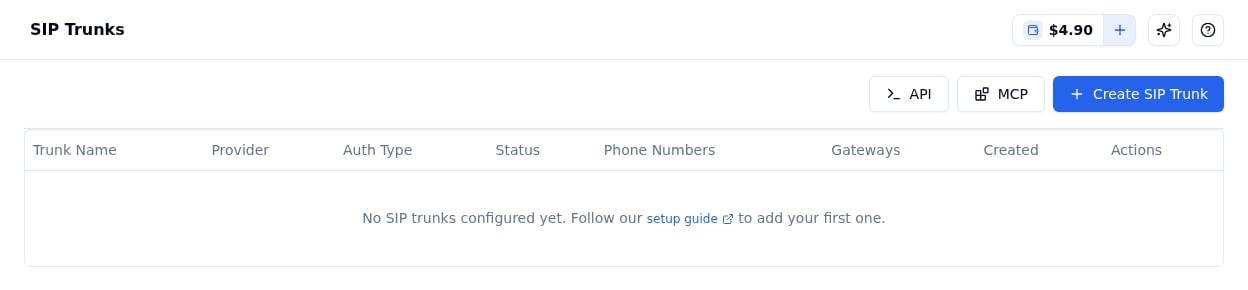
Go to SIP Trunks in the sidebar (under Deploy) and click Create SIP Trunk. A wizard opens on the right with five steps: Basics, Authentication, Gateways, Advanced and Review.
The SIP Trunks page with the Create SIP Trunk button
All of the settings below go into one POST /sip-trunks/trunks request. Generate an API key from Developers → API Keys (see Authentication) and send it as a Bearer token:
The remaining steps build up the JSON body; the complete examples are in Full API examples.
2
Basics: name and provider
Dashboard
API
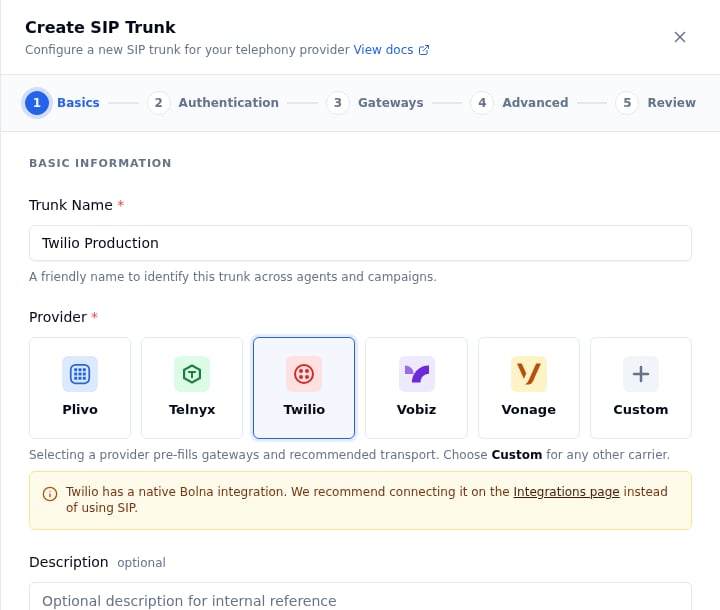
Trunk Name — a label only you see, e.g. Twilio Production.
Provider — pick your carrier tile (Plivo, Telnyx, Twilio, Vobiz, Vonage) or Custom for any other carrier. Selecting a provider pre-fills its gateway address and the recommended transport in the later steps.
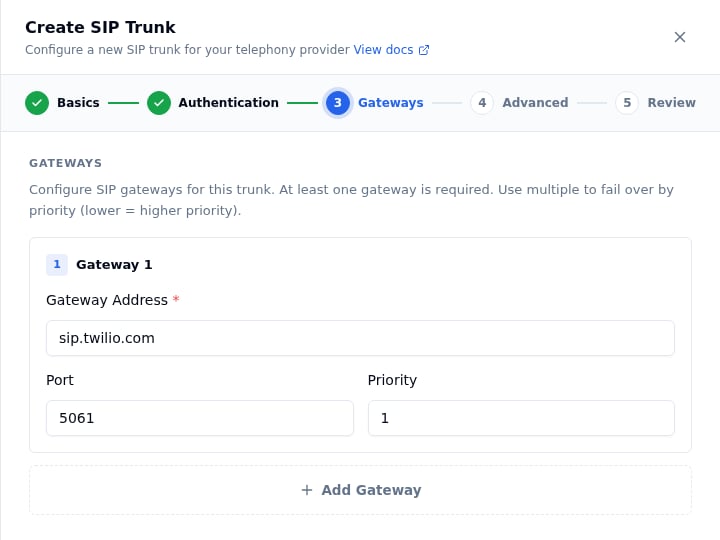
Add at least one gateway — the SIP host Bolna sends INVITEs to. Each row has a Gateway Address, a Port (5060 for UDP/TCP, 5061 for TLS) and a Priority (lower = tried first). If you picked a known provider in Basics, the first gateway is pre-filled. Click Add Gateway for failover targets, then Continue.
port defaults to 5060 and priority to 1. Add more objects for failover.
5
Advanced: codecs, transport and encryption
Dashboard
API
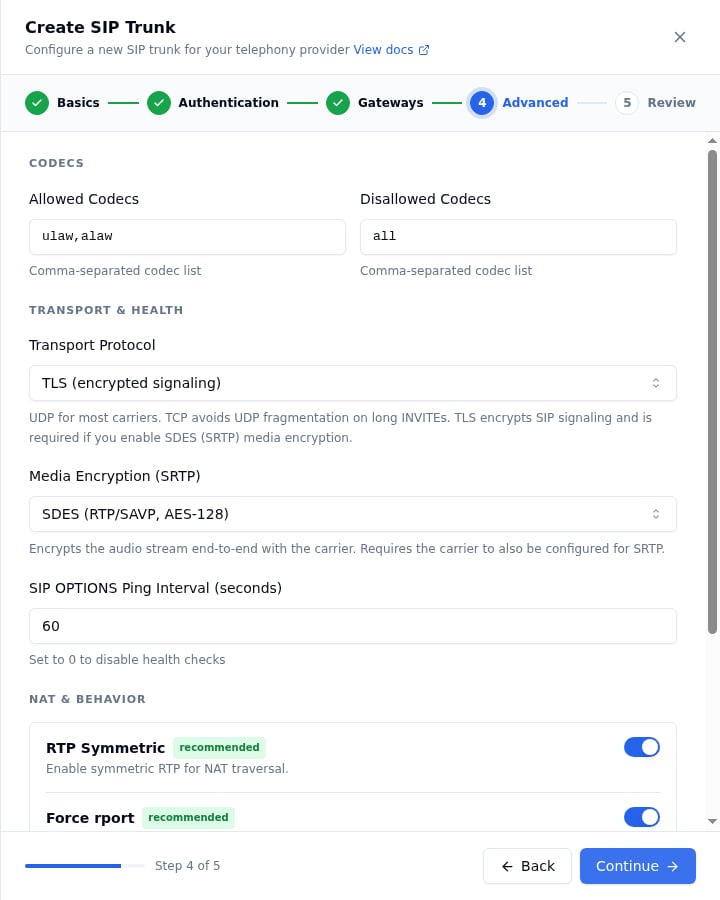
The defaults are correct for most trunks; the fields you’re most likely to change are Transport Protocol and Media Encryption.Codecs
Allowed / Disallowed Codecs — defaults ulaw,alaw and all. Always keep ulaw.
Transport & Health
Transport Protocol —
UDP — the default, used by most carriers.
TCP — avoids UDP fragmentation when SIP INVITEs carry long headers (multiple Diversion / P-Asserted-Identity / Route entries). Pick this if outbound calls intermittently fail to negotiate media.
TLS (encrypted signaling) — encrypts the SIP signaling channel. Required for SDES (SRTP) media encryption. Use port 5061 on your gateways.
Media Encryption (SRTP) — Disabled keeps plain RTP. SDES (RTP/SAVP, AES-128) encrypts the audio stream end-to-end with your carrier and requires TLS transport.
SIP OPTIONS Ping Interval — how often Bolna pings the carrier for trunk health. Default 60 seconds; 0 disables it.
Step 4: Advanced, with TLS transport and SDES media encryption
SDES requires the carrier to also be configured for SRTP. Check this in your provider’s portal before enabling it.
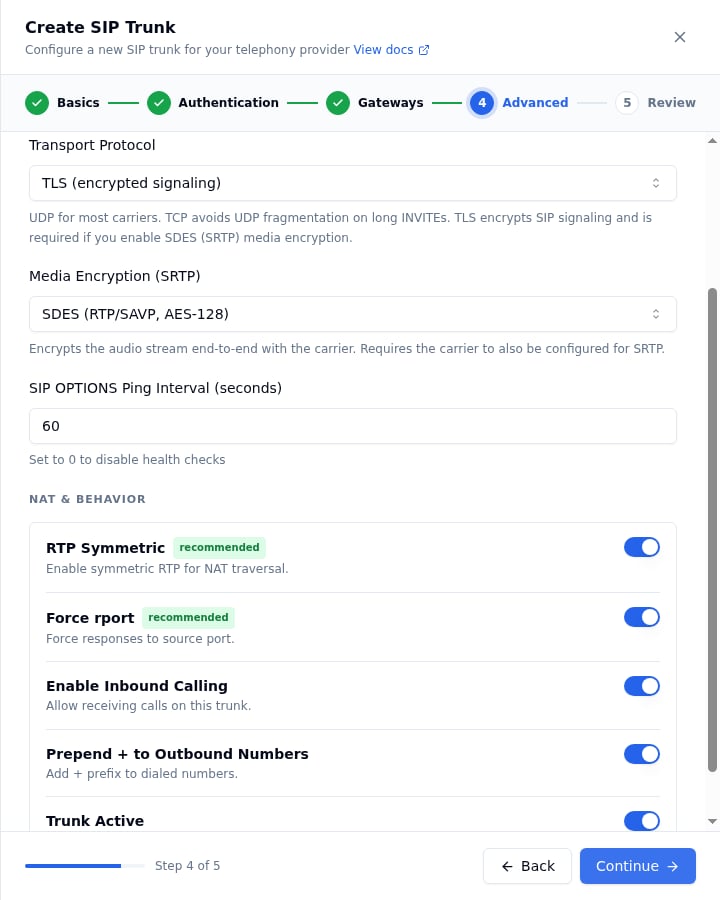
NAT & Behavior
RTP Symmetric / Force rport — keep enabled for NAT traversal.
Enable Inbound Calling — turn on if you want Bolna to receive calls on this trunk.
Prepend + to Outbound Numbers — typically on (E.164 dialing).
Trunk Active — the master switch; turn off to pause the trunk.
Step 4: NAT & Behavior toggles
Click Continue.
Every advanced field is optional; the values below are the defaults except transport / media_encryption, shown here for an encrypted trunk:
transport is one of transport-udp (default), transport-tcp, transport-tls. media_encryption is no (default) or sdes; sdes is rejected with a 422 unless transport is transport-tls. See the field reference for every option.
6
Review and create
Dashboard
API
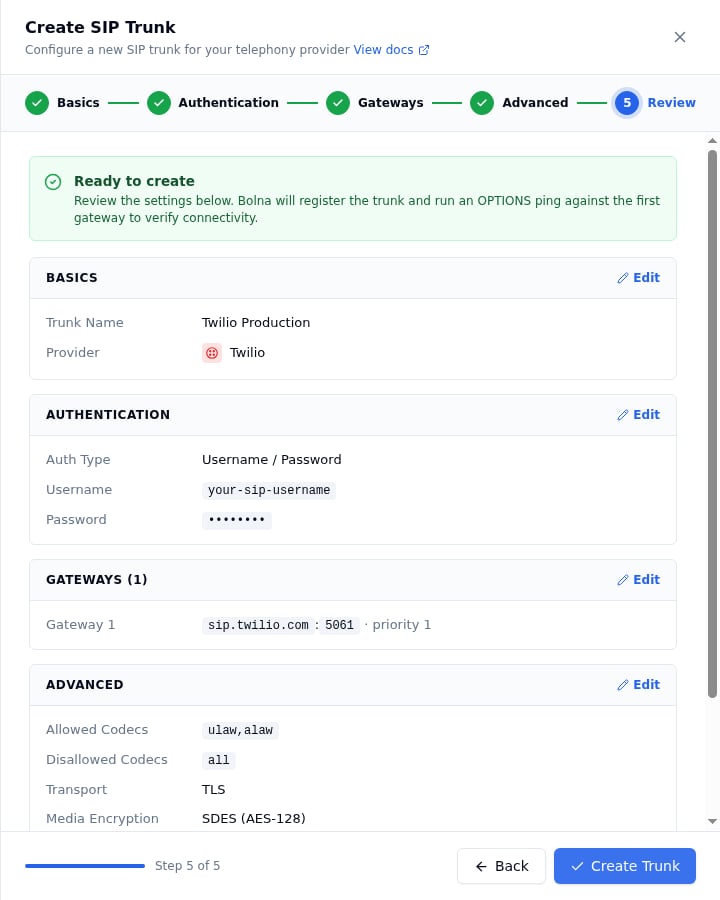
The Review step summarizes every section with an Edit link back to it. Click Create Trunk. Bolna registers the trunk and runs an OPTIONS ping against the first gateway to verify connectivity, then the trunk appears in the SIP Trunks list with its status.
Step 5: Review, before clicking Create Trunk
Send the assembled body. The response echoes the trunk with a generated id:
Save the trunk ID (the id field in the API response, or shown in the SIP Trunks list) — you’ll use it when adding phone numbers and when wiring inbound or outbound calling to your AI agents.
Complete Create SIP Trunk requests for Twilio and Plivo (including a TLS + SDES encrypted trunk), and every field the request accepts, are on SIP trunk API examples.
Save the id field — this is the phone number ID used when setting up inbound call routing or making outbound calls.
Phone number format: Bolna stores the number exactly as provided. When matching inbound calls, the platform performs a flexible lookup that checks both the number with and without a + prefix. Use a consistent format across your trunk and inbound DID configuration.
Inbound calls connect but the caller hears silence (one-way audio)
The most common cause is an SRTP mismatch between Bolna and your carrier. If the trunk has media_encryption="sdes" but the carrier has SRTP disabled (or vice versa), the SIP call sets up but the media path never establishes.
Confirm SRTP is enabled on your provider’s side.
If you need a quick test, set media_encryption_optimistic=true — Bolna will fall back to clear RTP if the carrier does not offer crypto in its SDP.
If you don’t need encrypted media, set media_encryption="no" and use UDP or TCP transport.
Outbound INVITE fails or rings forever on a particular carrier
If your carrier sends large SIP headers (long Diversion, P-Asserted-Identity, multiple Route headers), the INVITE may exceed the UDP MTU and get fragmented or dropped silently.
Switch transport to "transport-tcp" — this avoids UDP fragmentation. You don’t need TLS for this; TCP alone is enough.