

Access the Campaigns at https://platform.bolna.ai/campaigns
Overview
Create automated communication sequences with phone calls, WhatsApp messages, and email notifications. Chain workflows with conditional logic to build complex multi-step campaigns.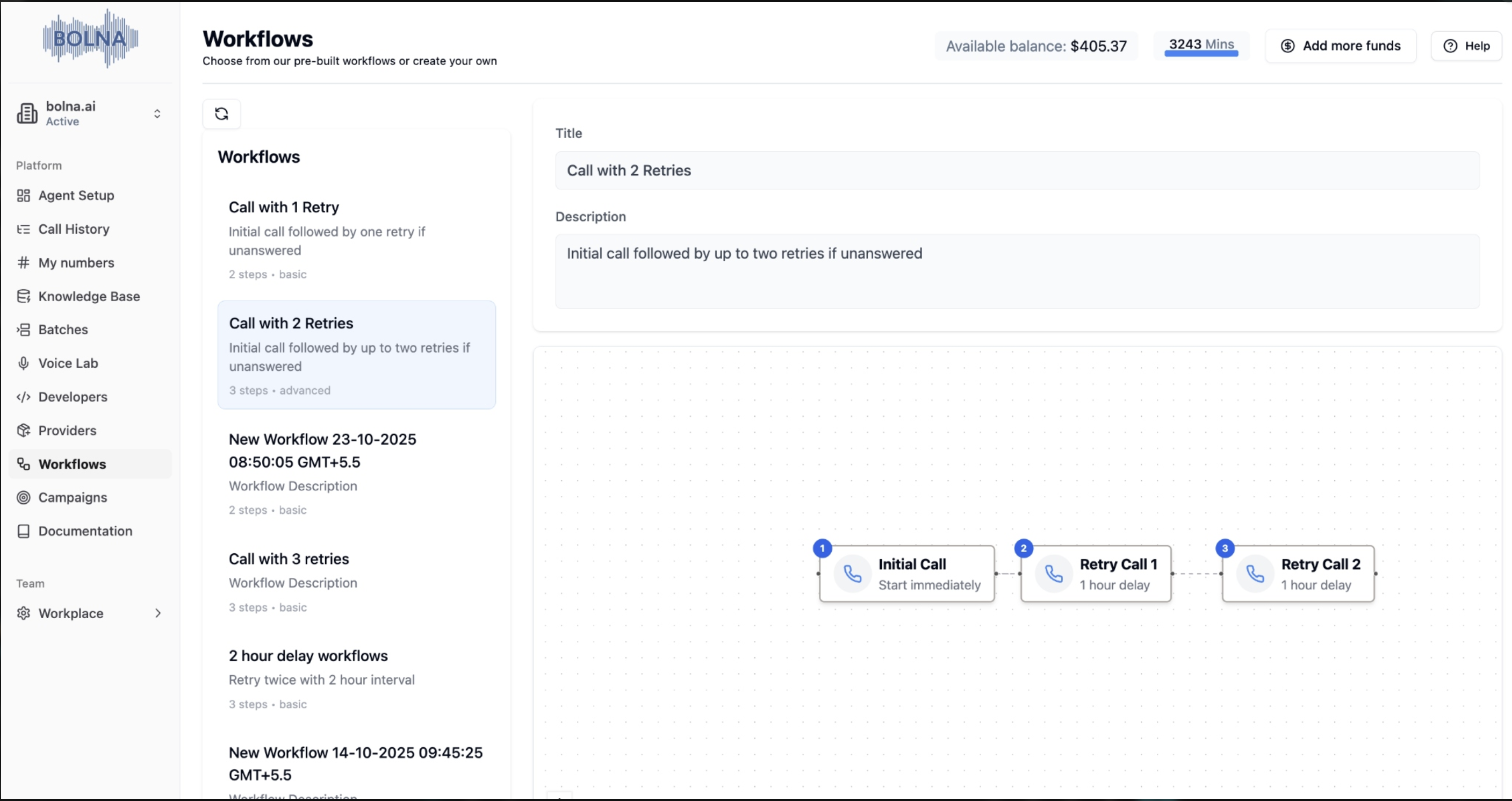
Bolna Workflows and Campaigns Dashboard
Key Concepts
Workflows
Reusable templates of multi-step communications (calls, WhatsApp, emails) including delays between steps
Campaigns
Deployments that execute workflows with specific contact data and timing
Steps
Individual actions within a workflow (call, WhatsApp, email, retry)
Criteria
Conditions that determine workflow transitions and campaign flow
Workflows
What are Workflows?
Reusable sequences of communication steps that define the type, timing, and order of actions across multiple campaigns.Workflow Builder Interface
Workflow Step Types
Call Steps
Purpose: Initiate outbound phone calls to contactsFeatures: AI-powered conversations, voicemail detection, call timeout settingsTiming: Configurable delay from previous step
WhatsApp Steps
Purpose: Send WhatsApp messages to contactsFeatures: Pre-notification before calls, interactive buttons and CTAsPrerequisite: Ai Sensy API key must be connected
Email Steps
Purpose: Send email notifications and follow-upsFeatures: Template-based emails, scheduling informationTiming: Configurable delay from previous step
Creating Workflows
1
Access Workflow Builder
- Navigate to the Workflows section in your dashboard
- Click “Add New Workflow” or select an existing workflow to edit
- The visual workflow builder opens with drag-and-drop functionality
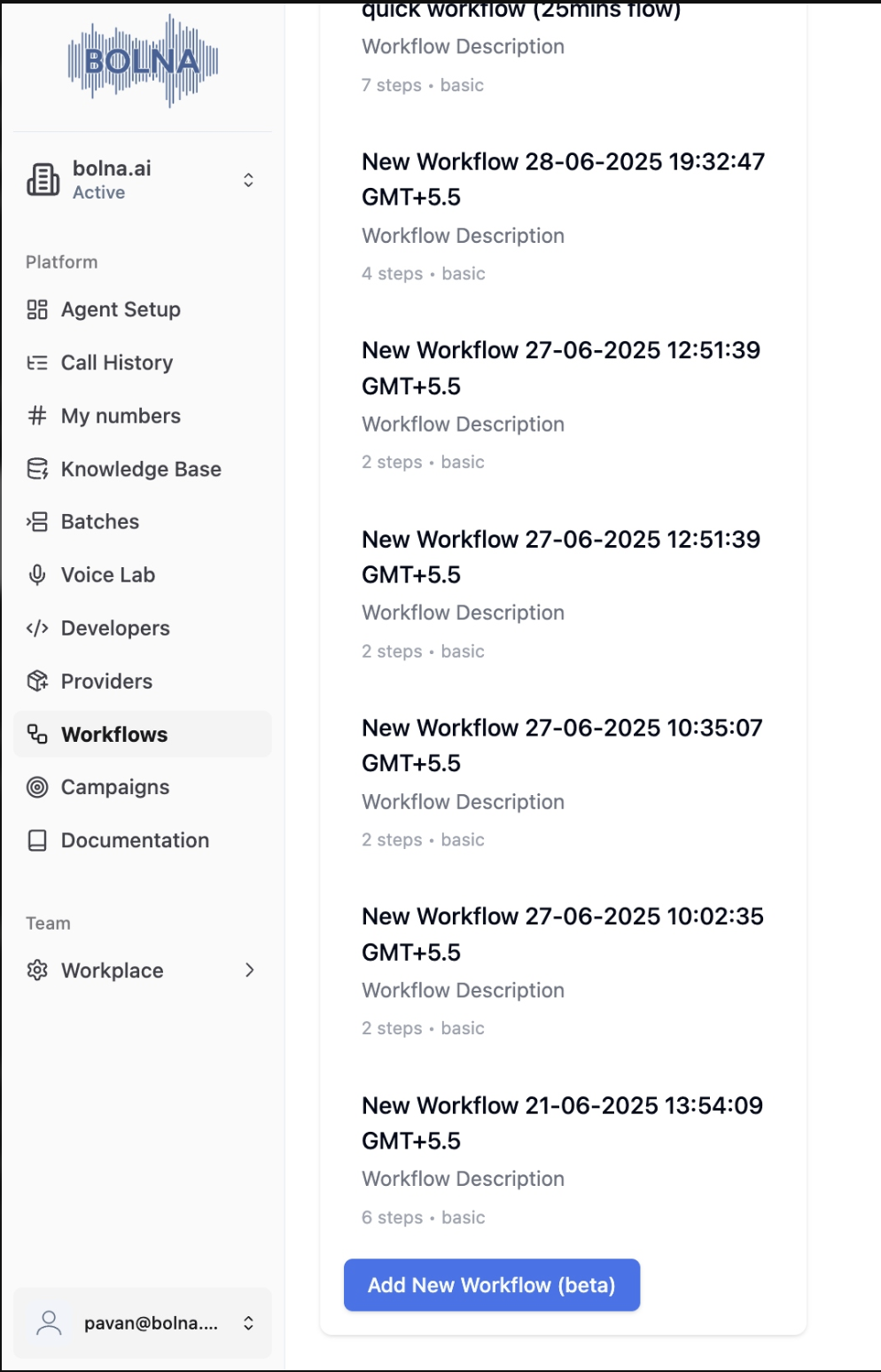
Accessing the Workflow Builder
2
Add Steps
- Add Steps: Click the “Add Step” button to insert new communication steps
- Step Types: Choose from Call, WhatsApp, or Email
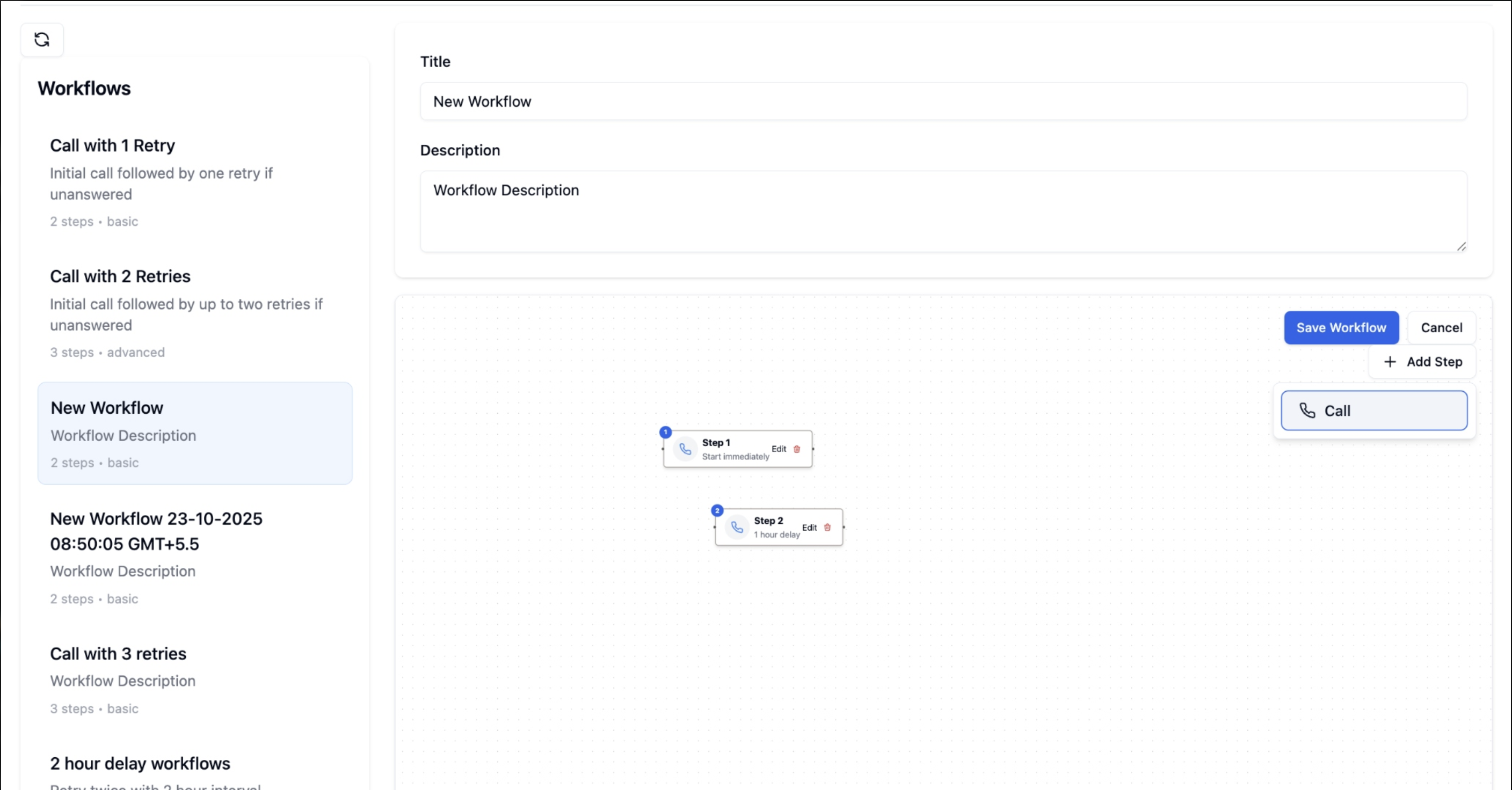
Adding Steps to Workflow
- Click the ”+ Add Step” button in the workflow builder
- Select “WhatsApp” from the dropdown menu
- The WhatsApp step will appear in your workflow canvas
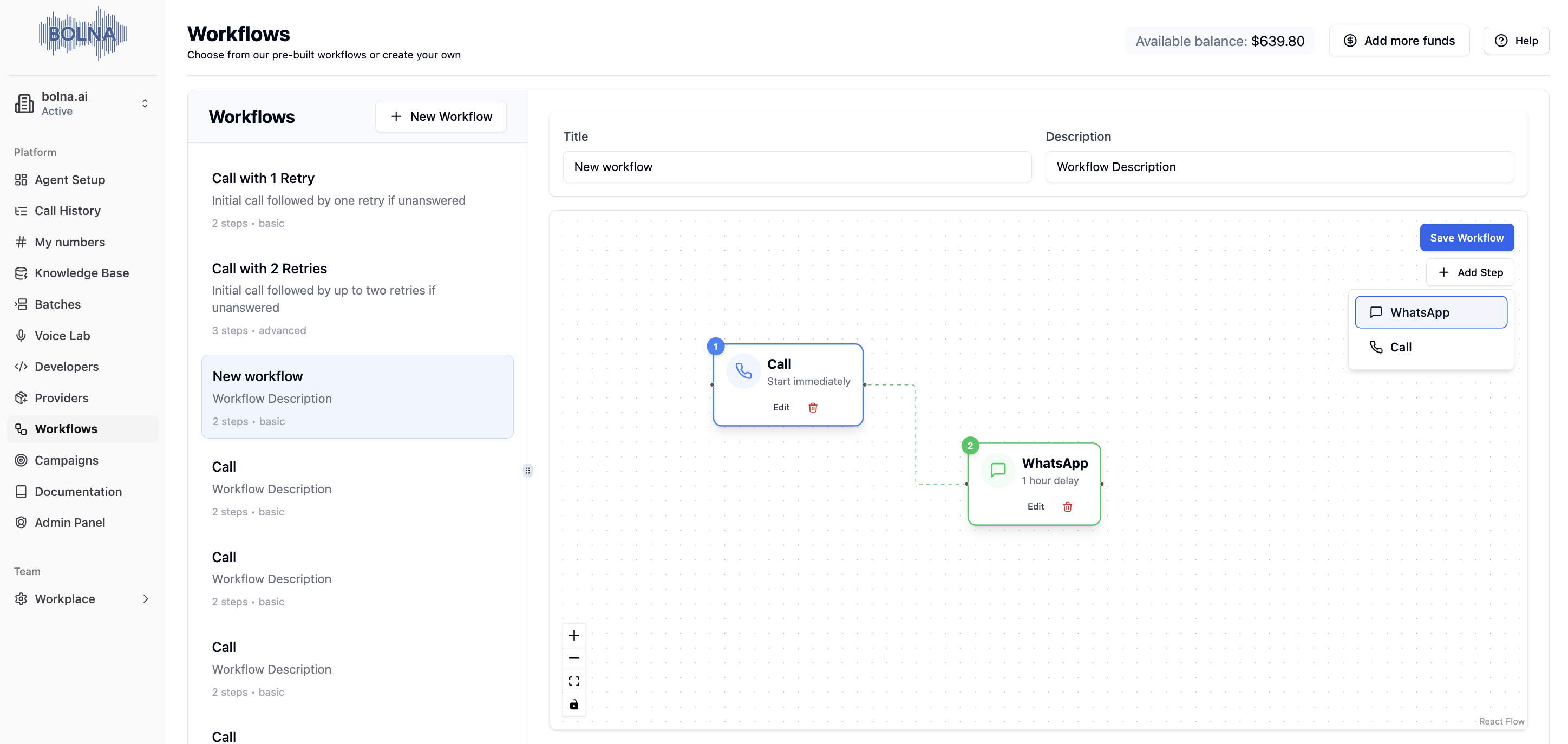
Adding WhatsApp Step to Workflow
3
Configure Steps
- Step Label: Give each step a descriptive name
- Timing: Set delay in minutes from previous step
- Step Configuration: Configure specific settings for each step type
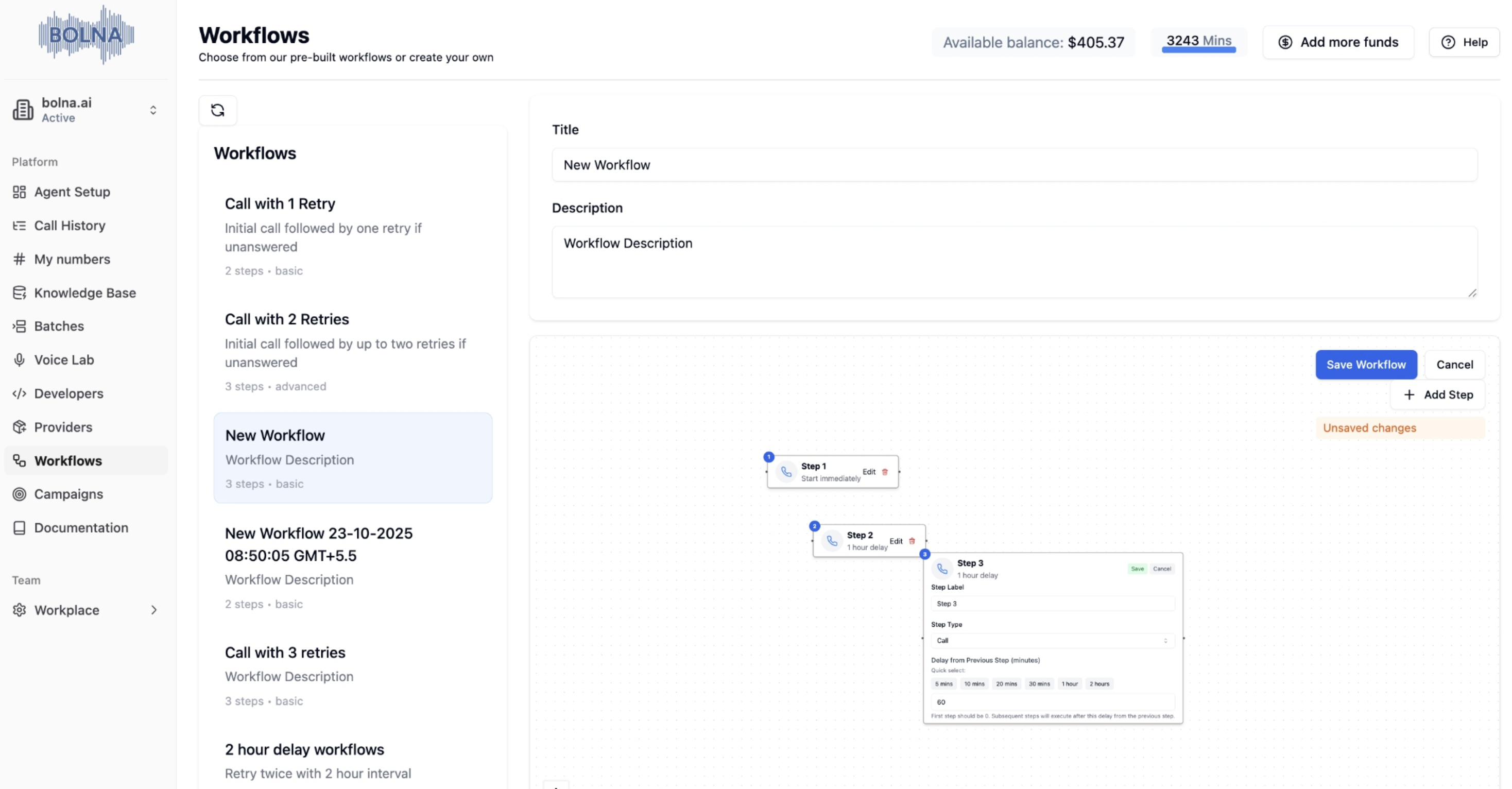
Editing Workflow Steps
4
Save Workflow
Click “Save Workflow” to persist your changes
Configuring WhatsApp Steps
Connect Ai Sensy API Key: Providers → Search “Ai Sensy” → Connect → Enter API Key → Save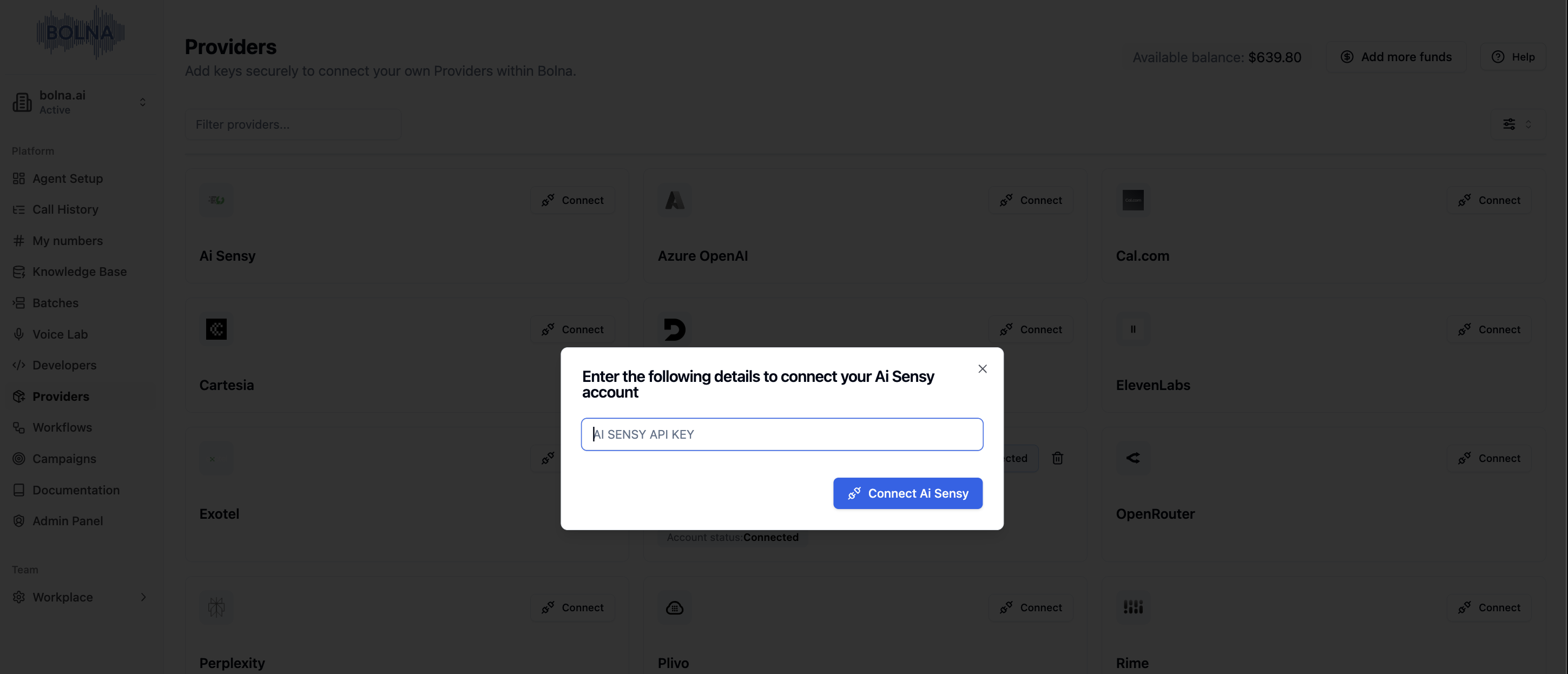
Connecting Ai Sensy API Key
- Click on the WhatsApp step to open configuration
- Template Name: Your Ai Sensy template (e.g.,
welcome_message) - Parameter Keys: CSV column names for template parameters (click ”+” to add multiple)
- Click “Save”
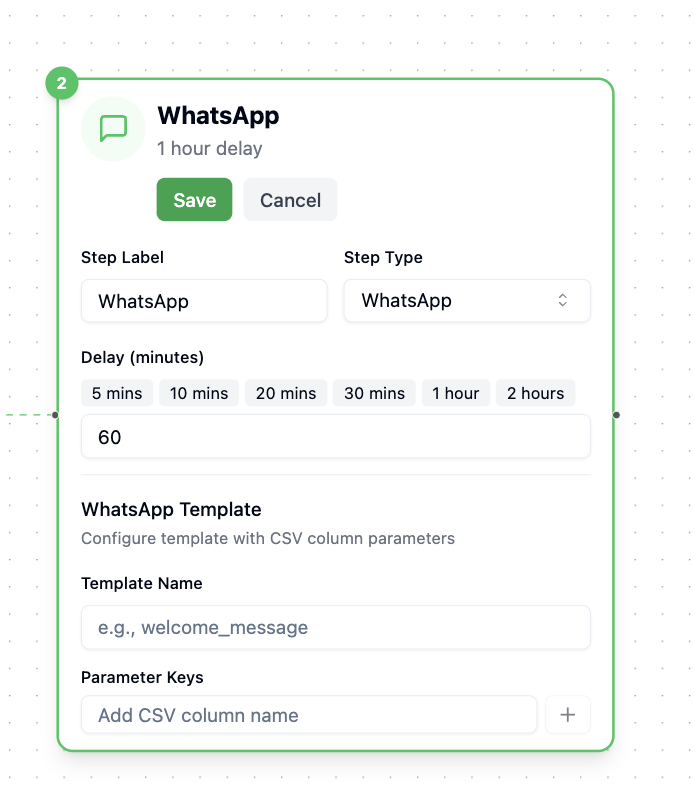
Configuring WhatsApp Step
Workflow Examples
Basic Call Workflow
Basic Call Workflow
Advanced Multi-Step Workflow
Advanced Multi-Step Workflow
Example Workflow Flows
Campaigns
What are Campaigns?
Execute workflows with specific contact data, agents, and schedules. Can be single workflow or multi-workflow with conditional logic.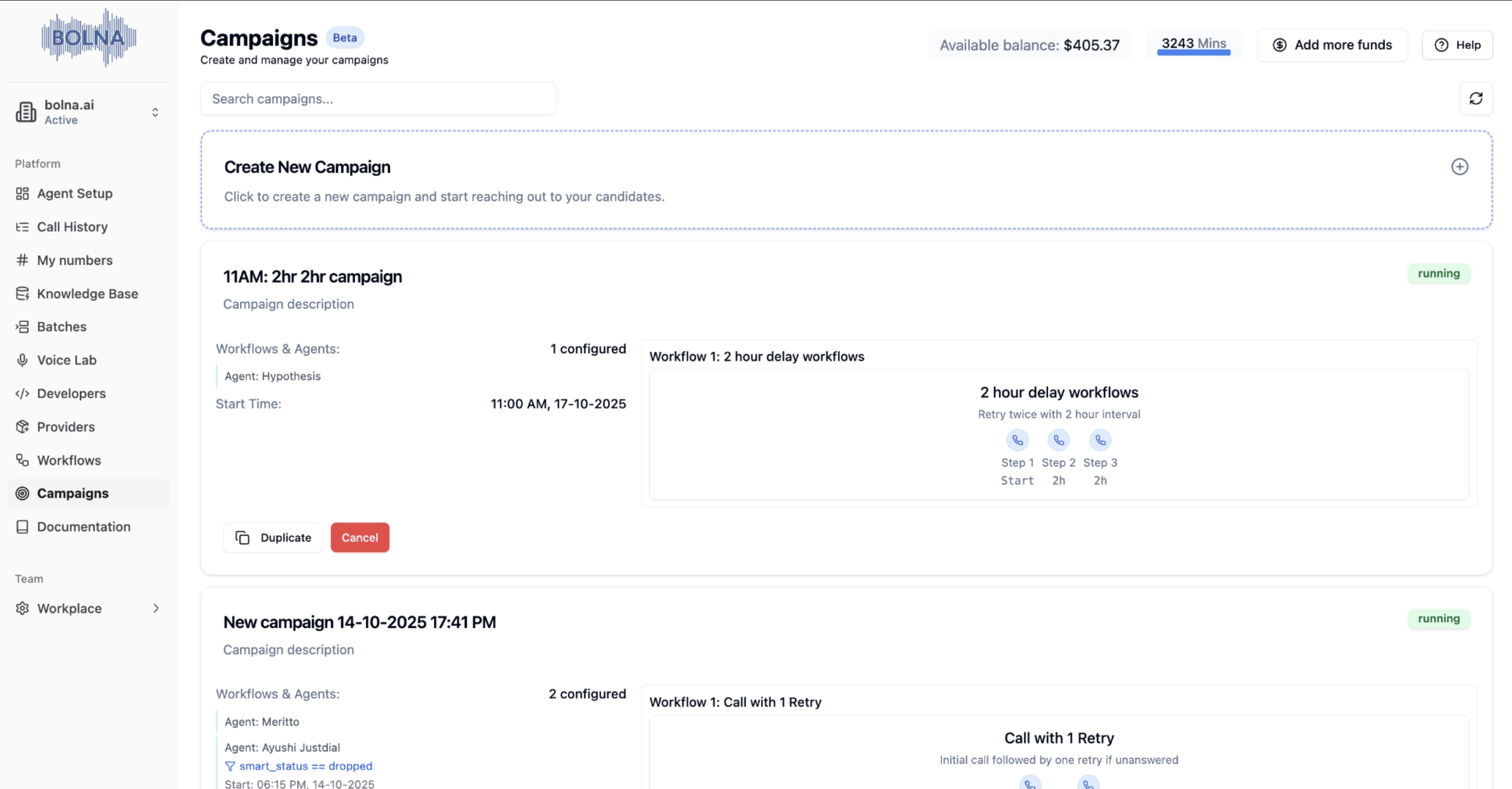
Campaign Dashboard
Campaign Types
- Single Workflow
- Multi-Workflow
- Execute one workflow across all selected contacts
- Simple setup and execution
- Perfect for basic outreach and follow-up sequences
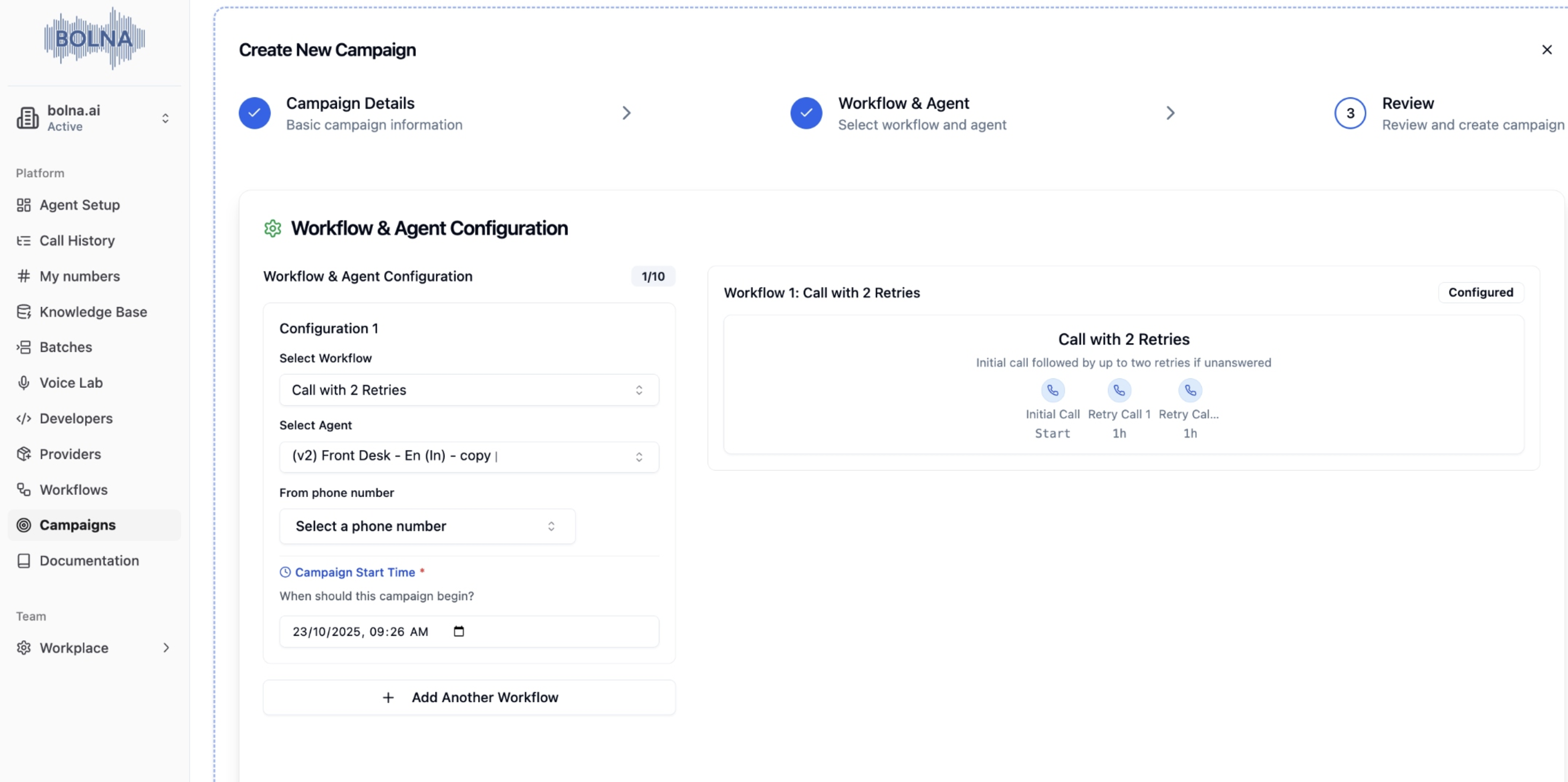
Single Workflow Campaign Setup
Creating Campaigns
1
Campaign Details
- Campaign Name: Choose a descriptive name for your campaign
- Description: Optional description of the campaign purpose
- CSV File: Upload contact data in CSV format
- Required Fields: Name, phone_number (in E.164 format)
- Optional Fields: Any variables used in the agent
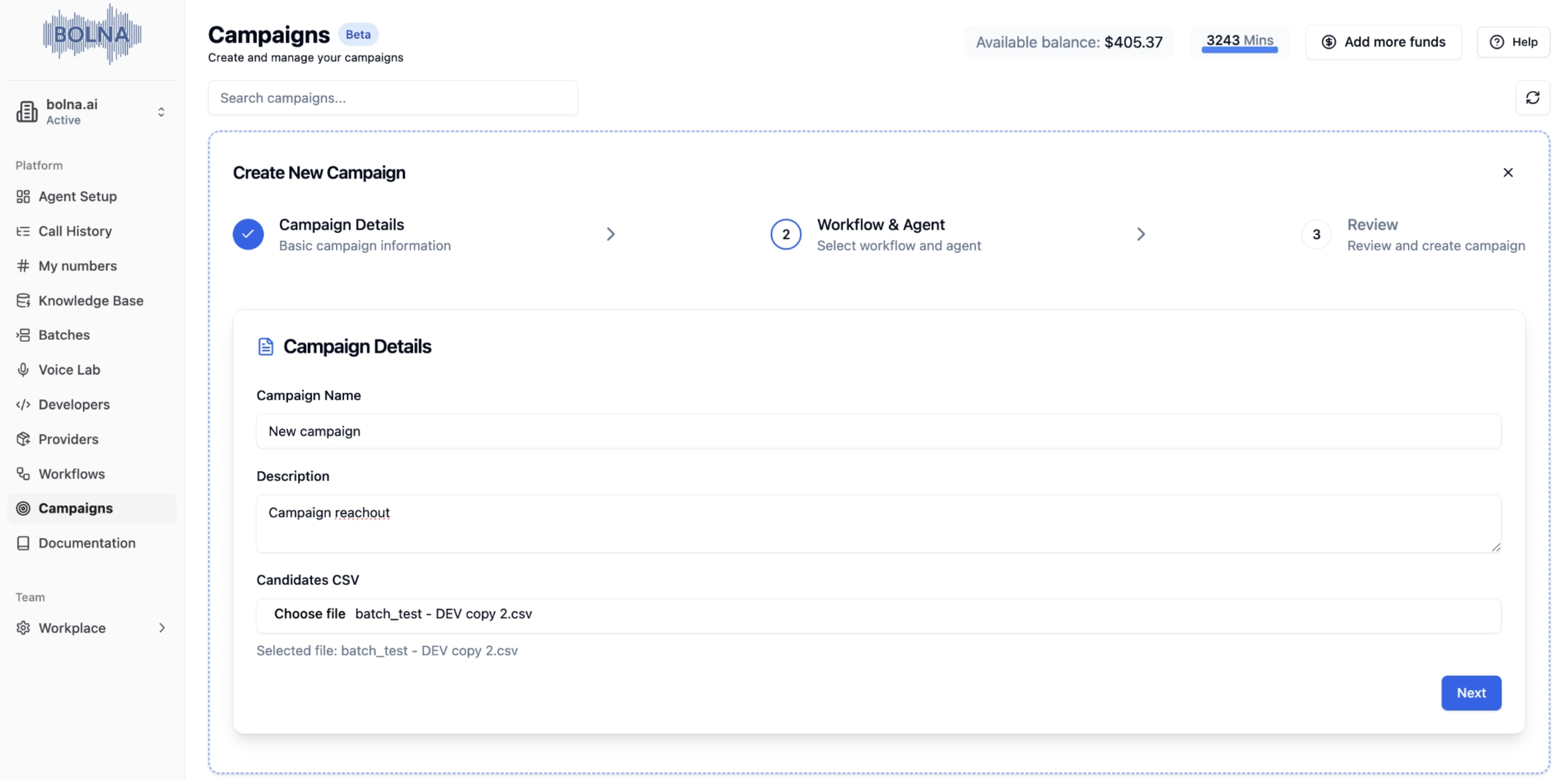
Campaign Details Configuration
2
Workflow & Agent Selection
- Select Workflow: Choose from your available workflows
- Select Agent: Choose the AI assistant for communication
- Phone Number: Optional caller ID for outbound calls
- Add Multiple Workflows: For complex campaigns with multiple workflow pairs
Workflow and Agent Selection
3
Advanced Configuration (Multi-Workflow)
- Add Workflow Pairs: Workflow + Agent combinations
- Set Criteria: Conditions for workflow transitions
- Configure Timing: When to start next workflow
- Test Configuration: Validate setup before launch
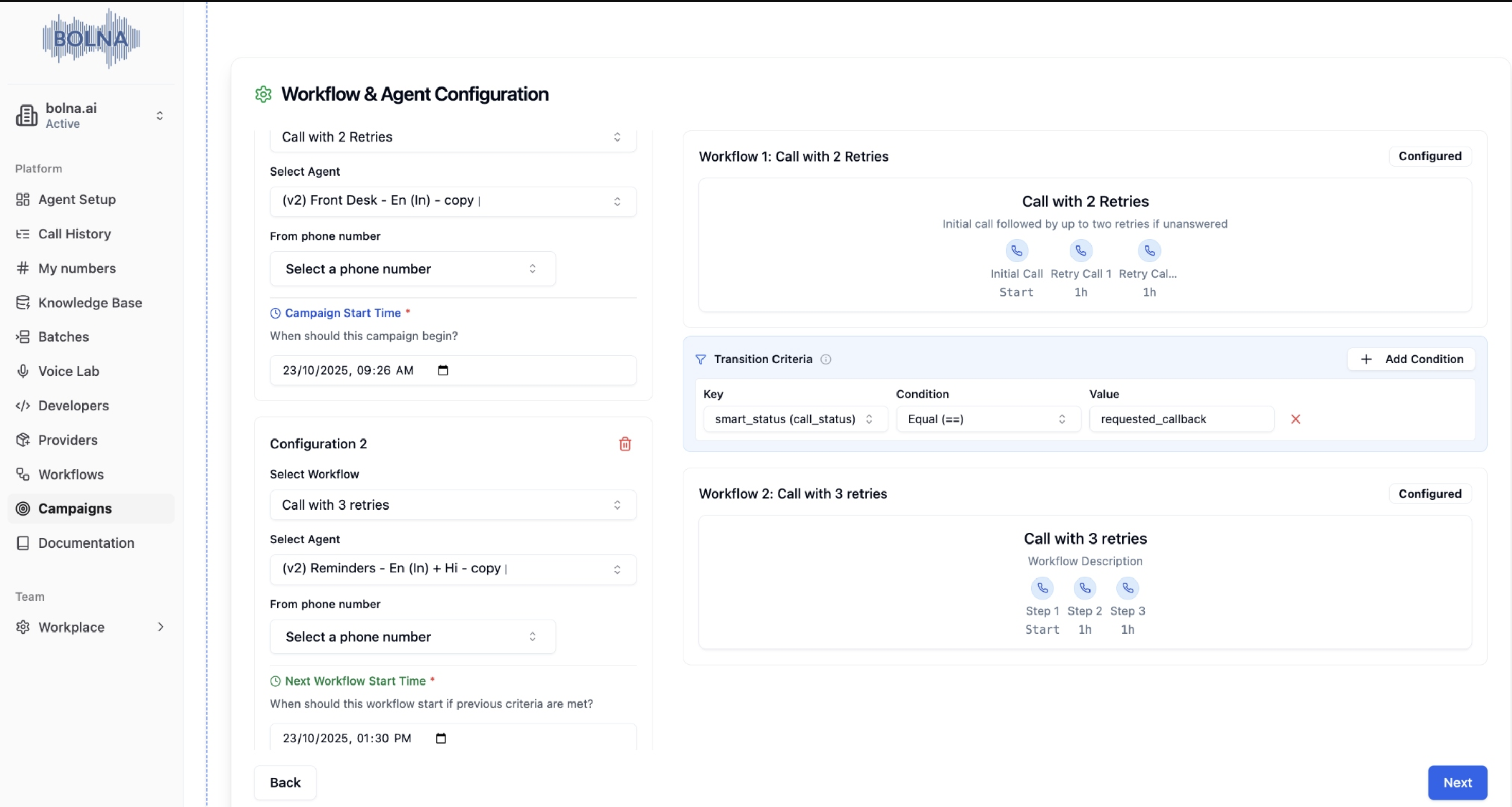
Multi-Workflow Configuration
4
Review & Launch
- Review Summary: Check all settings and configurations
- Validate Data: Ensure contact data is correct and complete
- Launch Campaign: Start execution and monitor progress
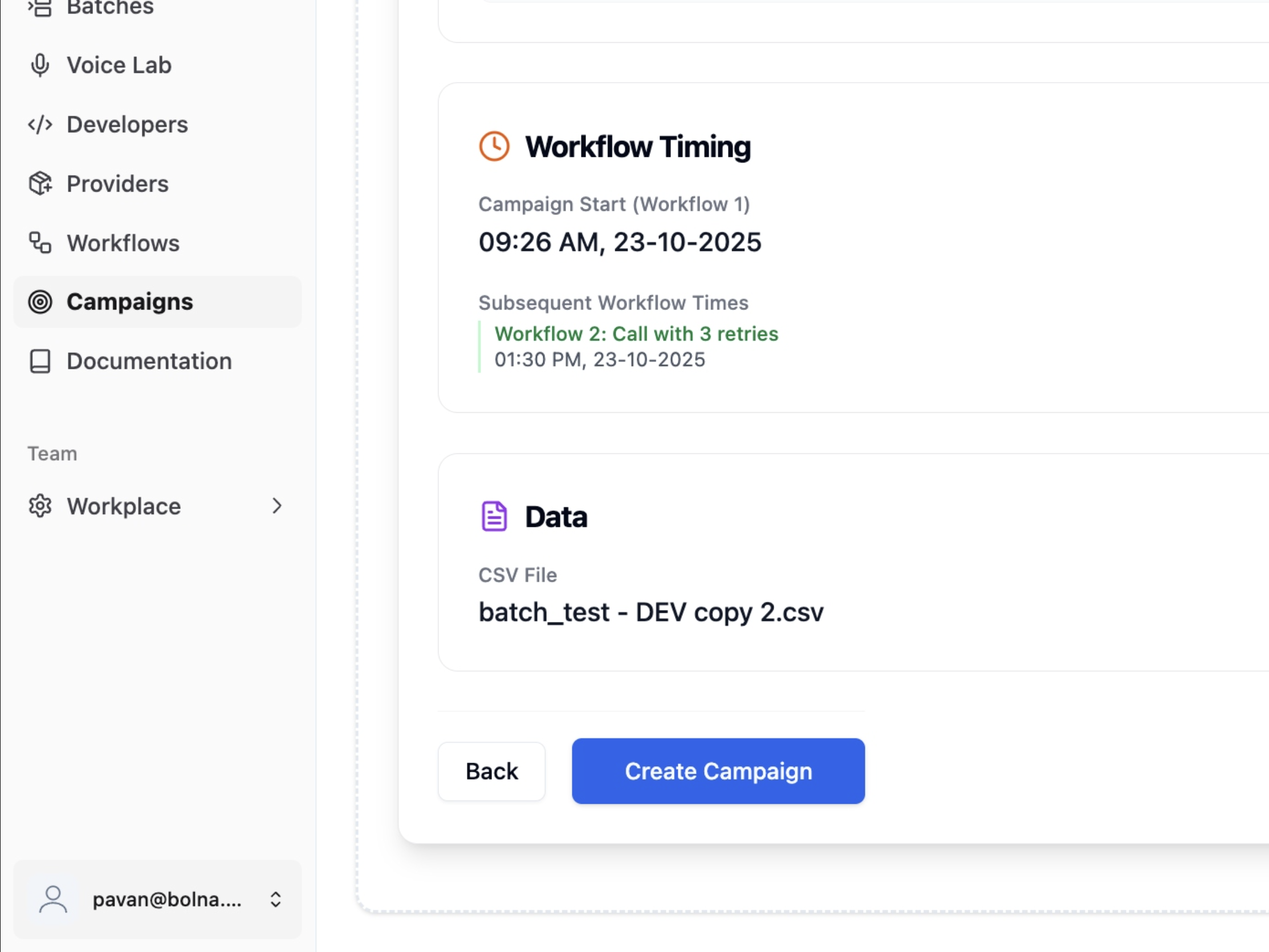
Campaign Review and Launch
Multi-Workflow Campaigns
For multi-workflow campaigns, you can create workflow-agent pairs with specific criteria:Basic Pair
- Workflow: Select workflow
- Agent: Choose AI assistant
- Phone Number: The number agent calls from
Advanced Pair with Criteria
- Workflow: Select workflow
- Agent: Choose AI assistant
- Phone Number: The number agent calls from
- Criteria: Conditions for transition
- Next Workflow Time: When to start next workflow
Workflow Pair Configuration
Criteria and Conditions
Criteria Configuration Interface
CSV Data Format
Required Format
All phone numbers should include the country prefix in E.164 format and usecontact_number as the header.
example_batch_file.csv
CSV Data Format Example
Callback Matching
When contacts call back, Bolna matches their phone number to the CSV row for personalized conversations. Example: Agent can say: “Hi John, I see you’re calling about the product you showed interest in at Acme Corp.”Excel/Google Sheets Tips
Campaign system is in beta. Phone call workflows are fully functional. WhatsApp and email coming soon.
Get Started
Create your first workflow and campaign