

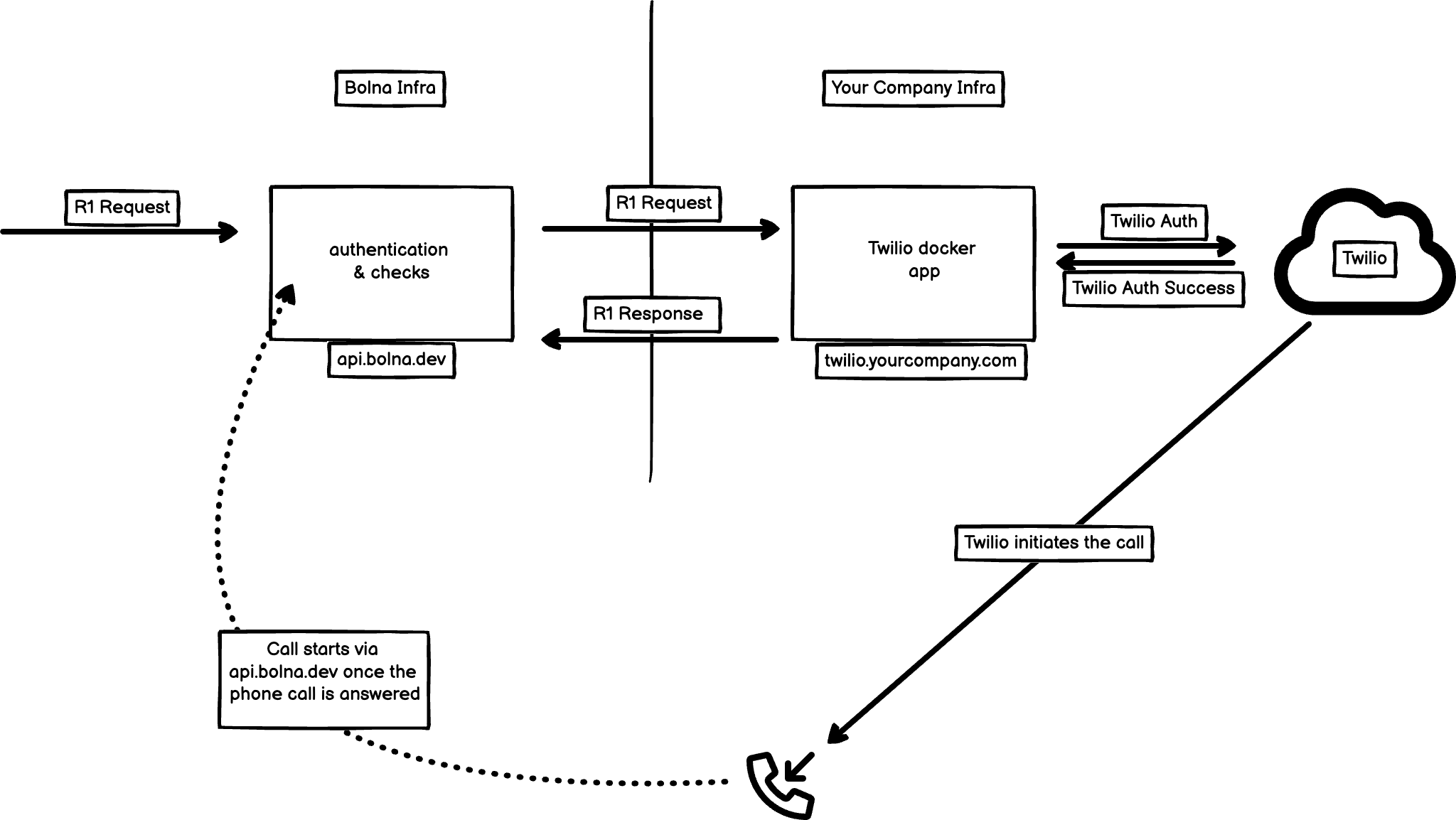
Bolna will provide access to docker image for hosting a Twilio application which you can deploy and connect with your Twilio account in your own infrastructure (AWS/GCP/DigitalOcean etc.)
Login to docker
Use the docker login command to access the docker images:docker login -u bolnahq.
You will be given a password for authentication.
Inject Twilio credentials as environment variables
Create a.env file:
Bolna will never have access to the recordings.
.env file will be used to inject the variables while running the docker image.
Starting docker
The following example illustrates on how to start the docker image using docker compose using the.env file in the same directory. You can have any other method of starting docker.
twilio-app service uses the bolnahq/twilio-app:1.0.0 image which runs on 5000 port.
It then binds the container and the host machine to the exposed port, 8081. You can specify any other port to bind the container with the host machine.