

Making outbound calls from dashboard
- Login to the dashboard at https://platform.bolna.ai using your account credentials
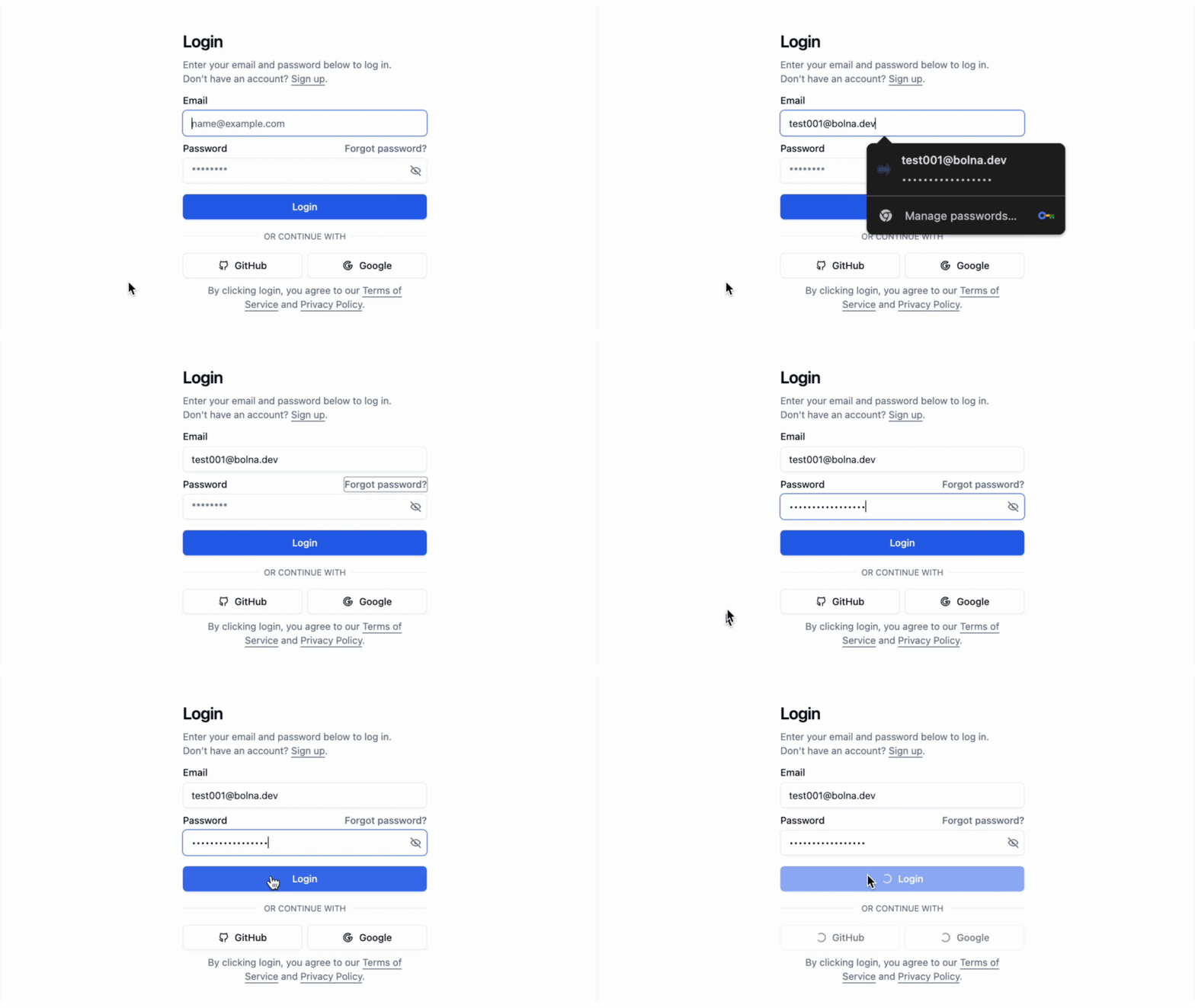
Login Bolna playground
- Choose
Vobizas the Call provider for your agent and save it
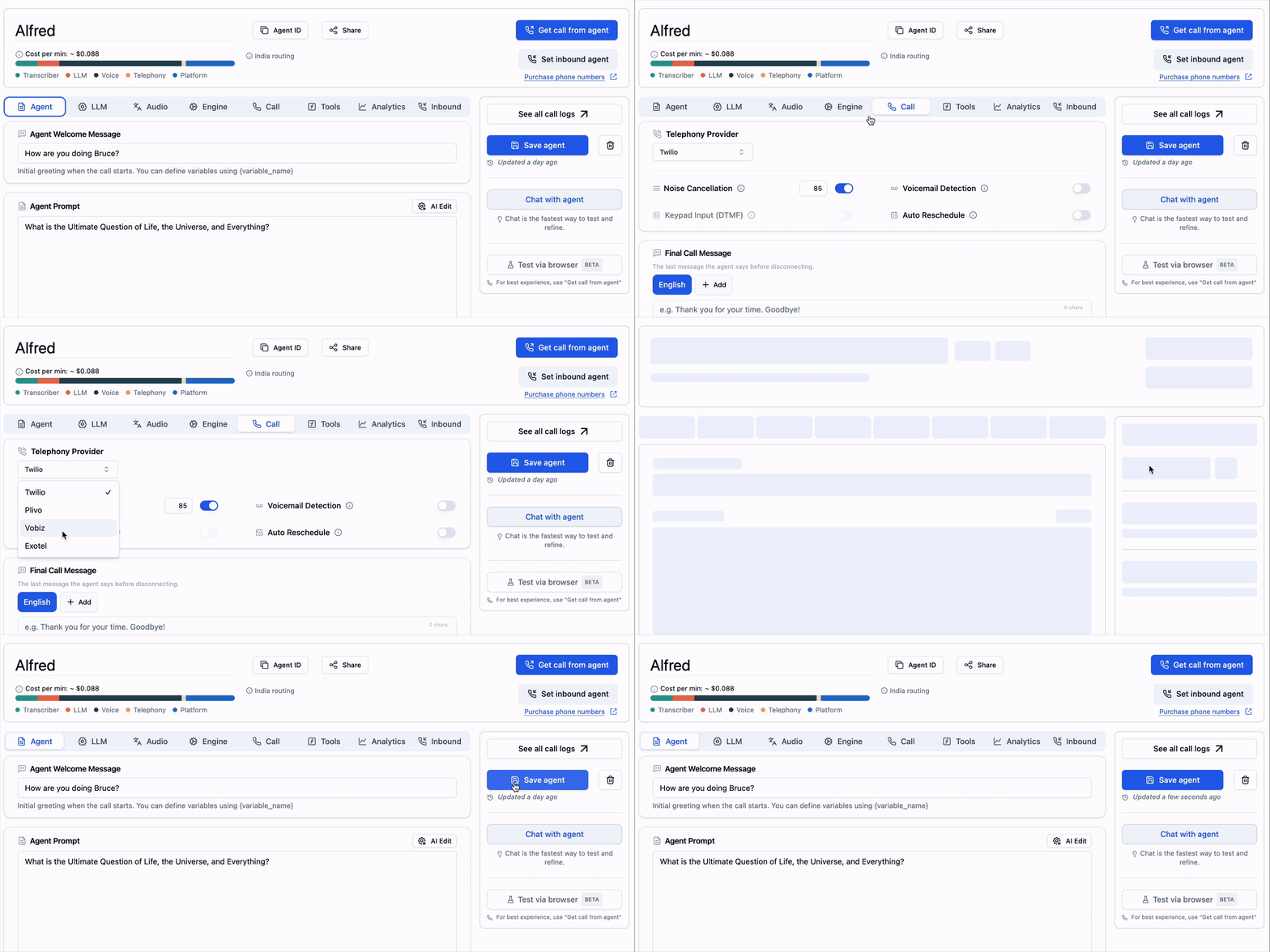
Choose Vobiz as the agent call provider
- Start placing phone calls by providing the recipient phone numbers. Bolna will place the calls to the provided phone numbers.
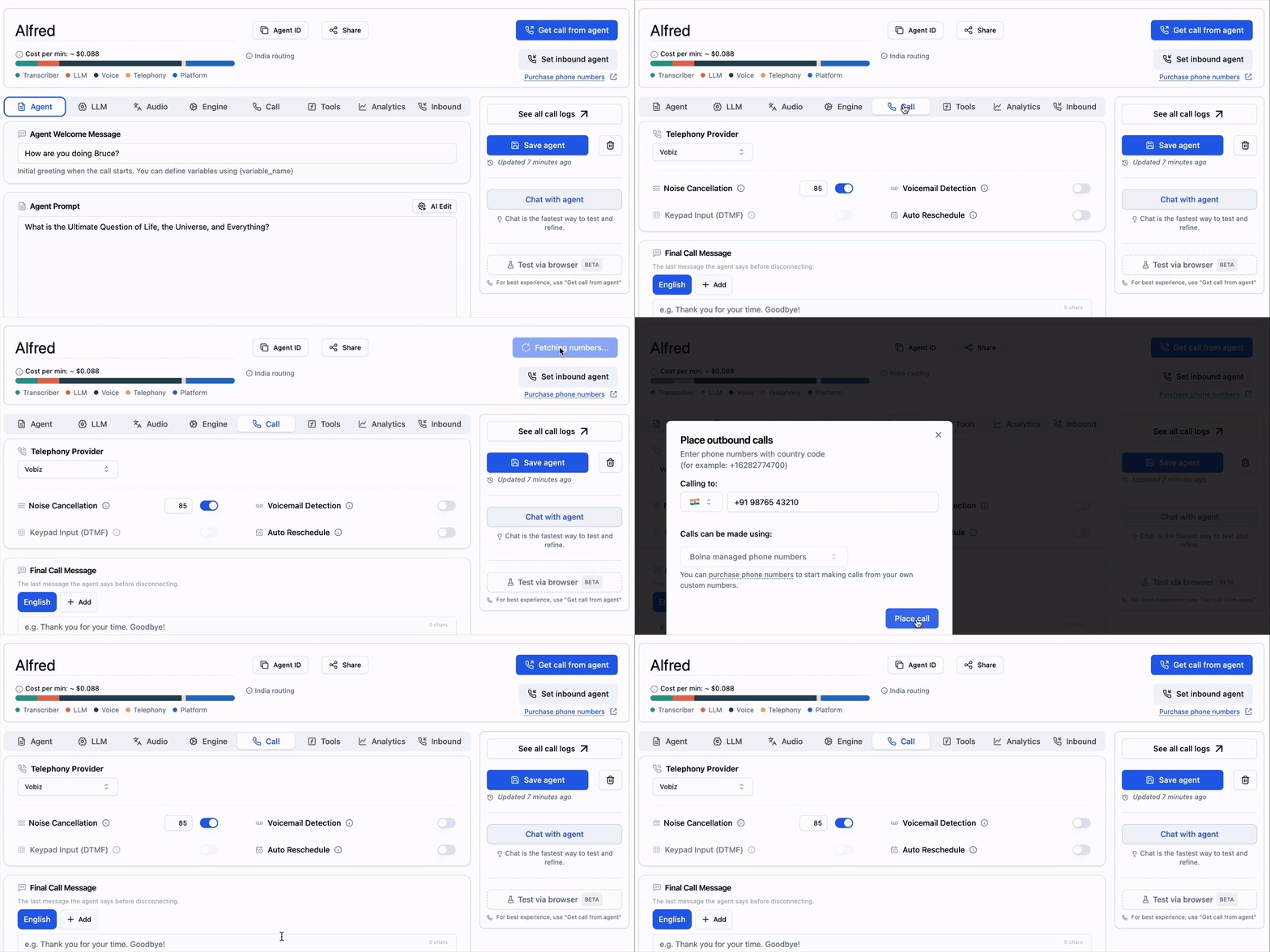
Start placing phone calls on Bolna using Vobiz
You can place calls using your own custom Vobiz phone numbers only if you’ve connected your Vobiz account.
You can read more on how to connect your Vobiz account here.
Making outbound calls Using APIs
- Generate and save your Bolna API Key
- Set your agent
inputandoutputtools asvobizwhile using/createAgent API
- Use
/callAPI to place the call to the agent