

What is DTMF?
DTMF (Dual-Tone Multi-Frequency) is the system behind phone keypad input: the tones produced when a caller presses a digit key (0-9,*, #).
When enabled, digit presses from the caller are captured and sent to the agent as a text message, which the LLM can read and respond to just like spoken input.
When to use it
DTMF is useful any time you want callers to enter structured numeric input without speaking it:- PIN or OTP verification — “Please enter your 6-digit OTP followed by #”
- Account or order number lookup — “Enter your account number and press #”
- Phone number capture — collecting a callback number during a call
- Confirmation flows — “Press 1 to confirm, 2 to cancel”
- Sensitive input — when callers are uncomfortable speaking a number aloud (e.g. a password or card number)
For branching menu flows (“press 1 for sales, press 2 for support”), use IVR Inbound Calls instead. It handles menu routing natively without an LLM.
Telephony support
| Provider | Support |
|---|---|
| Plivo | Supported |
| Twilio | Supported |
| SIP Trunk (BYOT) | Currently not supported |
| Exotel | Currently not supported |
| Vobiz | Currently not supported |
Enabling DTMF
From the dashboard
Toggle on Keypad Input (DTMF) in the Call Tab of your agent.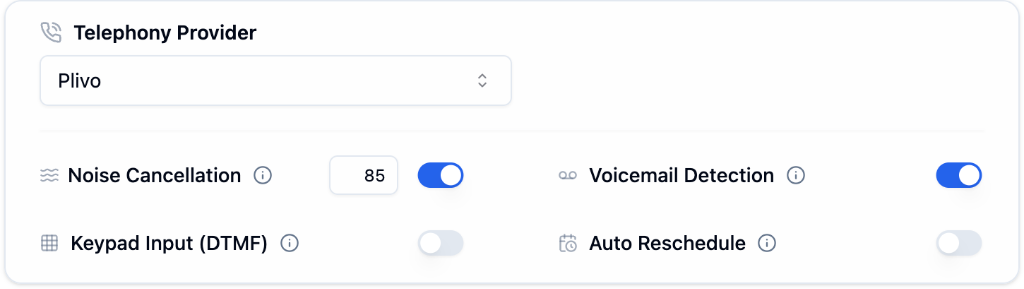
Via the API
Setdtmf_enabled: true inside task_config when creating or updating an agent:
How it works
- The agent asks the caller to enter digits and press
#. - The caller presses keys on their keypad.
- Bolna accumulates the digits until
#is pressed. - The digits are delivered to the agent as:
dtmf_number: <digits> - The agent responds to the input.
# is the termination key. The agent only receives the input after the caller presses it. The # itself is not included in the value.Writing the prompt
Tell callers to press# after their entry, and tell the agent what to do when it sees a dtmf_number: message.
Example prompt snippet:
Next Steps
IVR Inbound Calls
Menu-based call routing with keypad navigation
Call Tab
All call configuration options