

What is Call History?
Call History (Agent Conversations) displays all historical conversations with your agents. View performance metrics, listen to recordings, read transcripts, and access raw execution data for debugging and analysis.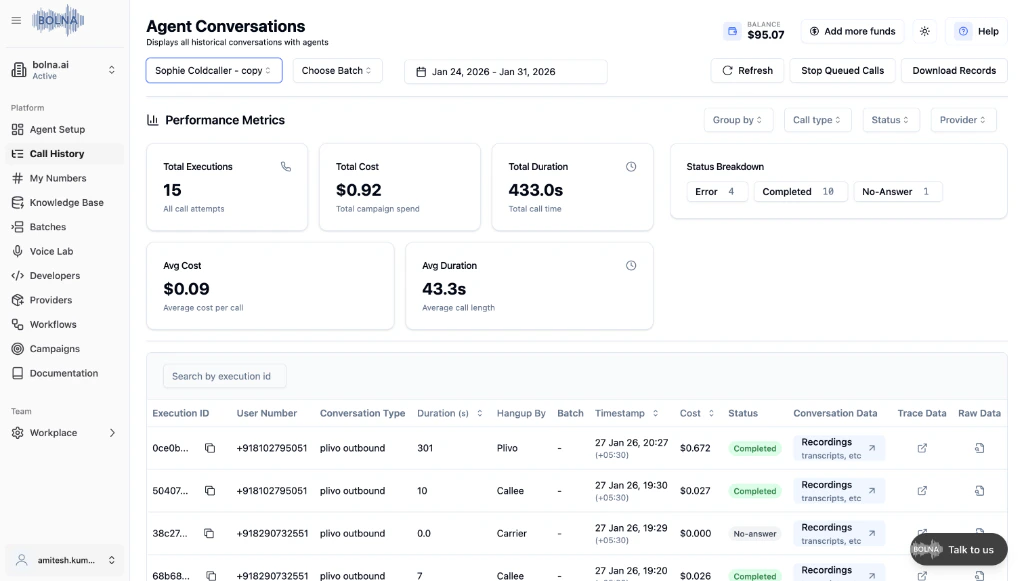
How to Access Call History
Performance Metrics
The top section displays real-time metrics for your selected agent and date range. Use these to monitor campaign performance at a glance.
| Metric | Description |
|---|---|
| Total Executions | Total number of call attempts |
| Total Cost | Total campaign spend |
| Total Duration | Total call time in seconds |
| Status Breakdown | Count of Error, Completed, and No-Answer calls |
| Avg Cost | Average cost per call |
| Avg Duration | Average call length |
Filtering Calls
Available Filters
Available Filters
| Filter | Description |
|---|---|
| Agent | Select a specific agent to view its calls |
| Batch | Filter by batch campaign |
| Date Range | Choose a date range for the calls |
| Group By | Group calls by different criteria |
| Call Type | Filter by inbound or outbound calls |
| Status | Filter by Completed, Error, or No-Answer |
| Provider | Filter by telephony provider |
Call Table
Each call is displayed with the following information:| Column | Description |
|---|---|
| Execution ID | Unique identifier for the call |
| User Number | Phone number of the caller/recipient |
| Conversation Type | Type of call (plivo outbound, twilio inbound, etc.) |
| Duration (s) | Call duration in seconds |
| Hangup By | Who ended the call (Callee, Carrier, Plivo, etc.) |
| Batch | Batch campaign if applicable |
| Timestamp | When the call occurred |
| Cost | Cost of the call |
| Status | Call status (Completed, No-answer, Error) |
Call Details
- Conversation Data
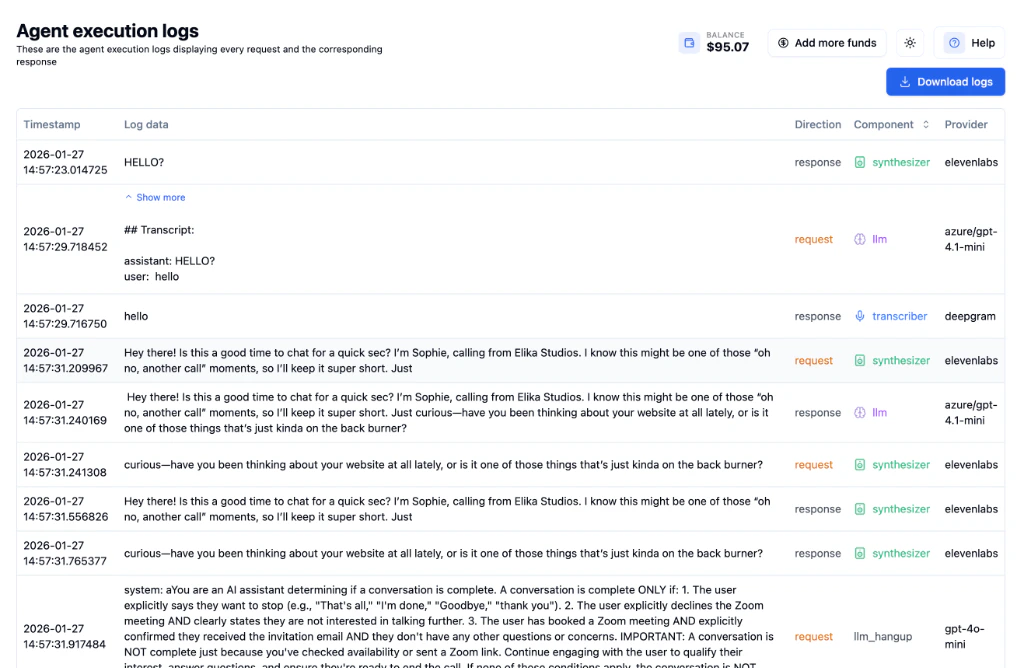
- Trace Data
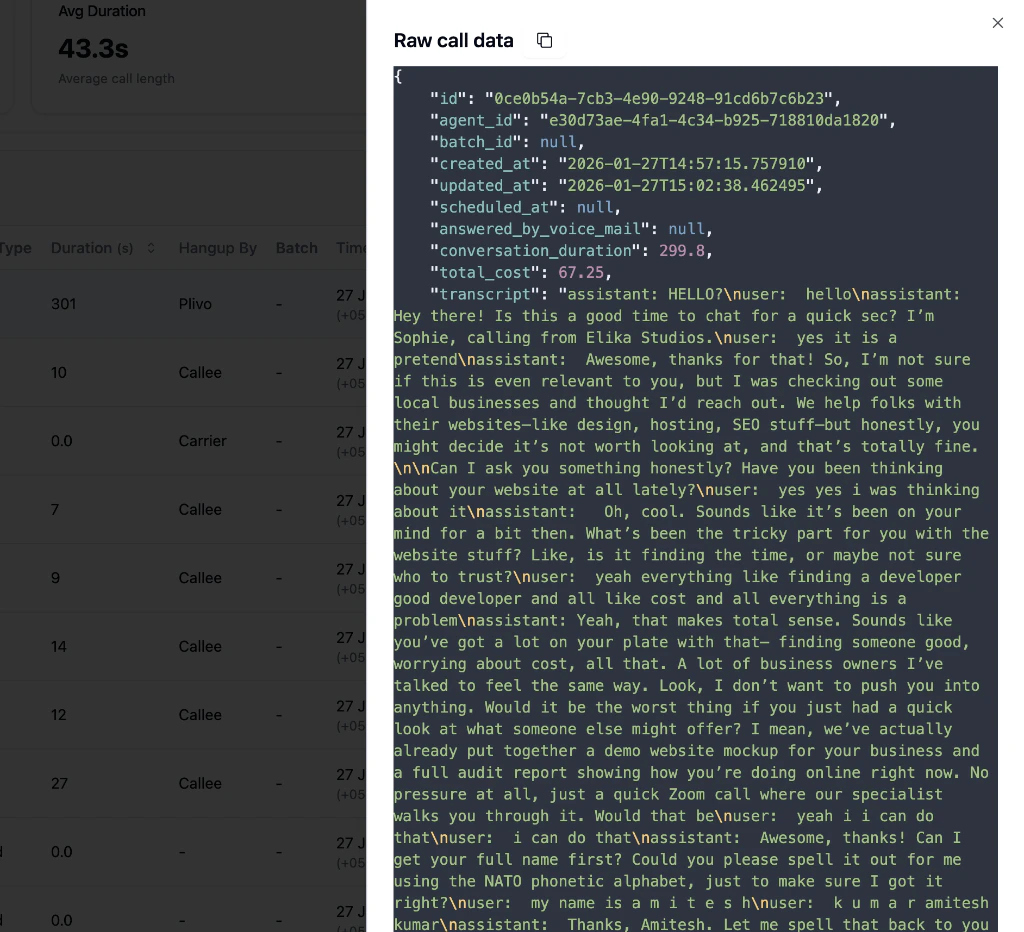
- Raw Data
Click Recordings, transcripts, etc to view the full conversation data.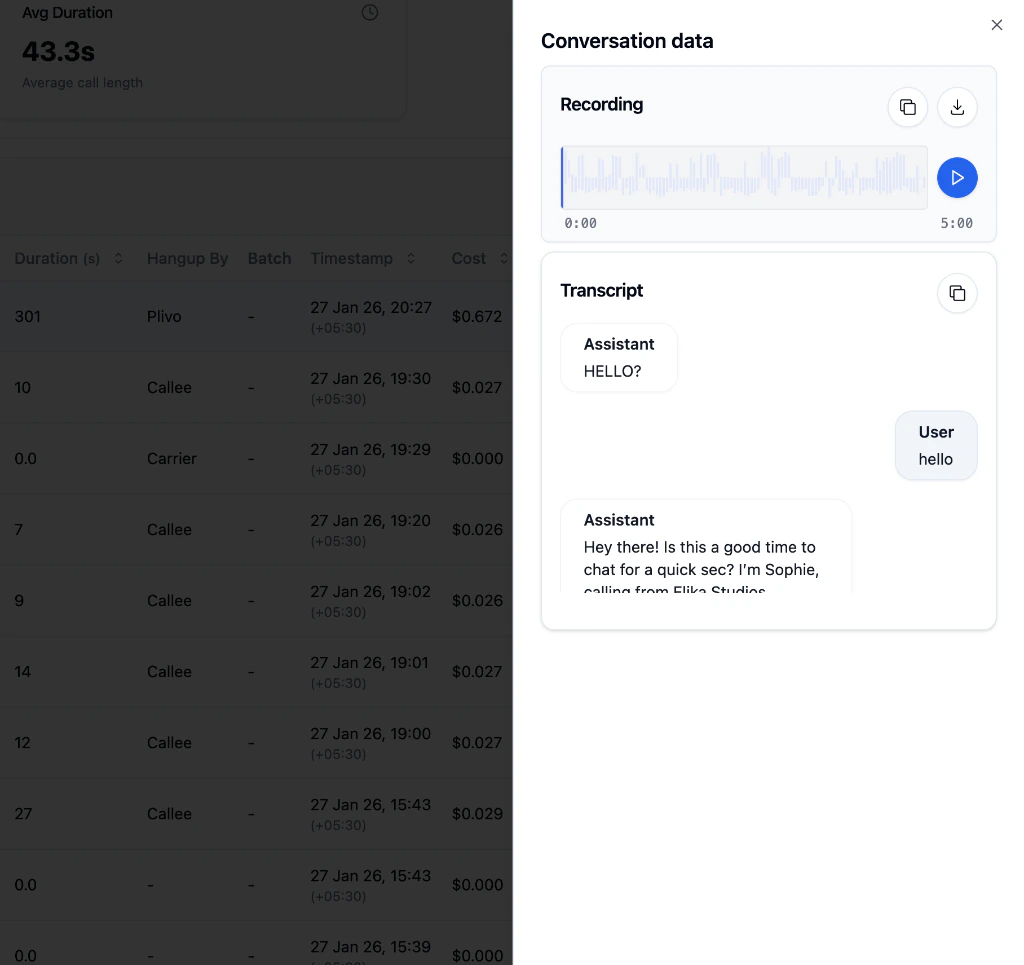
| Section | Description |
|---|---|
| Recording | Audio waveform with play, copy, and download options |
| Transcript | Full conversation showing Assistant and User messages |
Quick Actions
| Action | Description |
|---|---|
| Refresh | Reload the call list |
| Stop Queued Calls | Cancel pending calls in the queue |
| Download Records | Export call data as CSV |
Next Steps
Analytics Tab
Configure webhooks and post-call tasks
Get Execution API
Access call data programmatically
Agent Setup
Configure your agent settings
Batch Calling
Set up automated calling campaigns